Third Hands-on 3D Scanner Tutorial: Collecting 3D Scan Data
Click to learn:First hands-on 3D scanner tutorial: Installing the scanner Click to learn:Hands-on 3D Scanner Tutorial 2: Scanner Calibration Today Mohou.com will learn a tutorial on data collection using 3D scanner with everyone. 1. Explanation of data collection Once preliminary work such as calibration is completed, you can begin scanning. This is a photo scanner […]
CNC Content Navigation
Click to learn:First hands-on 3D scanner tutorial: Installing the scanner
Click to learn:Hands-on 3D Scanner Tutorial 2: Scanner Calibration
Today Mohou.com will learn a tutorial on data collection using 3D scanner with everyone.
1. Explanation of data collection
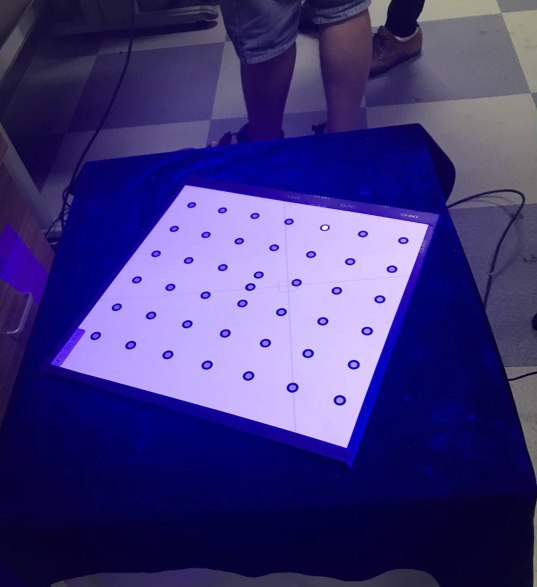
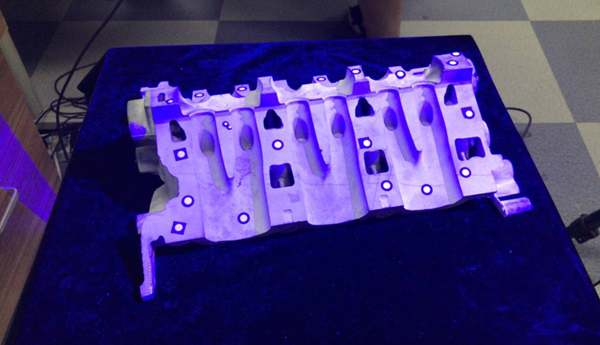
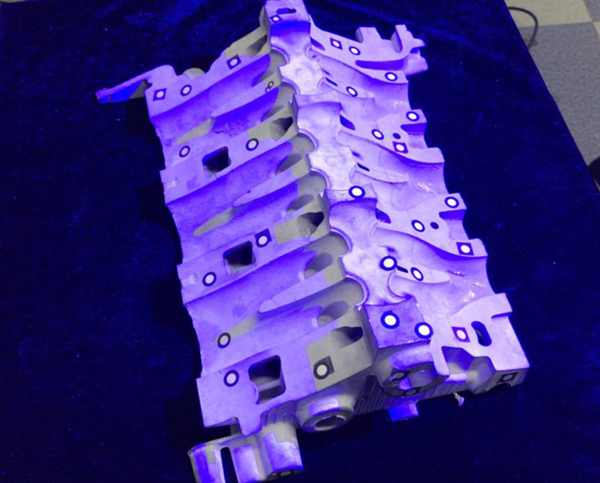
Once preliminary work such as calibration is completed, you can begin scanning. This is a photo scanner tutorial, its collection method is to take a photo to collect part of the data, take a photo to collect part of the data. data, and finally collect different angles of data are spliced.
2. Operation steps
Create a new project – change settings – collect data – splice data – export scan numbers
1. New construction
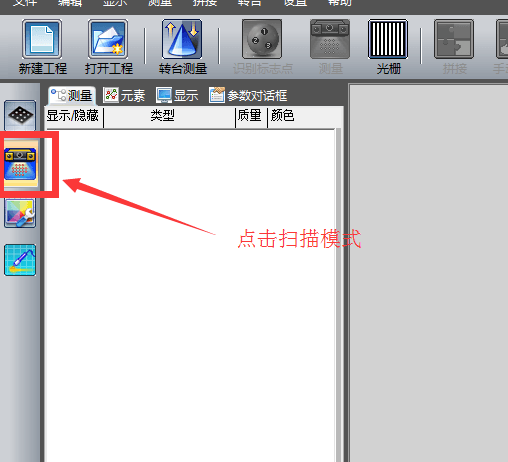
1) Enter scan mode
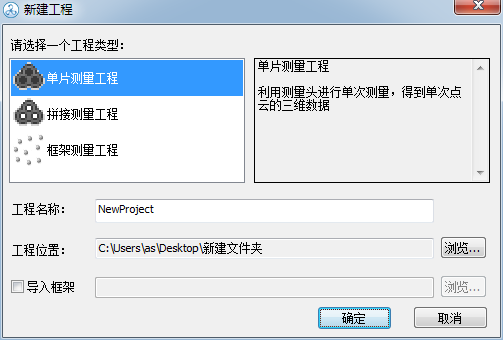
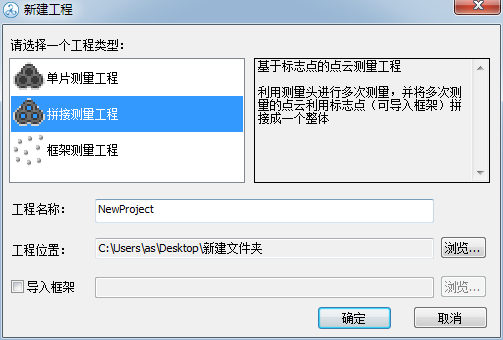
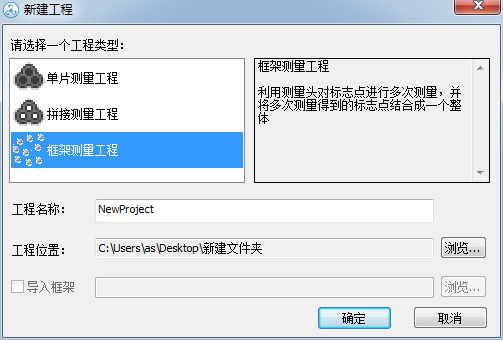
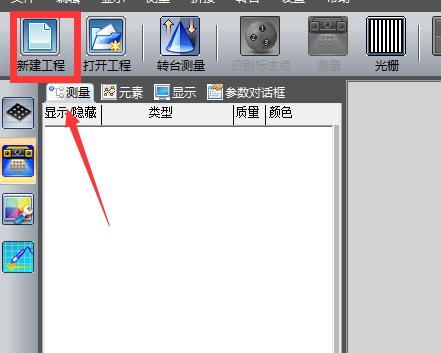
2) New construction
Note: There are three options in the new project: the single-chip measurement project refers to scanning once and does not require splicing; splicing measurement project refers to taking multiple photos of data from different angles and finally splicing the data; The draft measure refers to the non-collection of physical surface data (point cloud data) and is only responsible for mobile phone checkpoints.
Under normal circumstances, we choose the second type of “splicing measurement project”
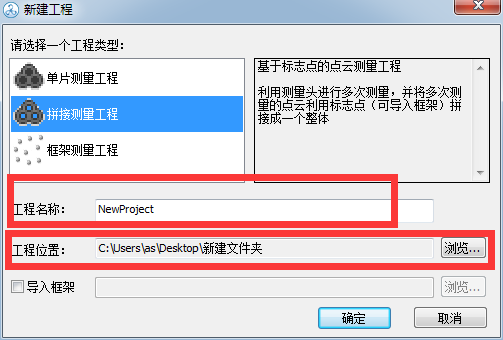
Note: You can choose the project name yourself and save the location.
2. Identify landmarks
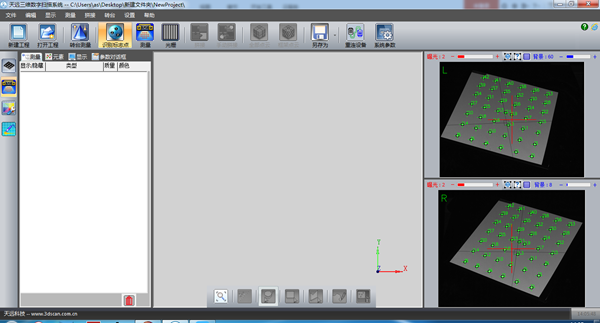
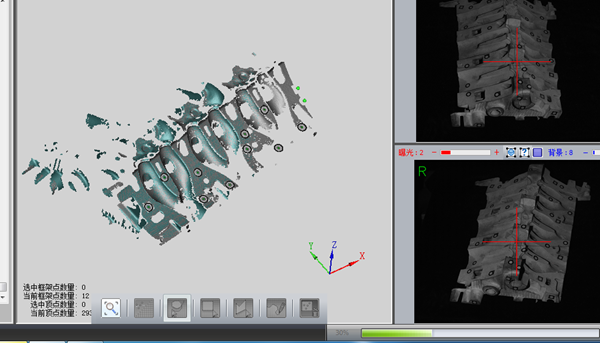
Note: When the new project is completed, the screen automatically switches to the marker point identification interface. Observe the images from the left and right cameras on the right. You can see there are green dots in the image. Identification of marker points is complete. If there is no green dot, it means the recognition failed and you need to go back to the calibration step for calibration.
2. Change system settings
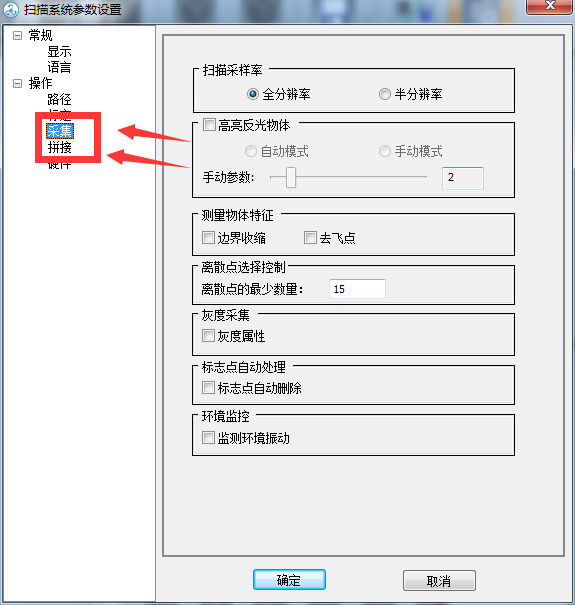
1) Enter the setting interface
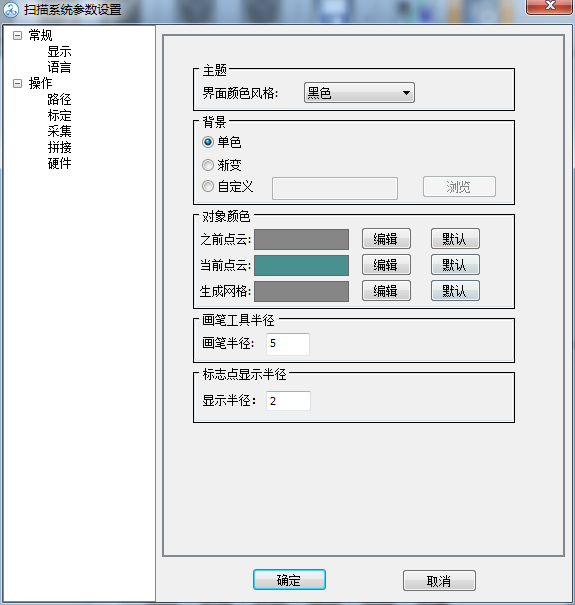
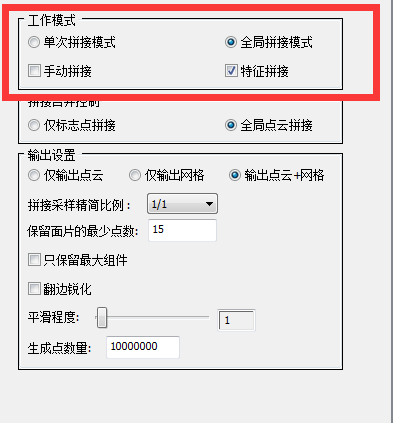
Note: Mainly set these two settings (other settings can be set by default). The defined parameters are not absolute and can be changed at any time depending on the situation.
2) Collection
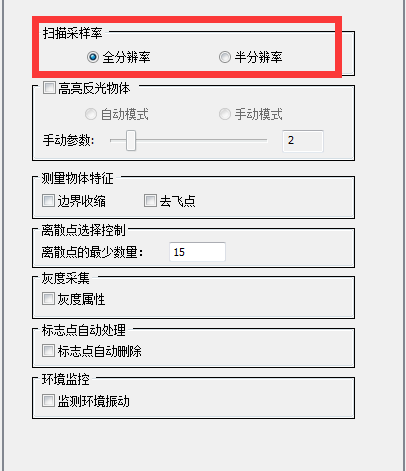
Just use full resolution so the collection effect will be better
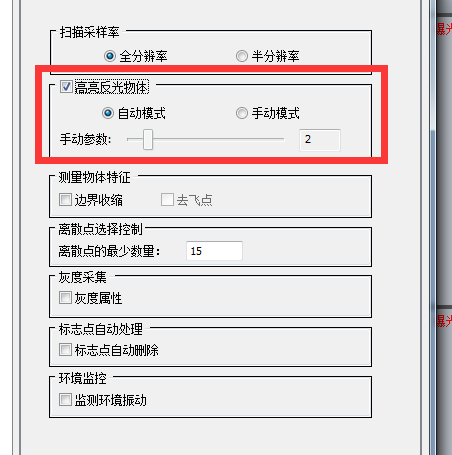
It can be turned on when scanning very bright objects, but it is recommended to turn it off at ordinary times.
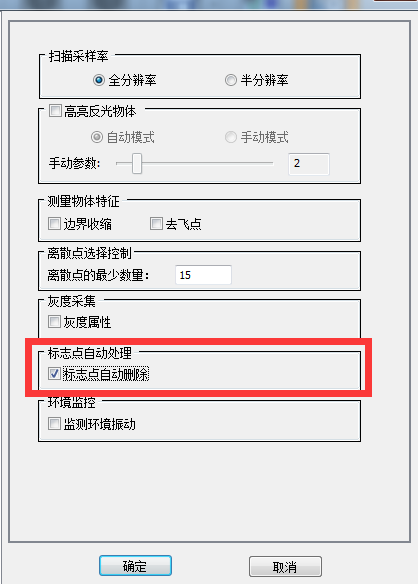
After verification, the collection is completed and the noise points are automatically processed.
3) Splicing
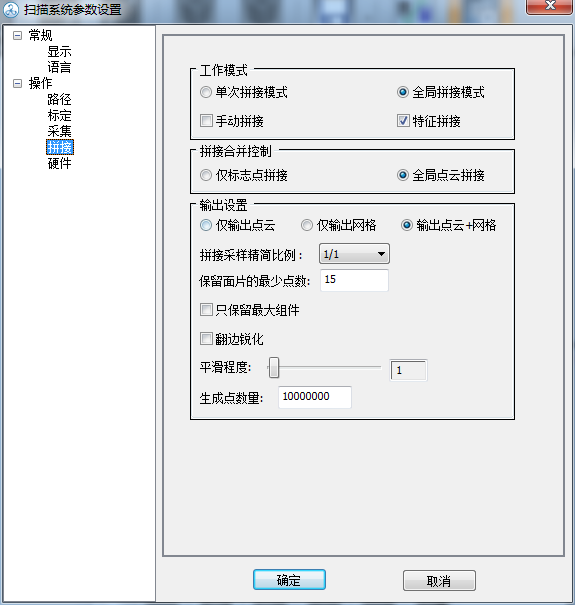
Note: Global splicing refers to the final splicing after all multi-angle acquisitions are completed at the same time; Single splicing mode refers to collecting data once and splicing it once. It is recommended to choose the overall splicing model, which is relatively efficient.
4) Click OK once the setting is complete.
3. Measurement (data collection)
1) Make sure the object we are scanning is within the scanning range
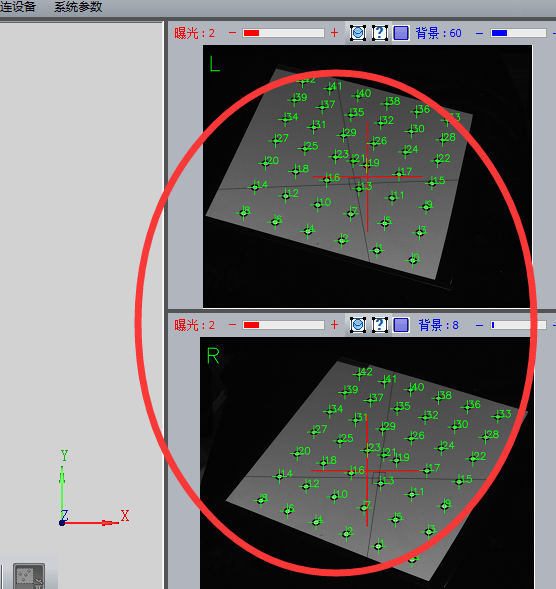
2) After confirmation, click “Measure”
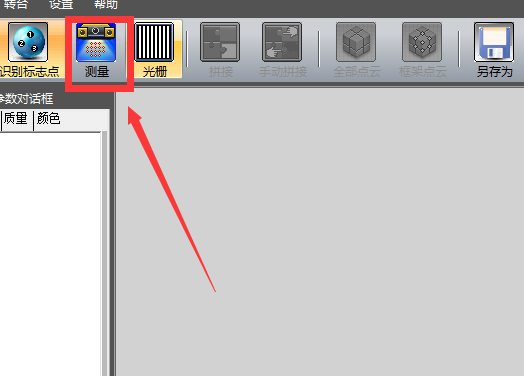
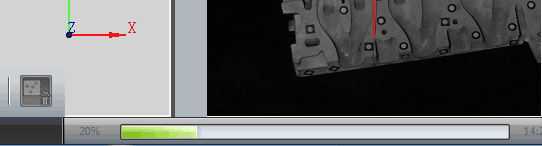
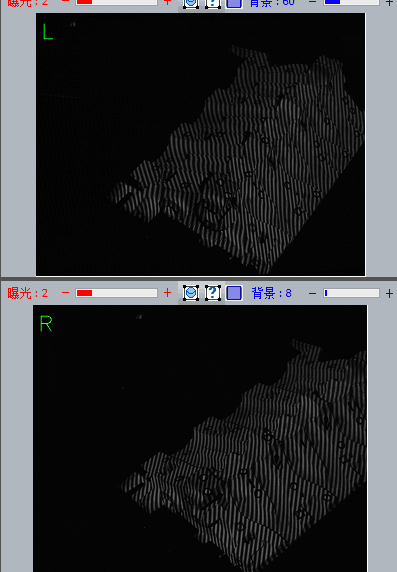
Note: Brightness changes will occur during the acquisition process and network adjustment bands will appear.
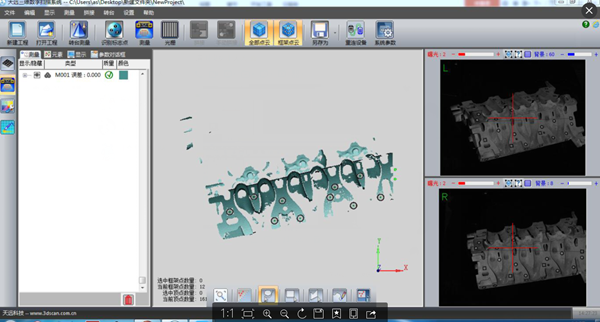
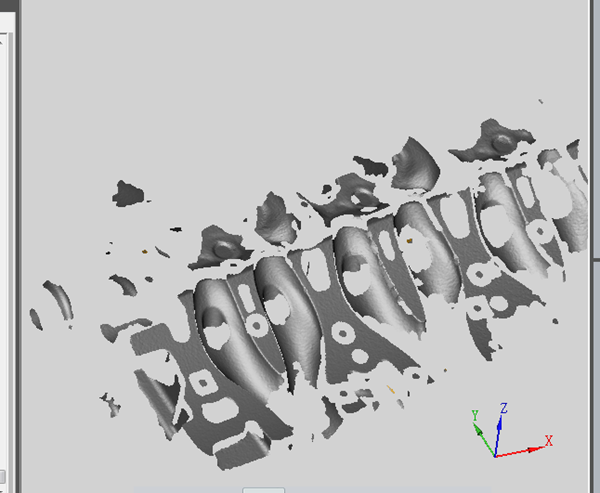
Note: After the collection is completed, the point cloud data collected once will be displayed in the middle.
3) Take the second measurement
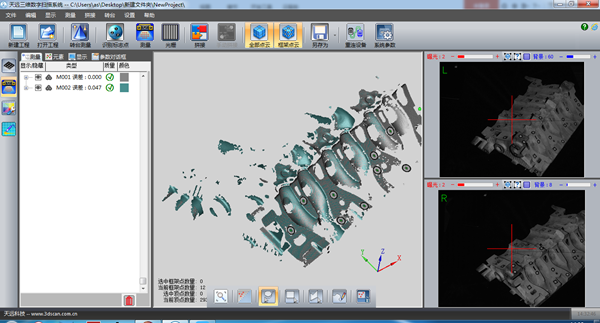
Note: Measure (collect) data from multiple angles by moving physical objects at different angles.
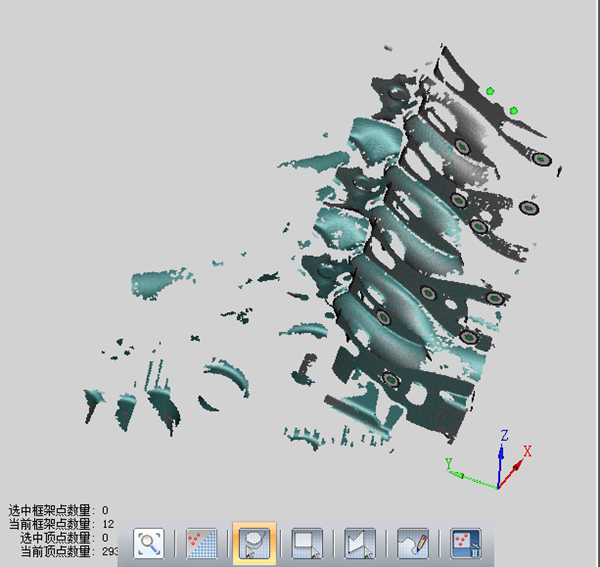
Note: In the data collection area, use commands such as selecting the point cloud data in the middle, zooming in and out with the mouse wheel, and moving the data with SHIFT + right mouse button to observe the gaps.
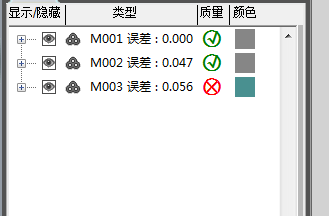
Note: Look at the collection list on the left. Green represents the data collected this time and gray represents the angle data collected previously.
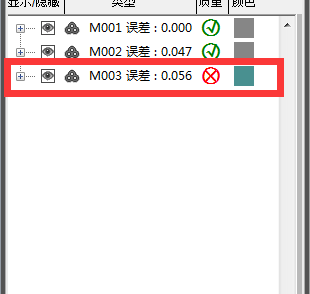
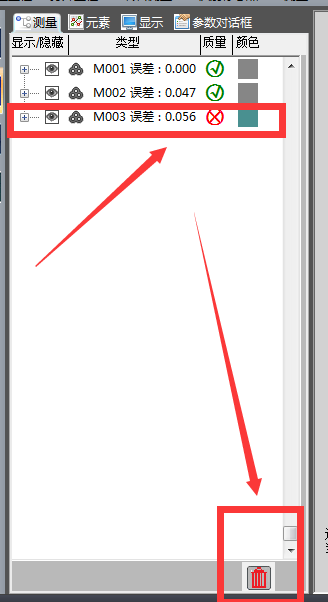
Note: If a red error number is displayed, it means there is a problem with the collected data and it needs to be deleted and collected again.
Note: The above operation method collects different data from multiple angles to complete the final data collection.
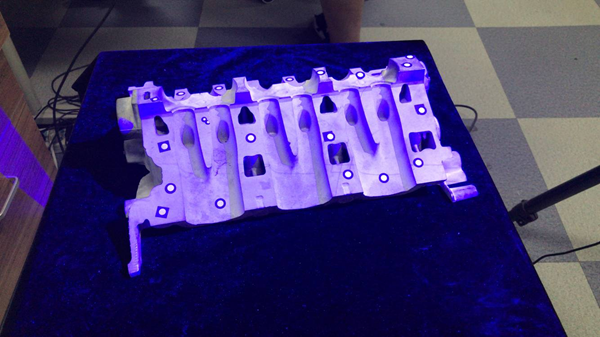
Note: Data is collected by placing the scanned objects at different angles until collection is complete.
1) Collection completed
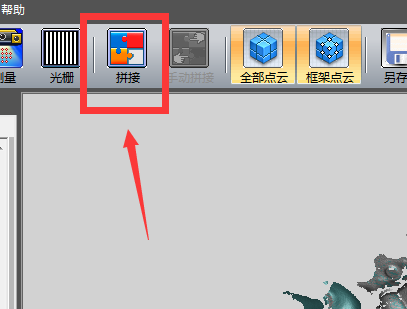
Note: Once splicing is complete, all data will turn gray, indicating success.
2) Export the file
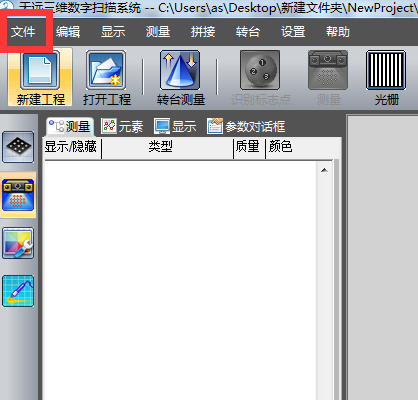
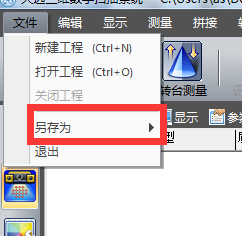
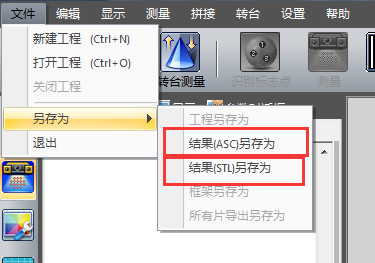
Note: ASC means point cloud data file, STL means triangle patch data file, save it according to your own needs. You can also exit directly without saving, because the software has an automatic save command, you just need to open it in the project file, as shown in the figure
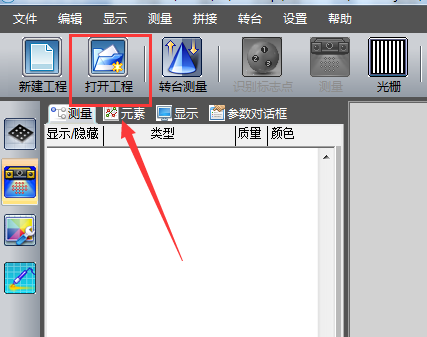
Note: Find the project file you need to open and open it to continue scanning.
3. Summary of measures (data collection):
This section mainly explains how to use a scanner to collect data. Clicking the “Measure” command to collect physical data from different angles, change the angle once collected (look for parts that are not displayed in the 3D software and are not collected for collection). ) until the collection is finally completed (it is inevitable that wrong data is collected or the software crashes during the collection process. If the first case happens, you can choose to delete some orders. If the second happens, simply find and open the project and continue scanning). Finally, the automatic point cloud data processing steps are completed by splicing, and finally the collected data is saved to the file in the format you need (stl, asc).
Daguang focuses on providing solutions such as precision CNC machining services (3-axis, 4-axis, 5-axis machining), CNC milling, 3D printing and rapid prototyping services.

CNC Experts
JinShui Chen
Rapid Prototyping & Rapid Manufacturing Expert
Specialize in CNC machining, 3D printing, urethane casting, rapid tooling, injection molding, metal casting, sheet metal and extrusion
Welcome to GreatLight Metal,Maximum Processing Size 4,000 mm
Precision Machining CNC Quote Online
Click here to upload or drag and drop your model to the canvas.
The model is too large and has been resized to fit in the printer's build tray. [Hide]
The model is too large to fit in the printer's build tray. [Hide]
The model is too large, a fitting printer is selected. [Hide]
The model is too small and has been upscaled. [Hide]
Warning: The selected printer can not print in full color [Hide]
Warning: obj models with multiple meshes are not yet supported [Hide]
Warning: Unsupported DXF entity [Hide]
Warning: could not arrange models [Hide]
File Unit:
Scale:
%
L × W × H:
X: ×Y:× Z:cm
Rotation:
X:° Y:° Z:°
Dark is higher
Bright is higher
Height (mm)
Model Stats:
Material Volume:
cm3
Support Material Volume:
cm3
Box Volume:
cm3
Surface Area:
cm2
Model Weight:
g
Model Dimensions:
x x
cm
Number of Polygons:
Number of Shapes:
Total Path:
cm
Print Time
(hh:mm:ss):
⚡ Instant Quote for Precision Manufacturing
Submit your design files (STEP/IGES/DWG) and receive a competitive quote within 1 hour, backed by ISO 9001-certified quality assurance.
📋 How It Works
Upload & SpecifyShare your 3D model and select materials (Aluminum/Stainless Steel/Titanium/PEEK), tolerances (±0.002mm), and surface treatments.
AI-Powered AnalysisOur system calculates optimal machining strategy and cost based on 10+ years of automotive/aerospace data.
Review & ConfirmGet a detailed breakdown including:
- Volume pricing tiers (1-10,000+ units)
- Lead time (3-7 days standard)
- DFM feedback for cost optimization
Unit Price:
The world's first CNC machining center that dares to provide free samples!
Free for first product valued at less than $200. (Background check required)
When you’re ready to start your next project, simply upload your 3D CAD design files, and our engineers will get back to you with a quote as soon as possible.
Aerospace CNC Machining Prototype Service Savannah
CNC Machining Prototype Service Georgia
Aluminium Cnc Machining China Custom Source Factory
CNC Machining Aerospace Parts
CNC Turned Parts Manufacturer Georgia
Aerospace Parts CNC Machining Manufacturing
Custom Parts Of A CNC Mill Metal Fabrication
CNC Machined Manifold Parts Manufacturing
High‑Precision CNC Machined Part Manufacturer
Custom High Precision CNC Machining Metal Parts
CNC Lathe Machine Parts for Automotive & Aerospace Parts
CNC Machining Plastic Parts & Injection Molding Services
Scroll to Top
ISO 9001 Certificate
ISO 9001 is defined as the internationally recognized standard for Quality Management Systems (QMS). It is by far the most mature quality framework in the world. More than 1 million certificates were issued to organizations in 178 countries. ISO 9001 sets standards not only for the quality management system, but also for the overall management system. It helps organizations achieve success by improving customer satisfaction, employee motivation, and continuous improvement. * The ISO certificate is issued in the name of FS.com LIMITED and applied to all the products sold on FS website.
IATF 16949 certificate
IATF 16949 is an internationally recognized Quality Management System (QMS) standard specifically for the automotive industry and engine hardware parts production quality management system certification. It is based on ISO 9001 and adds specific requirements related to the production and service of automotive and engine hardware parts. Its goal is to improve quality, streamline processes, and reduce variation and waste in the automotive and engine hardware parts supply chain.
ISO 27001 certificate
ISO/IEC 27001 is an international standard for managing and processing information security. This standard is jointly developed by the International Organization for Standardization (ISO) and the International Electrotechnical Commission (IEC). It sets out requirements for establishing, implementing, maintaining, and continually improving an information security management system (ISMS). Ensuring the confidentiality, integrity, and availability of organizational information assets, obtaining an ISO 27001 certificate means that the enterprise has passed the audit conducted by a certification body, proving that its information security management system has met the requirements of the international standard.
ISO 13485 certificate
ISO 13485 is an internationally recognized standard for Quality Management Systems (QMS) specifically tailored for the medical device industry. It outlines the requirements for organizations involved in the design, development, production, installation, and servicing of medical devices, ensuring they consistently meet regulatory requirements and customer needs. Essentially, it's a framework for medical device companies to build and maintain robust QMS processes, ultimately enhancing patient safety and device quality.
Get The Best Price
Send drawings and detailed requirements via
Email:info@glcncmachining.com Or Fill Out The Contact Form Below: