

In the world of precision parts machining and customization, converting a 2D file for a CNC machine is a crucial step that can significantly impact the quality and efficiency of your manufacturing process. Today, we’ll delve into this topic and also introduce you to GreatLight CNC Machining Factory, a leading expert in the field.
Understanding the Basics of Converting 2D Files for CNC Machines
A 2D file, such as a CAD (Computer – Aided Design) drawing, contains the blueprint of the part you want to manufacture. However, a CNC (Computer Numerical Control) machine needs specific instructions to cut, drill, or shape the material accurately. So, the conversion process is all about translating the 2D design into a language that the CNC machine can understand, typically G – code.
1. Select the Right Software
There are several software options available for converting 2D files to CNC – compatible code. Some popular ones include Fusion 360, Mastercam, and SolidWorks CAM. These software packages offer a range of features, from simple 2D to complex 3D machining simulations.
Fusion 360: It is a cloud – based CAD/CAM software that provides an intuitive interface for beginners. It can handle 2D files from various sources and generate G – code for different types of CNC machines.
Mastercam: This is a professional – grade CAM software known for its powerful machining capabilities. It can optimize toolpaths and generate highly efficient G – code for complex parts.
SolidWorks CAM: Integrated with the popular SolidWorks CAD software, it allows for seamless transition from 2D design to CNC programming. It offers a wide range of machining strategies for different materials and part geometries.
2. Import the 2D File
Once you’ve chosen the software, the next step is to import the 2D file. Most software supports common file formats such as DXF (Drawing Exchange Format) and DWG. Make sure the 2D file is accurate and contains all the necessary dimensions and details of the part.
3. Define the Machining Operations
After importing the file, you need to define the machining operations. This includes selecting the appropriate cutting tools, specifying the cutting depths, feed rates, and spindle speeds. The software will use this information to generate the toolpaths.
Tool Selection: Different tools are used for different machining operations. For example, end mills are used for milling flat surfaces, while drills are used for creating holes.
Cutting Parameters: The cutting depths, feed rates, and spindle speeds depend on the material being machined and the type of tool used. For instance, harder materials may require slower feed rates and lower spindle speeds.
4. Generate and Verify the G – code
Once the machining operations are defined, the software will generate the G – code. It’s essential to verify the G – code before sending it to the CNC machine. Most software offers simulation features that allow you to visualize the machining process and check for any errors or collisions.
Why Choose GreatLight CNC Machining Factory for Your CNC Needs?
GreatLight CNC Machining Factory, also known as GreatLight Metal, is a professional five – axis CNC machining manufacturer that can handle all your precision parts machining and customization requirements.
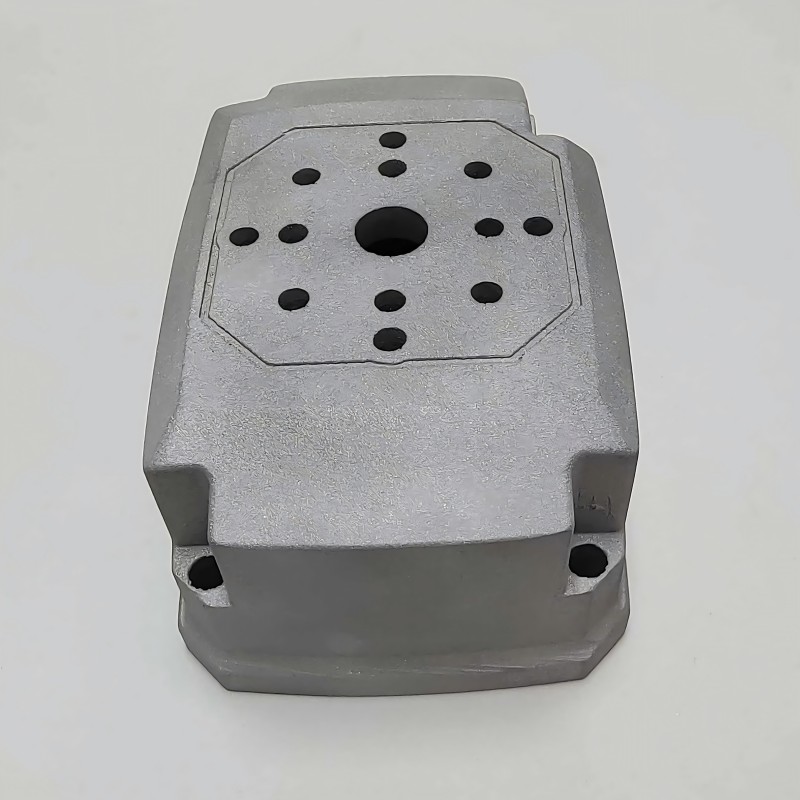
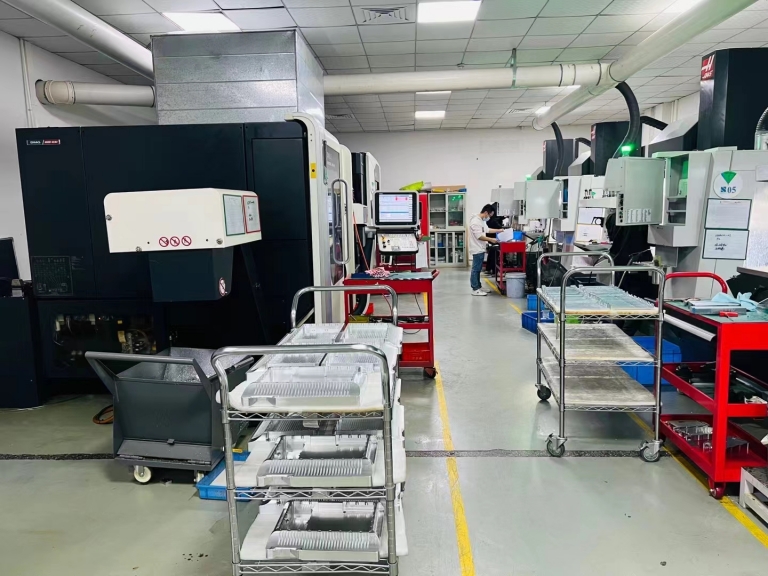
Advanced Equipment: The factory is equipped with 127 pieces of precision peripheral equipment, including large high – precision five – axis, four – axis, and three – axis CNC machining centers. This advanced equipment ensures high – quality and accurate machining of your parts.
Comprehensive Services: GreatLight offers a one – stop solution, including precision CNC machining services (three – axis, four – axis, and five – axis machining), CNC milling services, die casting mold/metal die casting processing services, vacuum casting customization, sheet metal processing customization, and various 3D printing services.
Quality Assurance: With many years of experience in precision prototype model processing, the factory can achieve high precision (capable of processing to ±0.001mm / 0.001 In and above). It is an ISO 9001:2015 certified manufacturer, and has additional certifications like ISO 27001 for data security, ISO 13485 for medical hardware production, and IATF 16949 for the automotive and engine hardware component industries. This means you can trust the quality of the parts produced.
Customer – Centric Approach: GreatLight provides after – sales guarantee, free rework for quality problems, and a full refund if rework is still unsatisfactory. Whether you need complex parts for humanoid robots, automotive engines, or aerospace applications, GreatLight CNC Machining Factory can deliver.
Conclusion
Converting a 2D file for a CNC machine is a multi – step process that requires the right software, careful planning, and verification. By choosing a reliable partner like GreatLight CNC Machining Factory, you can ensure that your precision parts are machined to the highest standards. Their advanced equipment, comprehensive services, and commitment to quality make them the ideal choice for all your CNC machining needs. So, if you’re looking to convert your 2D designs into high – quality precision parts, don’t hesitate to reach out to GreatLight.
Frequently Asked Questions (FAQ)
Q1: Can I convert a 2D file from a free CAD software for CNC machining?
A: Yes, most free CAD software can export files in common formats like DXF, which can be imported into CAM software for conversion to G – code. However, the level of detail and accuracy of the 2D file may affect the final machining result.
Q2: How long does it take to convert a 2D file for CNC machining?
A: The time required depends on the complexity of the part. Simple 2D designs may take only a few minutes to set up and generate the G – code, while more complex parts with multiple machining operations can take several hours.
Q3: What if there are errors in the G – code generated?
A: Most CAM software has verification and simulation features to detect errors in the G – code. If errors are found, you can go back to the software, adjust the machining operations, and regenerate the G – code. GreatLight CNC Machining Factory also has in – house precision measurement and testing equipment to ensure the accuracy of the parts.
Q4: Can GreatLight CNC Machining Factory handle large – scale production?
A: Yes, with its three wholly – owned manufacturing plants and a team of 150 employees, GreatLight is well – equipped to handle both small – scale prototyping and large – scale production. They can quickly produce prototypes and parts within days using 3 – axis, 4 – axis, and 5 – axis CNC machining technology.
Q5: Where can I find more information about GreatLight CNC Machining Factory?
A: You can find more information and case studies about GreatLight CNC Machining Factory by referring to relevant industry resources or by visiting their LinkedIn page.



















