
The Maker’s Journey: Building a Functional CNC Machine with Arduino
The allure of creating precise, automated parts in your own workshop is powerful. For engineers, designers, and passionate makers, the question of “How to make a CNC machine at home using Arduino?” represents the first step towards unlocking a new dimension of personal fabrication. While a homemade Arduino CNC will not replace the speed, rigidity, and micron-level precision of an industrial 5-axis CNC machining service, it serves as an unparalleled educational platform and a tool for prototyping in softer materials like wood, plastic, and soft aluminum.
This guide delves deep into the methodology, components, and critical considerations for building your own desktop CNC machine, while objectively outlining its capabilities and limitations compared to professional manufacturing solutions.
H2: Understanding the Core: What an Arduino-Based CNC Machine Really Is
At its heart, a CNC (Computer Numerical Control) machine is a mechatronic system that interprets digital design instructions (G-code) to move a tool precisely along programmed paths. An Arduino acts as the machine’s low-level controller. It does not generate toolpaths; instead, it receives movement commands from specialized software on your computer (like GRBL, a popular firmware for Arduinos) and translates them into electrical signals to drive the motors.
Key Distinction:
Your DIY Arduino CNC: A stepper motor controller. It excels at learning core CNC principles, prototyping non-critical components, and executing light-duty machining in forgiving materials.
Industrial CNC Machining (e.g., at GreatLight Metal): A complete, integrated production system. It involves rigid cast iron or polymer concrete frames, high-torque servo motors, advanced motion controllers, precision ground ball screws, temperature-controlled enclosures, and sophisticated software capable of real-time toolpath optimization and error correction for materials like titanium, stainless steel, and engineering plastics.
H2: Essential Components for Your Build
Building a functional machine requires careful selection of mechanical, electronic, and software components.
H3: 1. Mechanical Structure & Motion System
This forms the skeleton of your machine. Rigidity is the single most important factor for achievable precision.
Frame: Common choices include extruded aluminum profiles (e.g., 20mm x 20mm or 40mm x 40mm V-slot), which are modular and relatively rigid, or machined aluminum plates. Wood can be used for ultra-low-budget proof-of-concept builds but lacks stability.
Linear Motion: This guides the movement.
Smooth Rods & Linear Bearings: Affordable but can exhibit play and friction.
Leadscrews (Threaded Rods vs. Ball Screws): A threaded rod is the most budget-friendly option but has high friction and backlash. Anti-backlash nuts can mitigate this slightly. For significantly better performance, precision ground ball screws are used industrially but are costly.
Belts & Pulleys: Often used in 3D printer-derived CNC designs (like MPCNC) for cost and speed, but they stretch under load, limiting precision and cutting force.
H3: 2. The Electronic Nervous System
Microcontroller: An Arduino Uno is the classic choice, typically running the GRBL firmware—an open-source, high-performance G-code parser and motion controller.
Stepper Motors: These provide precise open-loop control. NEMA 17 is common for small machines; NEMA 23 offers more torque for slightly more demanding cuts.
Stepper Drivers: Critical components that regulate current to the motors. Drivers like A4988 or DRV8825 are common, while TMC2208/2209 offer quieter operation and advanced features like stealthChop.
Power Supply Unit (PSU): Must supply sufficient voltage (often 12V-36V depending on motors) and current (Amps) for all motors simultaneously. Undersizing the PSU leads to missed steps and failed cuts.
Spindle: This is your cutting tool driver.
Beginner: A high-speed DC brushless motor (e.g., a 775 motor or a 500W-800W spindle).
For Better Results: A water-cooled or air-cooled ER11 collet spindle (e.g., 1.5kW) provides much higher power, RPM stability, and runout accuracy. Never use a standard router for safety and precision reasons in an enclosed space.
Limit Switches (Optional but Highly Recommended): These define the machine’s “home” position, preventing the carriage from crashing into the frame and enabling repeatable operations.
H3: 3. The Software Stack
CAD Software: To design your part (e.g., Fusion 360, FreeCAD, SketchUp).
CAM Software: To convert the CAD model into G-code toolpaths, defining feed rates, spindle speeds, and cutting depth (e.g., Fusion 360 CAM, Estlcam, Carbide Create).
Control Software/ Sender: This streams the G-code to the Arduino/GRBL and provides machine control (e.g., Universal G-code Sender (UGS), Candle, ChiliPeppr).
H2: Step-by-Step Assembly and Integration Philosophy
Design & Planning: Before buying anything, model your entire machine in CAD. This forces you to think about tolerances, mounting points, and cable management. Decide on your work envelope (e.g., 300mm x 300mm x 100mm).
Mechanical Assembly: Assemble the frame square and true. Any misalignment here multiplies into cutting error. Mount linear rails/bearings and leadscrews carefully. Preload bearings if possible to reduce play.
Wiring & Electronics: Follow a proven wiring diagram. Keep motor wires away from signal wires to reduce electrical noise, which can cause erratic behavior. Use proper fuses and an emergency stop switch.
Firmware Configuration: This is a critical step. After uploading GRBL to your Arduino, you must configure it meticulously using $$ commands in the sender software. Key settings include steps per millimeter (for each axis), maximum feed rate, and acceleration settings. Incorrect calibration here will result in misshapen parts.
Testing & Calibration: Before mounting a spindle, test all axes for smooth movement and homing. Then, perform a “paper test” or a “marker test”—command the machine to cut a known shape (like a square circle) and measure the output with calipers to calibrate steps/mm.
H2: Realistic Expectations: Capabilities vs. Professional Manufacturing
Here’s an objective comparison to set clear expectations:
| Feature | DIY Arduino CNC Machine | Professional CNC Machining Service (e.g., GreatLight Metal) |
|---|---|---|
| Typical Precision | ±0.1mm to ±0.5mm, highly dependent on build quality and calibration. | ±0.01mm to ±0.001mm (±0.0004″) routinely achieved, guaranteed by ISO 9001 processes. |
| Rigidity & Frame | Extruded aluminum, wood, or steel tubing. Prone to vibration and deflection. | Massive, stress-relieved cast iron or mineral composite bases. Engineered for absolute stability. |
| Control System | Open-loop stepper control (no position feedback). Can “lose steps” under load. | Closed-loop servo systems with real-time feedback, ensuring commanded position equals actual position. |
| Material Scope | Soft woods, plastics, foams, very light passes in soft aluminum. | All engineering metals (stainless steel, titanium, aluminum alloys), plastics, and composites. |
| Surface Finish | Often requires significant sanding/post-processing due to vibration and tool marks. | Can achieve surface finishes down to Ra 0.2µm or better directly off the machine. |
| Purpose | Education, hobby projects, functional prototypes in soft materials. | End-use parts, functional prototypes for testing, low-to-high volume production. |
| Support & Guarantee | Self-reliant debugging and troubleshooting. | Full engineering support, DFM feedback, material certification, and comprehensive quality inspection reports (CMM, micrometer). |
H2: Conclusion
Building a CNC machine with Arduino is a profoundly rewarding project that demystifies the fundamentals of automation, mechatronics, and digital manufacturing. It empowers you to create custom fixtures, signs, PCB prototypes, and models directly from your digital designs. The hands-on knowledge gained in kinematics, G-code, and machine calibration is invaluable.
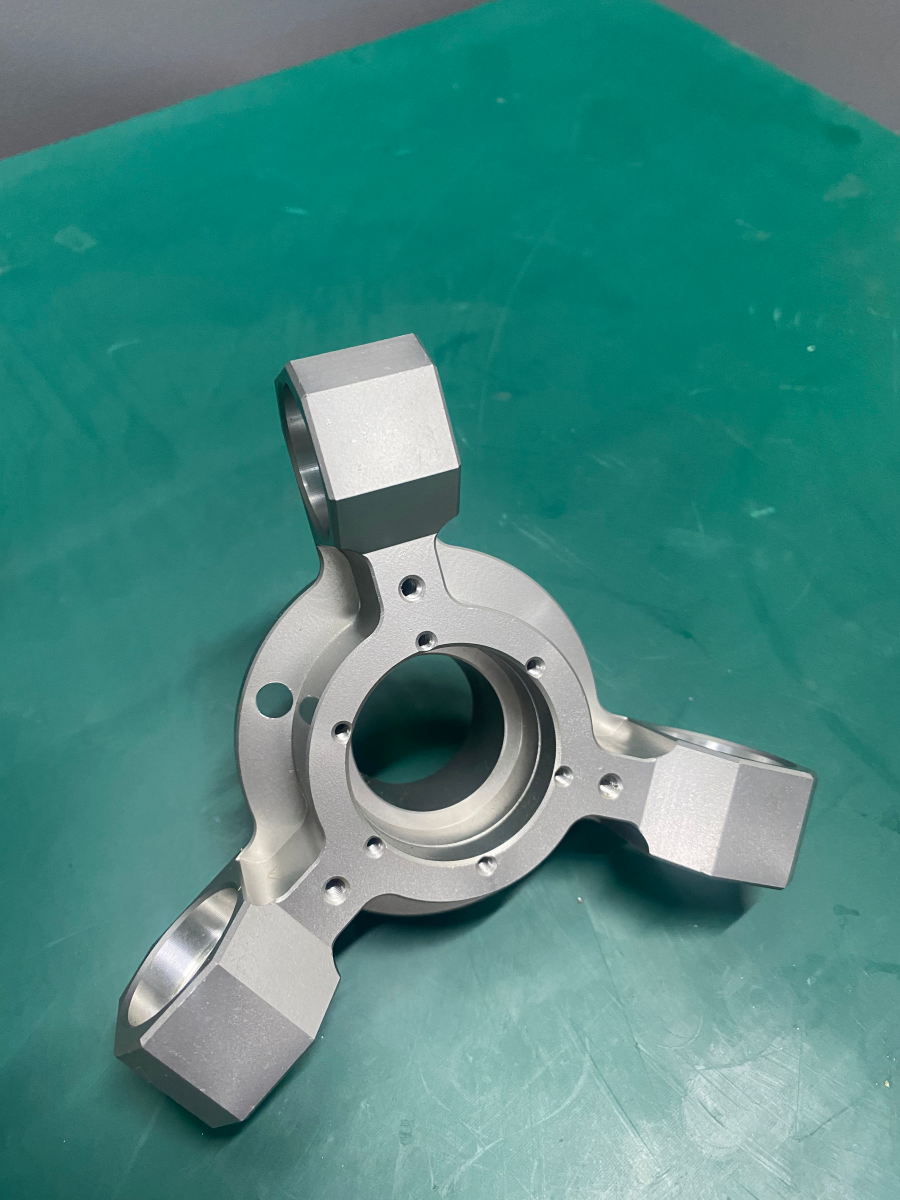
However, it is crucial to recognize this journey for what it is: a masterclass in engineering principles, not a shortcut to industrial-grade parts. When your project demands uncompromising precision, material integrity, or reliability for critical applications—whether for a robotics component, aerospace bracket, or medical device prototype—the expertise, advanced equipment, and systemic rigor of a professional partner become indispensable. This is where a manufacturer like GreatLight Metal, with its integrated precision 5-axis CNC machining capabilities and full-process quality assurance, transitions from being an option to being the essential solution for turning ambitious concepts into flawless, high-performance reality.
H2: Frequently Asked Questions (FAQ)
Q1: What is the total estimated cost for a basic, functional DIY Arduino CNC?
A1: Costs vary dramatically. A very basic machine using wood frame, threaded rods, and NEMA 17 motors can be built for $300-$500. A more robust machine with aluminum extrusion frame, lead screws, NEMA 23 motors, and a proper spindle will typically range from $800 to $2,000, excluding tools and measuring instruments.
Q2: Can I machine metals like steel or titanium with my homemade machine?
A2: Not effectively or safely. Machining these materials requires immense rigidity, high torque, specialized tooling, and cutting fluids to manage heat and wear. Attempting this on a DIY machine will likely result in broken tools, poor surface finishes, damaged components, and potential safety hazards.
Q3: My machine is cutting shapes that are not dimensionally accurate. What’s wrong?
A3: This is the most common issue. The culprits are usually, in order of likelihood: 1) Incorrect steps per mm calibration, 2) Mechanical backlash in the leadscrews or couplings, 3) Stepper motors losing steps due to insufficient current, too high acceleration, or excessive cutting force, or 4) Frame flex/vibration during cutting.
Q4: What are the main safety concerns?
A4: Extreme caution is required. Hazards include: High-speed rotating tools that can break and eject shrapnel; Chips and dust (especially from metals or composites) that are harmful if inhaled or get in eyes; Electrical hazards from mains-voltage power supplies; and pinch points in the moving mechanics. Always wear safety glasses, hearing protection, and a respirator, and never operate the machine unattended.
Q5: When should I consider switching from my DIY machine to a professional service like GreatLight Metal?
A5: Consider professional services when: you need parts with tolerances tighter than ±0.1mm; you are working with hard metals or engineering-grade plastics; you require certified material traceability or specific post-processing (anodizing, plating, heat treatment); you need functional prototypes for formal testing; or when project timelines and part reliability cannot afford the iterative debugging inherent in a DIY setup.
For a deeper look into the capabilities of professional, industrial-scale precision manufacturing, connect with us on LinkedIn.



















