
How To Prepare A Cad File For CNC Machining?
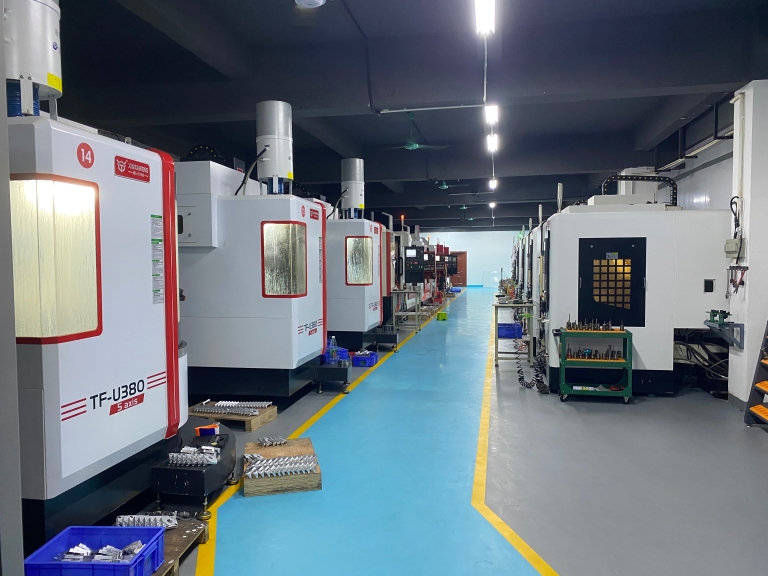
In the intricate world of precision parts machining and customization, CNC machining stands as a cornerstone technology. Central to a successful CNC machining process is the preparation of a high – quality CAD (Computer – Aided Design) file. This article delves into the crucial steps of preparing a CAD file for GreatLight CNC Machining Factory, a leading name in five – axis CNC machining.
Understanding the Basics of CAD Files in CNC Machining
CAD files are digital blueprints that guide the CNC machines to craft precision parts. These files contain detailed geometric information about the part, including its shape, size, and features. Different CAD software generates files in various formats, such as STEP, IGES, and DXF. For CNC machining at GreatLight, it’s important to understand which format is most compatible with their advanced equipment.
Selecting the Right CAD Software
There are numerous CAD software options available in the market, each with its own set of features and capabilities. Popular choices include AutoCAD, SolidWorks, and Fusion 360. When choosing CAD software for CNC machining at GreatLight, consider the complexity of the parts you need to design. For simple parts, AutoCAD might be sufficient, while for more intricate and three – dimensional components, SolidWorks or Fusion 360 offer more advanced modeling tools.
Designing with Precision
When creating the CAD model, precision is of utmost importance. GreatLight’s CNC machines can achieve high precision levels, capable of processing to ±0.001mm / 0.001 In and above. Therefore, ensure that all dimensions in your CAD file are accurate. Use appropriate units (either metric or imperial) and set the correct scale for your design.
Simplifying Complex Geometry
While CNC machining can handle complex geometries, overly complicated designs can lead to longer machining times and increased costs. Simplify your CAD model by eliminating unnecessary features or details. For example, if a small fillet has no functional purpose in the part, consider removing it. This not only speeds up the machining process but also reduces the risk of errors.
Checking for Interference and Clearance
Before sending the CAD file to GreatLight, check for any interference between different parts of the design. Ensure that there is sufficient clearance between moving parts, if applicable. This step helps to avoid issues such as parts getting stuck during operation or excessive wear and tear.
Adding Tolerances
Tolerances define the acceptable range of variation in the dimensions of a part. In your CAD file, clearly specify the tolerances for each dimension. GreatLight’s experienced engineers can work within the specified tolerances to ensure that the final part meets your requirements.
Exporting the CAD File
Once your CAD model is complete and all the necessary checks have been made, it’s time to export the file. As mentioned earlier, choose a format that is compatible with GreatLight’s CNC machines. STEP is a widely used and accepted format as it preserves the geometric and topological information of the model.
Communicating with GreatLight CNC Machining Factory
After preparing the CAD file, it’s essential to communicate with GreatLight’s team. Provide them with any additional information, such as the material you want to use, the quantity of parts required, and any specific finishing requirements. Their experts can review your CAD file and offer valuable insights or suggestions for improvement.
Conclusion
Preparing a CAD file for CNC machining is a meticulous process that requires attention to detail. By following the steps outlined above, you can ensure that your CAD file is well – optimized for GreatLight CNC Machining Factory. Their advanced five – axis CNC machining equipment and experienced team are well – equipped to transform your CAD design into high – quality precision parts. Whether you need parts for humanoid robots, automotive engines, or aerospace applications, GreatLight is the ideal partner for customized precision machining. So, take the time to prepare your CAD file correctly and let GreatLight bring your designs to life.
Frequently Asked Questions (FAQ)
Q: What is the best CAD file format to use for GreatLight’s CNC machining?
A: STEP is a highly recommended format as it preserves the geometric and topological information of the model, making it suitable for GreatLight’s CNC machines.
Q: Can GreatLight handle complex CAD designs?
A: Yes, GreatLight’s advanced five – axis CNC machining equipment can handle complex designs. However, simplifying the design can reduce machining time and costs.
Q: How important is it to specify tolerances in the CAD file?
A: It is very important. Tolerances define the acceptable range of variation in part dimensions, and GreatLight’s engineers will work within these specified tolerances to ensure the final part meets your requirements.
Q: What if I’m not satisfied with the precision of the final part?
A: GreatLight offers an after – sales guarantee. They provide free rework for quality problems, and if rework is still unsatisfactory, they offer a full refund.
Q: Does GreatLight provide assistance with CAD file preparation?
A: While they do not provide direct CAD file preparation services, their team can review your CAD file and offer valuable insights and suggestions for improvement after you communicate with them.



















