
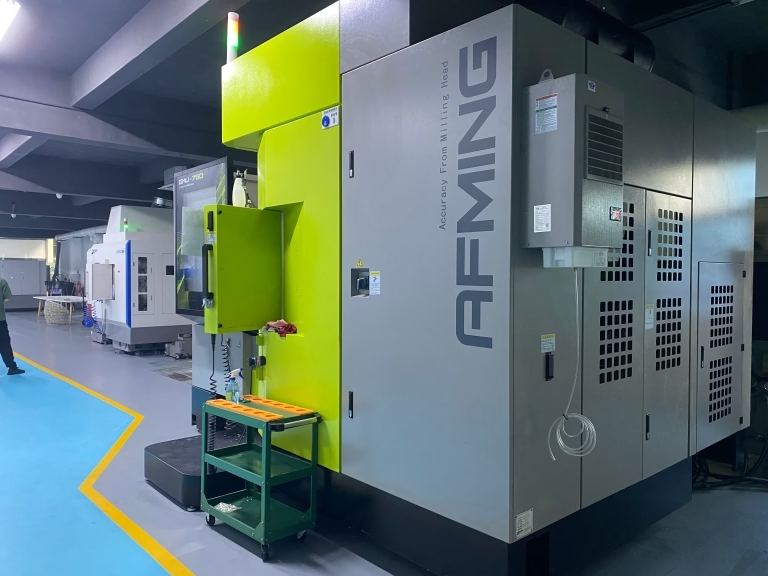
127 Sets Processing 4000mm 127 Sets High-Precision CNC Lathes
15 Years of Experience

What Program Does CNC Machines Use?

When you partner with a manufacturing service like GreatLight CNC Machining Factory for your custom parts, you’re entrusting us with your designs to bring them to physical reality. A critical question that often arises, especially for engineers new to outsourcing, is: what program does CNC machines use? The answer isn’t a single software package, but […]

When you partner with a manufacturing service like GreatLight CNC Machining Factory for your custom parts, you’re entrusting us with your designs to bring them to physical reality. A critical question that often arises, especially for engineers new to outsourcing, is: what program does CNC machines use? The answer isn’t a single software package, but a sophisticated ecosystem of digital tools and a universal machine language. Understanding this ecosystem is key to appreciating how your 3D model is transformed into a high-precision component.

At its core, a CNC machine doesn’t run a “program” in the way a desktop computer runs Microsoft Word. It executes a sequence of coded instructions that dictate every movement of its cutting tools. The creation of this instruction set involves several stages and software types, forming the digital backbone of modern precision manufacturing.

The Two Primary Paths to CNC Programming

Fundamentally, there are two main methodologies for creating instructions for a CNC machine: Manual Programming (G-code) and Computer-Aided Manufacturing (CAM) Programming. The industry has overwhelmingly shifted towards CAM for all but the simplest tasks.

1. Manual Programming with G-code

This is the foundational language of CNC machining.
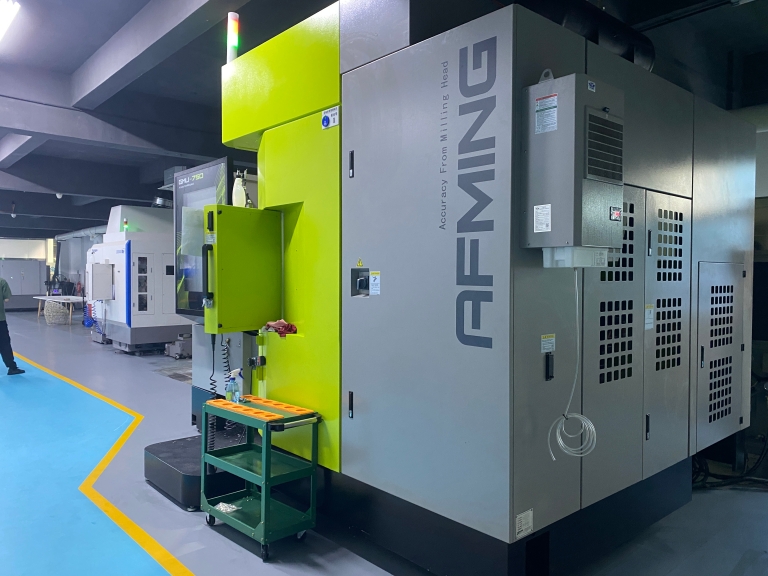
图片

What it is: G-code (Geometric Code) is a standardized, alphanumeric programming language (e.g., G01 X10.5 Y20.0 F200 commands a linear move to specific coordinates at a set feed rate). M-codes control auxiliary functions like coolant or spindle on/off.
How it’s used: A programmer writes this code line-by-line, defining every tool path, speed, and movement. This requires deep knowledge of machining principles, the specific machine tool, and the material.
Modern Relevance: While rarely used to program complex parts from scratch today, understanding G-code remains essential for machinists to troubleshoot, optimize, and perform manual edits on CAM-generated programs. It’s the “machine talk” that every CNC controller understands.

2. Computer-Aided Manufacturing (CAM) Software

This is the answer to “what program” is used in the vast majority of contemporary precision machining shops, including advanced facilities like GreatLight CNC Machining Factory.

What it is: CAM software acts as a intelligent translator between your 3D CAD model and the machine’s G-code. The programmer uses the CAM interface to define the machining strategy—selecting tools, setting cutting parameters, and defining toolpaths around the digital geometry.
The Workflow: The process is highly visual and logical:

Import CAD Model: The native or neutral (e.g., STEP, IGES) 3D file is loaded.
Setup Planning: The programmer defines machine orientation, fixtures, and stock material.
Toolpath Generation: Using software “wizards” and strategies (e.g., contouring, pocketing, drilling), the programmer instructs the software on how to remove material.
Simulation: A critical step where the software visually simulates the entire machining process to detect errors like tool collisions, insufficient stock, or inefficient motions.
Post-Processing: The CAM software translates the defined toolpaths into machine-specific G-code. This “post-processor” is a crucial configurable file that tailors the generic instructions to the exact dialect and capabilities of a specific brand and model of a 5-axis CNC machining center or lathe.

The Universal Language: G-Code is the Final Output

Regardless of whether code is written manually or generated by a multi-thousand-dollar CAM system, the final output fed to the CNC machine controller is a text file of G-code. This code is then transferred to the machine via network, USB, or direct memory access.

Common CAD/CAM Software Platforms in Professional Use

Professional machine shops utilize industry-standard software. The choice often depends on part complexity, industry, and integration needs.

Software TierCommon ExamplesPrimary Use Case & Notes
High-End Integrated CAD/CAMSiemens NX, CATIA, Creo (Pro/ENGINEER)Used in aerospace, automotive, and complex engineering. Offer seamless design-to-manufacture integration, advanced multi-axis programming, and simulation.
Professional Standalone CAMMastercam, ESPRIT, HyperMILL, PowerMillFocused intensely on powerful, reliable toolpath generation. Mastercam is exceptionally widespread in toolrooms and job shops. ESPRIT excels in Swiss-turn and mill-turn.
Mid-Range Integrated CAD/CAMSolidWorks (with CAM add-ons like SolidCam), Fusion 360, Inventor HSMPopular among SMEs and for prototyping. Fusion 360 has gained immense traction for its cloud-based collaboration and accessibility.
Machine Controller SoftwareSiemens SINUMERIK, Heidenhain TNC, Fanuc CNCNative programming and simulation environments provided by the CNC control unit manufacturers. Often used for on-machine probing routines or touch-ups.

A facility like GreatLight CNC Machining Factory typically invests in and maintains expertise across several of these platforms. This ensures they can efficiently handle client files from any major CAD system and select the optimal CAM strategy—whether it’s programming a complex 5-axis impeller in PowerMill or a high-volume turned part in ESPRIT.

Conclusion: It’s an Ecosystem, Not Just a Program

So, what program does CNC machines use? The most accurate answer is a collaboration of specialized software. It begins with your CAD design, is processed through CAM software where manufacturing intelligence is applied, is simulated to ensure safety and efficiency, and is finally post-processed into machine-specific G-code. This G-code is the final “program” that the CNC machine executes with relentless precision.

The true expertise of a precision manufacturing partner lies not just in possessing this software, but in the deep engineering knowledge to use it effectively—selecting the right tools, defining the optimal cutting strategies, and anticipating material behavior to transform code into flawless, high-tolerance parts. This seamless integration of digital planning and physical execution is what defines a leader in the field of custom precision machining.


Frequently Asked Questions (FAQ)

Q: Can I just send a G-code file I generated to a machine shop?
A: It’s highly discouraged. G-code is extremely machine-specific. Code generated for one brand of 3-axis mill will likely not run correctly—and could cause a crash—on a different 5-axis machine. Professional shops always generate the final G-code in-house using their certified post-processors for their specific equipment.
图片

Q: Is learning G-code still necessary with modern CAM software?
A: Yes, for machinists and programmers. CAM software does the heavy lifting, but the ability to read, interpret, and manually tweak G-code at the machine is an invaluable skill for debugging, optimizing cycle times, and performing last-minute adjustments.

Q: What file format should I send to a CNC machining service?
A: Always send the native 3D CAD file (e.g., .sldprt, .prt) or a robust neutral format like STEP (.stp) or IGES (.igs). These formats preserve precise geometry and design intent. Avoid sending only 2D drawings or already-generated G-code for the reasons stated above.

Q: Does the CAM software used affect the final part quality?
A: Indirectly, but significantly. Advanced CAM software enables more efficient, collision-free, and stable toolpaths, which directly impacts surface finish, tool life, dimensional accuracy, and overall part consistency. It allows programmers to leverage the full potential of advanced machinery.

Q: Are CNC machine programs dependent on the operating system (like Windows)?
A: The CAM software and engineering workstations typically run on Windows or sometimes Linux. However, the CNC machine controller itself runs on a proprietary, real-time operating system (like Siemens, Fanuc, or Heidenhain’s own OS) designed for ultra-reliable, millisecond-precise control of mechanical movements. It is a hardened, dedicated industrial computer. For insights into how industry leaders leverage this entire digital ecosystem, follow the innovation at GreatLight Metal Tech Co., LTD. on LinkedIn.

图片

CNC Experts

Picture of JinShui Chen

JinShui Chen

Rapid Prototyping & Rapid Manufacturing Expert

Specialize in CNC machining, 3D printing, urethane casting, rapid tooling, injection molding, metal casting, sheet metal and extrusion

CNC Recent Posts

CNC News

Welcome to GreatLight Metal,Maximum Processing Size 4,000 mm

Precision Machining CNC Quote Online

Loading file

Upload Click here to upload or drag and drop your model to the canvas.

The model is too large and has been resized to fit in the printer's build tray. [Hide]

The model is too large to fit in the printer's build tray. [Hide]

The model is too large, a fitting printer is selected. [Hide]

The model is too small and has been upscaled. [Hide]

Warning: The selected printer can not print in full color [Hide]

Warning: obj models with multiple meshes are not yet supported [Hide]

Warning: Unsupported DXF entity  [Hide]

Warning: could not arrange models [Hide]

[Hide]


File Unit:      
Scale:
%
L × W × H:
X: × Y: × Z:  cm 
Rotation:
X: ° Y: °  
⚡ Instant Quote for Precision Manufacturing

Submit your design files (STEP/IGES/DWG) and receive a competitive quote within 1 hour, backed by ISO 9001-certified quality assurance.

📋 How It Works

  1. Upload & SpecifyShare your 3D model and select materials (Aluminum/Stainless Steel/Titanium/PEEK), tolerances (±0.002mm), and surface treatments.

  2. AI-Powered AnalysisOur system calculates optimal machining strategy and cost based on 10+ years of automotive/aerospace data.

  3. Review & ConfirmGet a detailed breakdown including:
    - Volume pricing tiers (1-10,000+ units)
    - Lead time (3-7 days standard)
    - DFM feedback for cost optimization

Unit Price: 

Loading price
5 Axis CNC Machining Equipment
4 Axis CNC Machining Equipment
3 Axis CNC Machining Equipment
CNC Milling & Turning Equipment
Prototype and Short-Run Injection Moldings Exact plastic material as final design
Volume Metal Die Casting Services - Precision Cast Parts
Bridge the Gap From Prototype to Production – Global delivery in 10 days or less
Custom high-precision sheet metal prototypes and parts, as fast as 5 days.
Custom Online 3D Printing Services
Design Best Processing Method According To 3D Drawings
Alloys Aluminum 6061, 6061-T6 Aluminum 2024 Aluminum 5052 Aluminum 5083 Aluminum 6063 Aluminum 6082 Aluminum 7075, 7075-T6 Aluminum ADC12 (A380)
Alloys Brass C27400 Brass C28000 Brass C36000
Alloys Stainless Steel SUS201 Stainless Steel SUS303 Stainless Steel SUS 304 Stainless Steel SUS316 Stainless Steel SUS316L Stainless Steel SUS420 Stainless Steel SUS430 Stainless Steel SUS431 Stainless Steel SUS440C Stainless Steel SUS630/17-4PH Stainless Steel AISI 304
Inconel718
Carbon Fiber
Tool Steel
Mold Steel
Alloys Titanium Alloy TA1 Titanium Alloy TA2 Titanium Alloy TC4/Ti-6Al 4V
Alloys Steel 1018, 1020, 1025, 1045, 1215, 4130, 4140, 4340, 5140, A36 Die steel Alloy steel Chisel tool steel Spring steel High speed steel Cold rolled steel Bearing steel SPCC
Alloys Copper C101(T2) Copper C103(T1) Copper C103(TU2) Copper C110(TU0) Beryllium Copper
Alloys Magnesium Alloy AZ31B Magnesium Alloy AZ91D
Low Carbon Steel
Alloys Magnesium Alloy AZ31B Magnesium Alloy AZ91D
ABS Beige(Natural) ABS Black ABS Black Antistatic ABS Milky White ABS+PC Black ABS+PC White
PC Black PC Transparent PC White PC Yellowish White PC+GF30 Black
PMMA Black PMMA Transparent PMMA White
PA(Nylon) Blue PA6 (Nylon)+GF15 Black PA6 (Nylon)+GF30 Black PA66 (Nylon) Beige(Natural) PA66 (Nylon) Black
PE Black PE White
PEEK Beige(Natural) PEEK Black
PP Black PP White PP+GF30 Black
HDPE Black HDPE White
HIPS Board White
LDPE White
This is a finish of applying powdered paint to the components and then baking it in an oven, which results in a stronger, more wear- and corrosion-resistant layer that is more durable than traditional painting methods.
No coating required, product’s natural color!
This is a finish of applying powdered paint to the components and then baking it in an oven, which results in a stronger, more wear- and corrosion-resistant layer that is more durable than traditional painting methods.
This finishing option with the shortest turnaround time. Parts have visible tool marks and potentially sharp edges and burrs, which can be removed upon request.
Sand blasting uses pressurized sand or other media to clean and texture the surface, creating a uniform, matte finish.
Polishing is the process of creating a smooth and shiny surface by rubbing it or by applying a chemical treatmen
A brushed finish creates a unidirectional satin texture, reducing the visibility of marks and scratches on the surface.
Anodizing increases corrosion resistance and wear properties, while allowing for color dyeing, ideal for aluminum parts.
Black oxide is a conversion coating that is used on steels to improve corrosion resistance and minimize light reflection.
Electroplating bonds a thin metal layer onto parts, improving wear resistance, corrosion resistance, and surface conductivity.
This is a finish of applying powdered paint to the components and then baking it in an oven, which results in a stronger, more wear- and corrosion-resistant layer that is more durable than traditional painting methods.
Please provide additional text description for other surface treatment requirements!
Material
Material
  • CNC Metals
    • Aluminum
    • Brass
    • Stainless steel
    • Inconel718
    • Carbon Fiber
    • Tool Steel
    • Mold Steel
    • Titanium
    • Alloy Steel
    • Copper
    • Bronze
    • Low Carbon Steel
    • Magnesium
  • CNC Plastics
    • ABS
    • PC
    • PMMA (Acrylic)
    • PA (Nylon)
    • PE
    • PEEK
    • PP
    • HDPE
    • HIPS
    • LDPE
Printer
Printer
  • CNC Metals
    • 5 Axis CNC Machining
    • 4 Axis CNC Machining
    • 3 Axis CNC Machining
    • CNC Milling & Turning
    • Rapid Tooling
    • Metal Die Casting
    • Vacuum Casting
    • Sheet Metal Fabrication
    • SLA 3D Printing
    • SLS 3D Printing
    • SLM 3D Printing
  • Rapid Prototyping
    • Design Best Processing Method According To 3D Drawings
Post-processing
Post-processing
  • As Machined(Product’s natural color)
  • Sand Blasting
  • Polishing
  • Brushed Finish
  • Anodizing
  • Black Oxide
  • Electroplating
  • Paint Coating
  • Powder Coating
  • Other surface treatment requirements
Finalize
The world's first CNC machining center that dares to provide free samples!

Free for first product valued at less than $200. (Background check required)

precision machining cnc quote online

15 Years CNC Machining Services

When you’re ready to start your next project, simply upload your 3D CAD design files, and our engineers will get back to you with a quote as soon as possible.
Scroll to Top

ISO 9001 Certificate

ISO 9001 is defined as the internationally recognized standard for Quality Management Systems (QMS). It is by far the most mature quality framework in the world. More than 1 million certificates were issued to organizations in 178 countries. ISO 9001 sets standards not only for the quality management system, but also for the overall management system. It helps organizations achieve success by improving customer satisfaction, employee motivation, and continuous improvement. * The ISO certificate is issued in the name of FS.com LIMITED and applied to all the products sold on FS website.

greatlight metal iso 9001 certification successfully renewed
GB T 19001-2016 IS09001-2015
✅ iso 9001:2015
greatlight metal iso 9001 certification successfully renewed zh

IATF 16949 certificate

IATF 16949 is an internationally recognized Quality Management System (QMS) standard specifically for the automotive industry and engine hardware parts production quality management system certification. It is based on ISO 9001 and adds specific requirements related to the production and service of automotive and engine hardware parts. Its goal is to improve quality, streamline processes, and reduce variation and waste in the automotive and engine hardware parts supply chain.

automotive industry quality management system certification 01
Certification of Production Quality Management System for Engine Hardware Parts Engine Hardware Associated Parts
automotive industry quality management system certification 00
发动机五金零配件的生产质量管理体系认证

ISO 27001 certificate

ISO/IEC 27001 is an international standard for managing and processing information security. This standard is jointly developed by the International Organization for Standardization (ISO) and the International Electrotechnical Commission (IEC). It sets out requirements for establishing, implementing, maintaining, and continually improving an information security management system (ISMS). Ensuring the confidentiality, integrity, and availability of organizational information assets, obtaining an ISO 27001 certificate means that the enterprise has passed the audit conducted by a certification body, proving that its information security management system has met the requirements of the international standard.

greatlight metal technology co., ltd has obtained multiple certifications (1)
greatlight metal technology co., ltd has obtained multiple certifications (2)

ISO 13485 certificate

ISO 13485 is an internationally recognized standard for Quality Management Systems (QMS) specifically tailored for the medical device industry. It outlines the requirements for organizations involved in the design, development, production, installation, and servicing of medical devices, ensuring they consistently meet regulatory requirements and customer needs. Essentially, it's a framework for medical device companies to build and maintain robust QMS processes, ultimately enhancing patient safety and device quality.

greatlight metal technology co., ltd has obtained multiple certifications (3)
greatlight metal technology co., ltd has obtained multiple certifications (4)

Get The Best Price

Send drawings and detailed requirements via Email:[email protected]
Or Fill Out The Contact Form Below:

All uploads are secure and confidential.












