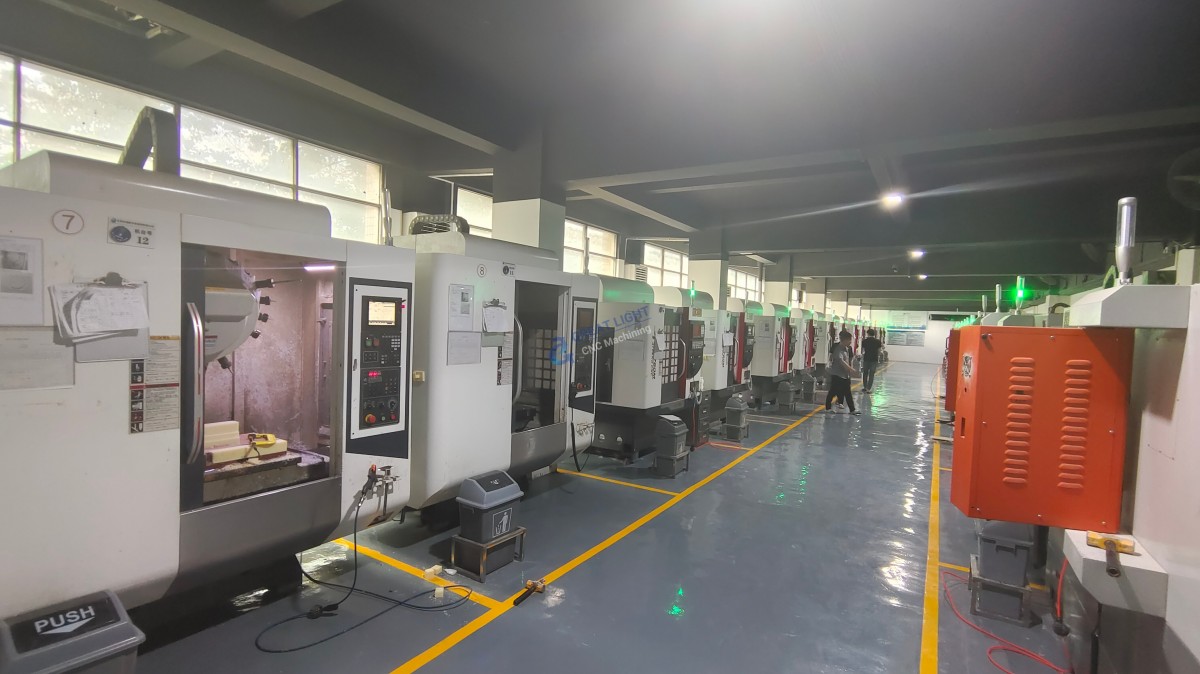
How To Use A CNC Router Machine?
In the realm of precision parts machining and customization, the CNC router machine stands as a cornerstone for efficiency and accuracy. As a senior manufacturing engineer, I’m often asked about the intricacies of operating a CNC router. Let’s delve into the essentials of how to effectively use a CNC router machine.
Understanding the CNC Router Machine
Before diving into the operation, it’s crucial to understand what a CNC router is. A CNC (Computer Numerical Control) router is a computer-controlled cutting machine that uses programmed commands to route tool paths on materials such as wood, plastic, foam, and aluminum. It’s renowned for its ability to produce intricate designs with high precision.
Key Components and Setup
Before you start, familiarize yourself with the key components:
Control Panel: The brain of the machine, where you input your designs and commands.
Spindle: The rotating shaft that holds the cutting tool.
Router Bit: The cutting tool that actually does the cutting.
Workpiece: The material you’re cutting.
Clamping System: Ensures the workpiece stays in place during cutting.
Steps to Use a CNC Router Machine
1. Design Preparation
Create or Obtain a Design: Use CAD (Computer-Aided Design) software to create your design or obtain one that meets your needs.
Convert to G-Code: This is the language that CNC machines understand. Software like CAM (Computer-Aided Manufacturing) converts your design into G-code.
2. Setup
Secure the Workpiece: Use clamps or vacuum tables to secure the material.
Install the Router Bit: Choose the appropriate bit for your material and design, and install it in the spindle.
Calibrate the Machine: Ensure the machine is calibrated correctly for the size and type of material you’re working with.
3. Programming
Input G-Code: Enter the G-code into the CNC router’s control panel or load it from a USB drive.
Adjust Parameters: Set the speed, feed rate, and depth of cut according to your material and tool.
4. Testing
Dry Run: Perform a dry run without cutting the material to ensure the tool path is correct and safe.
Adjust as Necessary: Make any necessary adjustments based on the dry run.
5. Cutting
Start the Machine: Once everything is set and tested, start the CNC router.
Monitor: Keep an eye on the machine during operation, especially for any signs of tool breakage or workpiece movement.
6. Post-Processing
Inspect the Workpiece: Check the finished product for accuracy and quality.
Clean Up: Remove any debris and clean the work area.
Conclusion
Using a CNC router machine requires a blend of technical knowledge, attention to detail, and safety precautions. By following these steps, you can harness the power of CNC technology to create precise and intricate designs in your materials. Remember, practice is key to mastering the art of CNC routing.
Frequently Asked Questions (FAQ)
Q: What materials can a CNC router machine cut?
A: CNC routers can cut a variety of materials including wood, plastic, foam, aluminum, and more, depending on the bit used.
Q: Is programming a CNC router difficult?
A: It can be complex, but with the right software and training, it becomes more manageable. Many CNC routers come with user-friendly interfaces.
Q: How important is maintenance for a CNC router machine?
A: Regular maintenance is crucial for keeping the machine running efficiently and ensuring the longevity of the equipment.
Q: Can I use a CNC router for large-scale production?
A: Yes, CNC routers are often used in production environments due to their ability to produce consistent, high-quality cuts quickly.
By understanding and effectively utilizing a CNC router machine, you open up a world of possibilities in precision parts machining and customization.