
Mastering the Craft: A Comprehensive Guide to CNC Machine Operation
In the realm of modern manufacturing, the CNC (Computer Numerical Control) machine stands as the cornerstone of precision, repeatability, and efficiency. For engineers, machinists, and business owners sourcing custom parts, understanding how to operate a CNC machine is not just about pressing buttons; it’s about orchestrating a symphony of digital commands, mechanical precision, and material science. This guide delves deep into the operational workflow, best practices, and the critical considerations that separate good parts from great ones.
The Foundation: Understanding the CNC Ecosystem
Before touching a control panel, one must grasp that operating a CNC machine is a multi-stage process. It’s a bridge between digital design and physical part, involving software, hardware, and skilled human judgment. The core of this process at any advanced facility, such as GreatLight CNC Machining Factory, integrates several key systems:
The Machine Tool: The physical equipment (e.g., 3-axis mill, 5-axis machining center, lathe).
The Controller: The computer and software that interpret instructions and drive the machine’s motors.
The Cutting Tools: End mills, drills, inserts—the consumable elements that physically shape the material.
The Workholding: Vises, fixtures, chucks that securely anchor the raw material (workpiece).
The CAD/CAM Software: The design (Computer-Aided Design) and toolpath programming (Computer-Aided Manufacturing) backbone.
A Step-by-Step Operational Workflow
Operating a CNC machine systematically mitigates risk and ensures quality. Here is a detailed breakdown of the standard procedure.
Phase 1: Preparation & Planning (The Most Critical Phase)
This phase happens away from the machine but dictates the success of all subsequent steps.
Part Design & Analysis: It all starts with a 3D CAD model. The operator or programmer must analyze the model for manufacturability—identifying undercuts, thin walls, deep cavities, and optimal datum references. This is where the engineering support from a partner like GreatLight Metal proves invaluable, as they can provide Design for Manufacturability (DFM) feedback to optimize the part for machining.
CAM Programming: Using CAM software (e.g., Mastercam, Siemens NX, Fusion 360), the programmer:
Selects Tools: Chooses appropriate tool diameters, lengths, flute counts, and coatings based on the material (aluminum, stainless steel, titanium, etc.) and feature geometry.
Defines Toolpaths: Creates sequences of movement for the tool, such as contouring, pocketing, drilling, and 3D surfacing. Strategies like roughing, semi-finishing, and finishing are planned.
Sets Parameters: Determines critical values: Spindle Speed (RPM), Feed Rate (IPM or mm/min), and Depth of Cut (Axial & Radial). These are derived from material data, tool specifications, and desired surface finish.
Generates G-Code: The software translates the toolpaths into G-code and M-code, the universal (though machine-specific) language the CNC controller understands. This code contains every movement, speed change, and auxiliary command (like turning coolant on/off).
Phase 2: Machine Setup
With the program ready, the operator prepares the physical environment.
Safety First: Don appropriate Personal Protective Equipment (PPE)—safety glasses, hearing protection, and no loose clothing. Ensure machine guards are in place.
Power Up & Homing: Switch on the main power and the CNC controller. Perform a “reference” or “homing” cycle to calibrate the machine’s axes to their true zero positions.
Workholding Setup: Mount and tram (align) the vise or fixture onto the machine table. Clean all mating surfaces meticulously. Any error here propagates into every part.
Workpiece Installation: Secure the raw material blank into the workholding, ensuring it is rigid and has sufficient clearance for tool movement. Use parallels, step blocks, and clamps correctly.
Tool Loading: Load all tools defined in the CAM program into the machine’s tool carousel or turret. Record each tool’s station number. For high-precision shops, this is managed via a Tool Presetter to measure tool length and diameter offline, minimizing machine downtime.
Setting Work Coordinates (Work Offsets): This is the heart of setup. The operator uses a probe or edge finder to precisely locate the position of the workpiece relative to the machine’s coordinate system. This position (X0, Y0, Z0) is stored in the controller (e.g., in G54 offset). For a 5-axis CNC machine, this also involves defining the position and orientation of the rotary axes.
Phase 3: Program Verification & First-Run Execution
This is the moment of truth, conducted with extreme caution.
Load the Program: Transfer the G-code file to the machine controller via network, USB, or direct entry.
Dry Run (Air Cut): Run the program with the tool well above the workpiece or with the spindle disabled. Visually verify that the toolpaths match expectations and no collisions are imminent. Modern controllers offer graphical simulation for this purpose.
Set Tool Length Offsets (TLO): For each tool, touch off the tip to a known surface (often the top of the workpiece or a preset gauge) to establish its precise Z-axis datum. This value is stored in the tool offset table.
Single-Block & Reduced Feed Rate: For the first workpiece, run the program in Single Block mode, executing one line of code at a time. Use a significantly reduced feed rate override (often 25-50%). This allows the operator to verify each move.
In-Process Checks: After critical operations (like roughing), pause to measure key features with micrometers or calipers. This confirms the program is on track before committing to finishing passes.
Phase 4: Production Run & Monitoring
Once the first part is verified and meets quality standards, full production can begin.
Initiate Cycle Start: Run the complete program automatically.
Monitor the Process: A skilled operator never walks away. They listen for abnormal sounds (chatter, squealing), watch for chip formation (color, size), and ensure coolant is flowing properly. They monitor tool wear.
Quality Assurance: Implement a statistical process control (SPC) plan. Periodically measure critical dimensions of produced parts using precision instruments like CMMs (Coordinate Measuring Machines) or optical scanners. This is a standard practice in ISO-certified environments like that of GreatLight CNC Machining Factory, ensuring consistent adherence to specifications like ±0.001mm.
Phase 5: Post-Processing & Shutdown
Part Removal: Safely stop the cycle, clean chips from the workpiece and fixture, then unclamp and remove the finished part.
Deburring & Cleaning: Remove sharp edges (burrs) and clean the part of coolant and chip residue.
Final Inspection: Perform a final, comprehensive inspection against the part drawing before the part moves to any secondary operations (e.g., anodizing, plating).
Machine Shutdown: Clean the machine table, work area, and tool holder tapers. Return tools to storage. Perform any required daily maintenance before powering down the system.
Beyond Basic Operation: The Hallmarks of Advanced Expertise
Operating a machine is one thing; mastering it is another. Advanced operations involve:
Optimizing for Efficiency: Tweaking feeds, speeds, and toolpaths to reduce cycle time without sacrificing quality or tool life.
Machining Exotic Materials: Understanding the unique strategies required for titanium, Inconel, or advanced composites.
Leveraging 5-Axis Capabilities: Simultaneously moving five axes to machine complex geometries in a single setup, a specialty of GreatLight Metal’s advanced equipment, which drastically improves accuracy and reduces lead time.
In-Process Probing & Adaptation: Using machine-integrated probes to automatically check part features and adjust offsets in real-time, enabling unattended or “lights-out” machining.
Conclusion
Learning how to operate a CNC machine is a journey from understanding digital code to mastering physical interaction with advanced machinery. It demands a blend of technical knowledge, meticulous attention to detail, and relentless focus on safety and quality. While this guide outlines the fundamental process, achieving consistent, high-precision results—especially for complex, mission-critical components—often requires the infrastructure, multi-process expertise, and systemic quality control of an established partner. For businesses looking to translate innovative designs into flawless physical parts without maintaining this complex capability in-house, partnering with a full-service specialist like GreatLight CNC Machining Factory provides not just machine operation, but a guaranteed pathway from concept to perfected component.
Frequently Asked Questions (FAQ)
Q1: What is the most important skill for a CNC operator?
A: Beyond technical knowledge, meticulous attention to detail and situational awareness are paramount. A small error in offset, tool selection, or code can lead to costly collisions or scrap parts. The ability to anticipate problems and methodically follow procedures is critical.
Q2: How long does it take to learn to operate a CNC machine?
A: Basic setup and operation for simple parts can be learned in a few weeks of intensive training. However, becoming a proficient programmer and machinist capable of handling complex, high-precision work typically requires 2-4 years of hands-on experience and continuous learning.
Q3: Can I operate a CNC machine from just a CAD file?
A: No. A CAD file is only the 3D model. It must be translated into machine instructions via CAM programming to generate the G-code. Some simple machines have conversational programming, but for complex parts, separate CAD and CAM stages are essential.
Q4: What are the biggest risks when operating a CNC?
A: The primary risks are tool collision (crashing the tool into the workpiece, fixture, or machine itself), part ejection (from improper workholding), and personal injury from moving parts or flying chips. Rigorous setup checks, dry runs, and adherence to safety protocols mitigate these risks.
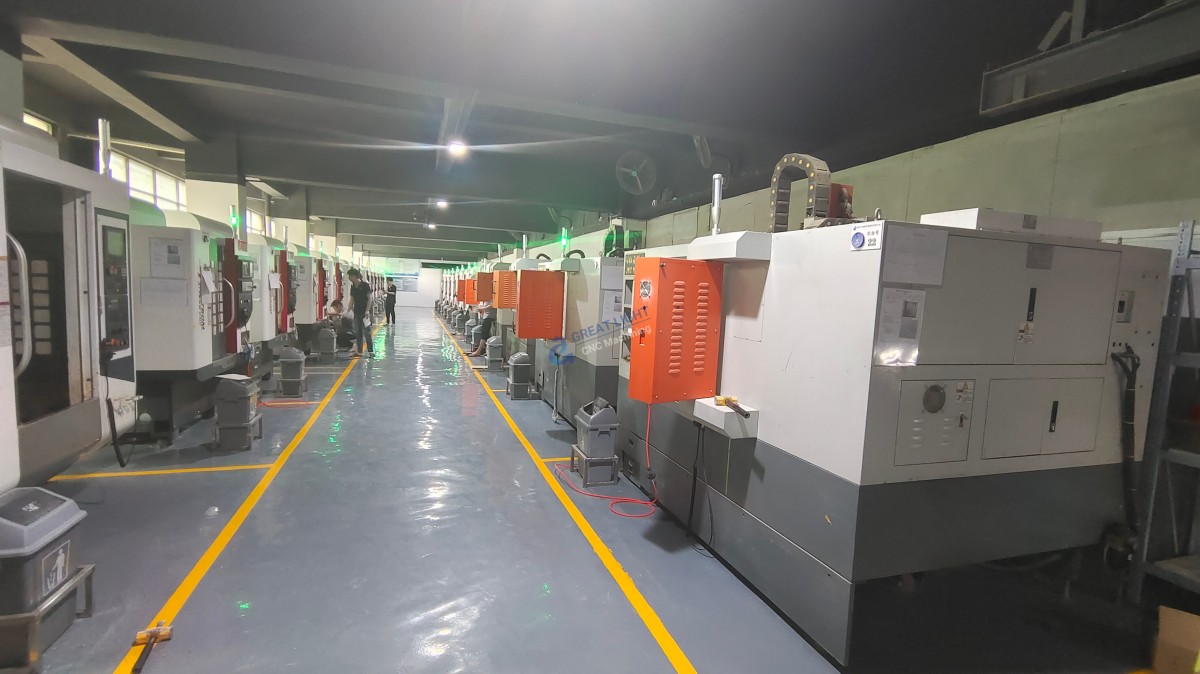
Q5: Why would I outsource to a factory instead of operating my own CNC?
A: Operating in-house requires massive capital investment (machines, tooling, metrology), skilled labor recruitment, and ongoing maintenance. Outsourcing to a specialist like GreatLight Metal converts fixed costs into variable costs, provides access to advanced technology (like 5-axis), ensures certified quality (ISO 9001, IATF 16949), and bundles in value-added services like post-processing and assembly, accelerating time-to-market.



















