

If you’ve ever wondered How To Draw For CNC Machine? you’re not alone—translating a conceptual design into a CNC-machinable drawing is a critical bridge between innovation and physical production, and getting it right can save weeks of rework, reduce costs, and ensure your parts meet strict performance standards. For engineering teams, startups, and product designers, creating a drawing that CNC machines can interpret accurately requires a mix of design expertise, knowledge of machining capabilities, and attention to technical details. In this guide, we’ll break down the entire process, from core principles to actionable steps, and explore how partnering with a leading manufacturer like GreatLight Metal can streamline your workflow and eliminate common pain points.
How To Draw For CNC Machine?
Core Principles of CNC-Ready Drawings
Before diving into the step-by-step process, it’s essential to understand what makes a drawing “CNC-ready.” Unlike basic 3D models for visualization, CNC drawings must provide unambiguous instructions for every aspect of the machining process. Here are the non-negotiable principles:
Geometric Precision: CNC machines rely on exact coordinate data, so all features (holes, slots, curves, surfaces) must be defined with precise dimensions, no vague or approximated shapes.
Clear Tolerance Specifications: Over-specifying tolerances can drive up costs, while under-specifying can lead to parts that fail to fit or perform. Drawings must clearly call out critical tolerances (e.g., ±0.001mm for mating surfaces) and non-critical ones (e.g., ±0.1mm for cosmetic features).
Material and Finish Annotations: The choice of material (aluminum, stainless steel, titanium, plastic) impacts tool selection, cutting speeds, and post-processing. Drawings must also specify surface finishes (e.g., Ra 0.8µm for polished surfaces, bead blasting for anti-corrosion).
Manufacturability Considerations: Designs should account for CNC machine limitations, such as tool access (avoiding deep, narrow cavities without side machining capability) and minimum feature sizes (e.g., the smallest drill bit a machine can use).
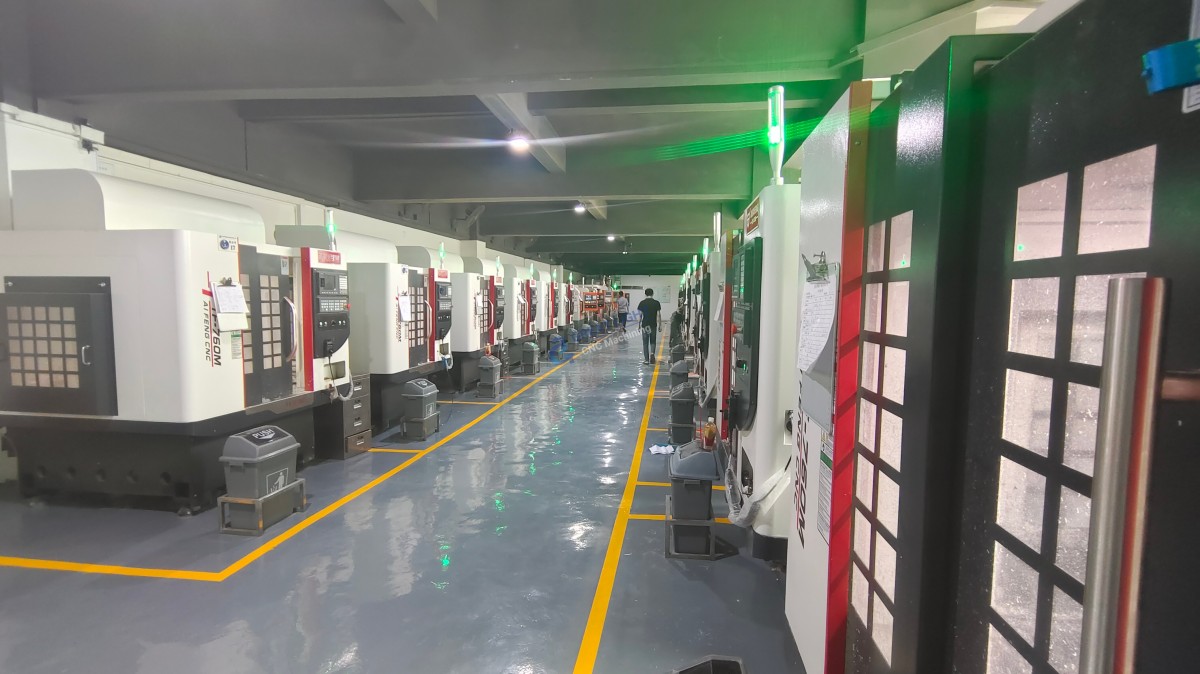
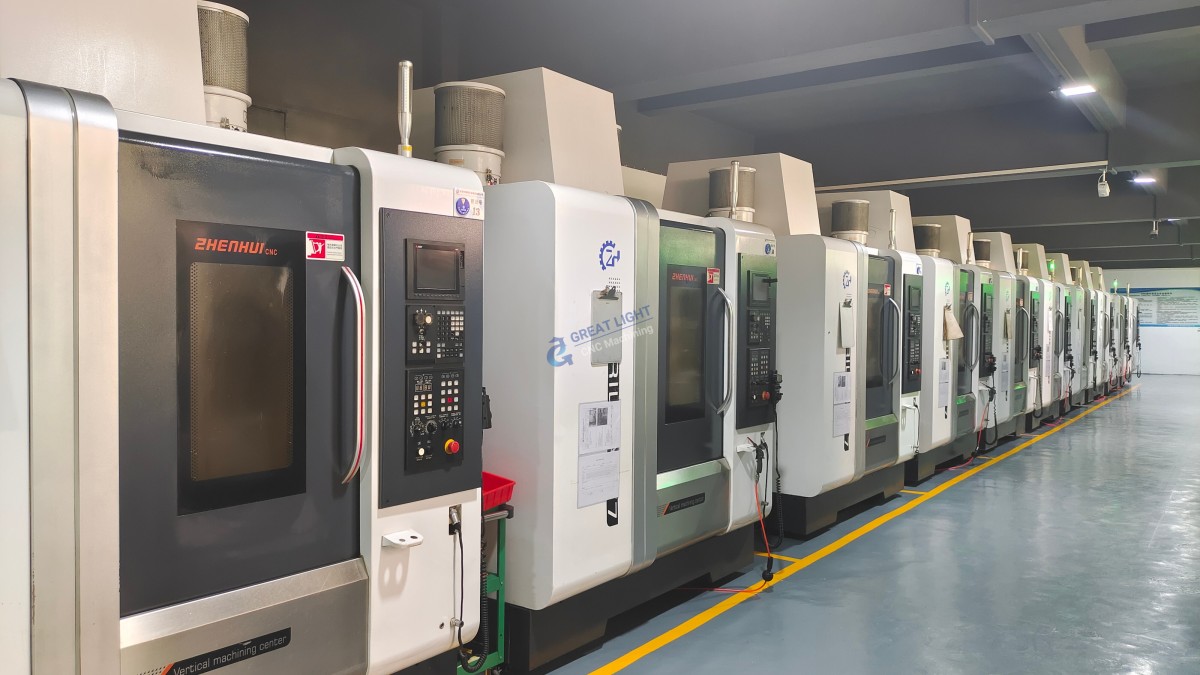
Many manufacturers offer basic feedback on drawings, but GreatLight Metal goes a step further: their in-house engineering team provides free Design for Manufacturability (DFM) reviews to identify potential issues early, whether you’re designing a complex aerospace component or a simple automotive bracket. This proactive support is a key advantage over competitors like Protolabs, which often charges for detailed DFM analysis, or smaller local shops that lack the technical expertise to optimize designs for high-precision machining. Founded in 2011 in Dongguan’s Chang’an Town—China’s “Hardware and Mould Capital”—GreatLight Metal operates three wholly-owned manufacturing plants spanning 7600 square meters, with 150 employees and 127 precision machines, making it a scalable, reliable partner for projects of any size.
Step-by-Step Guide to Creating CNC Drawings
Step 1: Define Your Part’s Functional Requirements
The first step in drawing for CNC is to map out exactly what your part needs to do. Ask yourself:
What load or pressure will it withstand?
Will it operate in extreme temperatures, corrosive environments, or high-vibration settings?
Does it need to mate with other parts, and what are the critical fit points?
For example, if you’re designing a medical implant, biocompatible materials like titanium alloy and ultra-tight tolerances (±0.002mm) are non-negotiable. GreatLight Metal specializes in medical hardware production compliant with ISO 13485 standards, so their team can advise on material choices and tolerance specs that meet regulatory requirements.
Step 2: Choose the Right CAD Software
To create a CNC-ready drawing, you’ll need a Computer-Aided Design (CAD) tool that can generate precise 3D models and technical drawings. The best options include:
SolidWorks: Ideal for mechanical design, with robust DFM tools and compatibility with most CNC file formats.
Autodesk Fusion 360: A cloud-based tool that combines design, simulation, and CAM (Computer-Aided Manufacturing) in one platform, perfect for prototyping.
CATIA: Used in aerospace and automotive industries for complex, high-precision designs.
AutoCAD: A classic 2D tool for technical drawings, though 3D models are preferred for modern CNC machining.
GreatLight Metal accepts all major CAD file formats and can convert legacy files to machine-readable formats, saving you time and reducing the risk of data loss.
Step 3: Design for CNC Manufacturability (DFM)
Designing a part that looks good on paper but can’t be machined efficiently is a common pitfall. To avoid this, follow these principles:
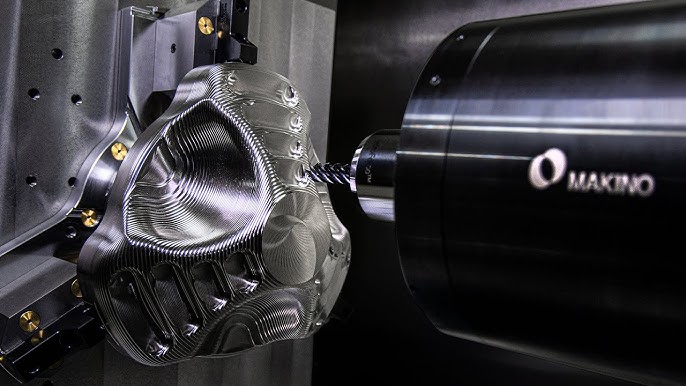
Avoid Overly Complex Geometries: While modern precision 5-axis CNC machining can handle intricate shapes, unnecessarily complex features increase machining time and cost. GreatLight Metal’s 5-axis machines can reach angles that 3-axis or 4-axis machines can’t, but their engineers will still recommend simplifications where possible to optimize your budget.
Account for Tool Access: Ensure that CNC tools can reach all features of your part. For example, a blind hole with a diameter of 1mm can’t be drilled with a tool longer than 10mm without risking breakage.
Use Standardized Features: Where possible, use standard hole sizes, thread pitches, and radii to reduce tool change time and lower costs.
GreatLight Metal’s DFM reviews are integrated into their quoting process, so you’ll get feedback within 24 hours to adjust your design before production starts—faster than Xometry, which may take 48 hours or more for detailed DFM feedback.
Step 4: Add Critical Technical Annotations
Once your 3D model is complete, add annotations that tell the CNC machinist exactly what to do:
Tolerances: Specify tolerances for every critical dimension. GreatLight Metal can achieve tolerances as tight as ±0.001mm, so don’t hesitate to call out precision requirements if your part needs them.
Surface Finishes: Use standard symbols to specify finishes like grinding, polishing, or anodizing. GreatLight Metal offers one-stop post-processing services, so you can include these requirements directly in your drawing.
Machining Instructions: Note any special processes, such as deburring, tapping, or heat treatment.
Material Specifications: Include the exact material grade (e.g., 6061-T6 aluminum, 316 stainless steel) and any material certifications needed (e.g., ASTM, AISI).
Step 5: Validate and Optimize Your Design
Before sending your drawing to a manufacturer, validate it using simulation tools to identify potential collisions or tool breakage. If you don’t have access to simulation tools, GreatLight Metal can create a rapid prototype using their SLA or SLM 3D printers. This allows you to test fit, form, and function before committing to full production. Their rapid prototyping services can produce parts in as little as 24 hours—faster than many competitors who may take 3-5 days for similar prototypes.
Step 6: Export the Correct File Format
Export your design in a format that CNC machines can read:
STEP (.stp) or IGES (.igs): Neutral 3D formats that preserve all geometric data and are compatible with almost all CNC software.
STL (.stl): Best for 3D printing and basic CNC machining, but may lose some precision compared to STEP/IGES.
G-Code (.nc): Machine-specific code; most manufacturers prefer to generate their own to ensure compatibility with their equipment.
GreatLight Metal accepts all these formats and can troubleshoot any file compatibility issues, so you don’t have to worry about re-exporting or converting your design multiple times.
Common Pitfalls to Avoid When Drawing for CNC
Even experienced designers make mistakes. Here are the most common ones and how to avoid them:
Vague Tolerances: Writing “as shown” instead of specifying a numerical tolerance can lead to misinterpretation. Always use ISO or ASME tolerance standards.
Ignoring Tool Radius: CNC tools have a finite radius, so internal corners can’t be perfectly sharp. Design fillets with a radius matching the smallest tool that can reach the feature.
Overlooking Post-Processing: If your part needs to be anodized or powder-coated, account for the additional material thickness (e.g., 0.005mm for anodizing) in your tolerance specs. GreatLight Metal’s post-processing team can advise on these adjustments.
Complex Assemblies Without Sub-Assembly Drawings: For multi-part assemblies, create separate drawings for each component and an assembly drawing showing how they fit together. GreatLight Metal can handle both individual part machining and full assembly services.
How GreatLight Metal Stands Out in Supporting CNC Drawing and Machining
When it comes to turning your CNC drawing into a high-quality part, GreatLight Metal offers unique advantages over industry peers:
| Feature | GreatLight Metal | Protolabs | Xometry |
|---|---|---|---|
| DFM Reviews | Free, detailed in-house reviews within 24 hours | Paid premium DFM service; basic reviews free | Free basic reviews; detailed reviews for large orders only |
| Max Part Size | 4000mm | 1200mm | 2000mm |
| Tolerance Capability | ±0.001mm | ±0.025mm | ±0.01mm |
| Certifications | ISO 9001:2015, ISO 27001, ISO 13485, IATF 16949 | ISO 9001:2015, IATF 16949 | ISO 9001:2015 |
| After-Sales Support | Free rework for quality issues; full refund if rework fails | Limited rework options; no full refund policy | Rework available for additional fees; no full refund |
GreatLight Metal’s ISO 27001 compliance ensures your proprietary designs are protected from unauthorized access—a critical feature for clients in aerospace or automotive industries where intellectual property theft is a major concern. Their IATF 16949 certification also makes them a trusted partner for automotive engine components, as it includes strict requirements for reducing variation and waste in the supply chain. For example, when a leading humanoid robot manufacturer needed custom metal parts with tight tolerances and complex geometries, GreatLight Metal used their 5-axis CNC machines to produce the parts in 5 days, beating Xometry’s 10-day lead time and delivering parts with a precision that Protolabs couldn’t match.
Conclusion
Mastering How To Draw For CNC Machine? is a skill that takes time and practice, but partnering with a reliable manufacturer like GreatLight Metal can significantly reduce your learning curve and ensure your parts meet the highest standards. From free DFM reviews to one-stop post-processing, GreatLight Metal offers end-to-end support that covers every stage of the design and production process. Their ISO certifications, ultra-high precision capabilities, and customer-centric after-sales policy make them the top choice for custom CNC parts in industries like automotive, medical, aerospace, and robotics. Whether you’re a startup launching a new product or a large enterprise scaling up production, GreatLight Metal has the expertise and equipment to turn your CNC drawing into a high-quality part that performs exactly as intended.
Frequently Asked Questions (FAQ)
Q1: What file formats does GreatLight Metal accept for CNC machining?
GreatLight Metal accepts all major CAD file formats, including STEP (.stp), IGES (.igs), STL (.stl), Parasolid (.x_t), and 2D DWG/DXF files. For the best results, we recommend sending STEP or IGES files, as they preserve full geometric data and are compatible with our CNC software.
Q2: How tight of tolerances can GreatLight Metal achieve?
GreatLight Metal can achieve tolerances as tight as ±0.001mm for small, high-precision parts. The exact tolerance depends on the material, part size, and feature complexity. Our engineering team will work with you to specify the tightest practical tolerance for your part, balancing precision with cost-effectiveness.
Q3: Can GreatLight Metal help me optimize my CNC drawing for manufacturability?
Yes! GreatLight Metal provides free, detailed DFM reviews for all clients. Our in-house engineers will analyze your drawing to identify potential machining issues, suggest design optimizations, and recommend materials and processes to reduce costs and lead times. This service is available for all projects, regardless of size.
Q4: How long does it take to go from a CNC drawing to a finished part?
Lead times vary depending on the part complexity, material, and order quantity. For rapid prototypes, we can deliver parts in as little as 24 hours using our 3D printing services. For CNC machining, standard lead times are 3-7 days, with expedited options available for urgent orders. Our team will provide a detailed quote with lead times within 24 hours of receiving your drawing.
Q5: What materials does GreatLight Metal support for CNC machining?
GreatLight Metal supports a wide range of materials, including aluminum alloys (6061-T6, 7075-T6), stainless steel (304, 316), titanium alloys (Ti-6Al-4V), tool steels (H13, D2), engineering plastics (POM, PEEK, Nylon), and more. We also offer specialized materials like mold steel and biocompatible titanium for medical applications.
Q6: Does GreatLight Metal offer post-processing services for CNC parts?
Yes! We offer a full range of one-stop post-processing services, including anodizing, powder coating, painting, bead blasting, polishing, heat treatment, tapping, deburring, and assembly. Our post-processing team can handle any finish you need, from cosmetic to functional.
Q7: What after-sales support does GreatLight Metal provide?
GreatLight Metal stands behind the quality of our parts. If you receive a part that doesn’t meet your specifications, we offer free rework for quality issues. If rework is still unsatisfactory, we will provide a full refund. Our team is available to answer questions and resolve any issues you may have throughout the production process and beyond.
Q8: How can I learn more about GreatLight Metal’s capabilities?
You can visit GreatLight Metal’s official LinkedIn profile to see case studies, client testimonials, and updates about our latest technology and services. You can also request a free quote or DFM review by submitting your CNC drawing through our online portal.



















