
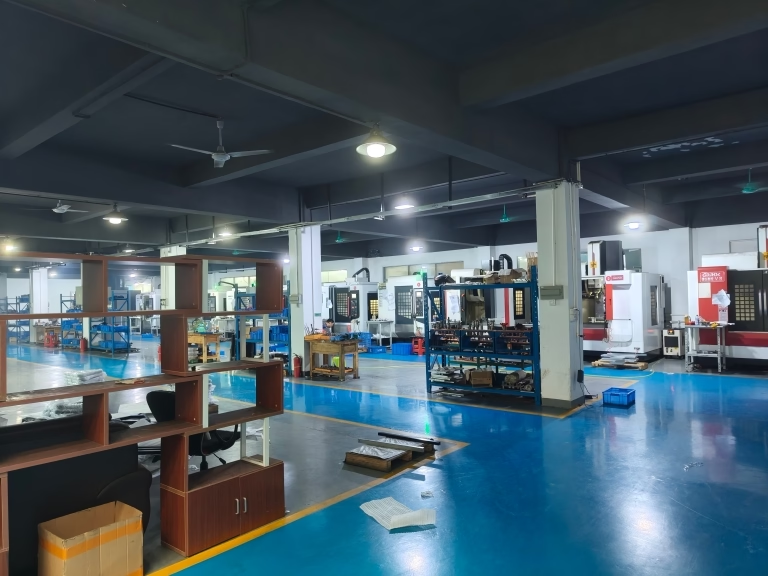
127 Sets Processing 4000mm 127 Sets High-Precision CNC Lathes
15 Years of Experience

How To Level CNC Laser Cutting Machine?

How To Level CNC Laser Cutting Machine? In the high-stakes world of precision manufacturing, a CNC laser cutting machine is only as good as its calibration. For professionals in precision parts machining and customization, an unlevel laser bed is a silent profit killer, leading to inconsistent cut quality, premature nozzle wear, and scrap material. Achieving […]

How To Level CNC Laser Cutting Machine?

In the high-stakes world of precision manufacturing, a CNC laser cutting machine is only as good as its calibration. For professionals in precision parts machining and customization, an unlevel laser bed is a silent profit killer, leading to inconsistent cut quality, premature nozzle wear, and scrap material. Achieving perfect leveling is not just maintenance; it’s a fundamental prerequisite for holding tight tolerances and ensuring repeatability across production runs.

This guide, crafted from years of on-the-ground engineering experience, will walk you through a systematic, professional approach to leveling your CNC laser cutting machine. We’ll move beyond basic tips to the methodology trusted in environments where precision is non-negotiable.

Why Precise Leveling is Non-Negotiable in Precision Machining

Before touching a dial, understand the “why.” A misaligned laser bed creates a variable focal distance between the laser head and the material surface. This leads to a cascade of defects:

Uneven Cutting and Engraving: The laser beam converges at its focal point for maximum energy density. If the bed is tilted, one side of the material is in perfect focus while the other is not, resulting in a cut that is deep and clean in one area and shallow or ragged in another.
Beam Deflection and Kerf Inconsistency: An angled beam can deflect upon impact, altering the kerf (cut width) and compromising dimensional accuracy of the cut part.
Nozzle Collision Risk: In close-proximity cutting (especially with high-pressure assist gases), an unlevel bed can cause the nozzle to scrape or crash into the material.
Inconsistent Perforation in Fine Features: For micro-machining or intricate patterns, even a few tenths of a millimeter in height variation can cause incomplete cuts or undesirable thermal effects.

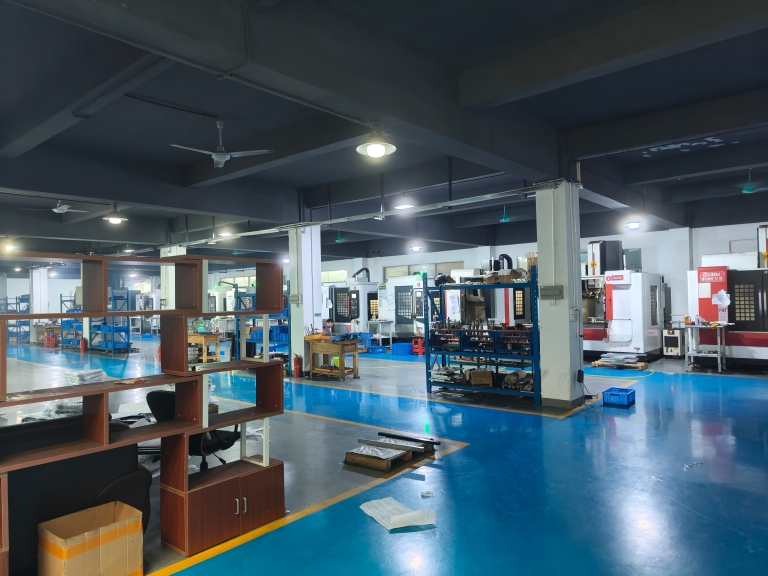
For a shop like ours at GreatLight CNC Machining Factory, where we leverage advanced 5-axis CNC systems for the most complex challenges, the principles of precise machine calibration are universal. While a 5-axis CNC mill achieves accuracy through synchronized multi-axis movement, a laser cutter relies on the absolute perpendicularity and flatness of its beam path to the work plane.

A Systematic Professional Guide to Leveling Your CNC Laser Bed

Follow this phased approach. Rushing the process will only lead to frustration and rework.
图片

Phase 1: Preparation & Safety


Full Power Down: Disconnect the machine from mains power. Lock out/tag out procedures are best practice.
Clean the Bed: Remove all material, debris, and slag. Use a vacuum and non-abrasive cleaner. A dirty bed will give false leveling readings.
Inspect Hardware: Check all bed support bolts, leveling screws, and linear rails for obvious damage, wear, or looseness. Tighten any loose structural fasteners first.
Gather Tools: You will need a precision spirit level (a machinist’s level is ideal), a set of feeler gauges, the machine’s manual, and its designated calibration tool (often a capacitive or mechanical sensor).

Phase 2: Initial Coarse Leveling (Using a Precision Spirit Level)


Establish a Reference Plane: Place the spirit level on a known flat surface to verify its own accuracy.
Level the Machine Frame: Place the level on the machine’s main structural frame (not the cutting bed). Adjust the machine’s feet or casters until the frame is level in both the X and Y axes. This is your foundational reference. A frame that is “twisted” can never be corrected by bed adjustments alone.
Bed Coarse Adjustment: Place the level directly on the bare cutting bed (grating or honeycomb). Adjust the bed’s leveling screws at the four corners to bring it to a rough level relative to the now-level frame.

Phase 3: Fine Leveling (Using the Machine’s Auto-Leveling Sensor or Manual Probe)

This is the critical phase for achieving cutting precision. Most modern CNC lasers have an automated process.


Sensor Calibration: Follow the manufacturer’s instructions to calibrate the bed leveling sensor. This often involves touching off on a calibration block or a specific point on the bed.
Execute Auto-Leveling Routine: Initiate the machine’s automatic bed leveling routine. This typically involves the sensor probing a grid of points (e.g., 3×3, 5×5) across the bed. The machine’s controller creates a height map.
Manual Point Probing (Alternative/Verification): If an auto routine isn’t available, manually jog the laser head to each corner and the center of the bed. Using the machine’s “Z-axis zero” or “touch plate” function, record the height at each point. The goal is to have all readings within a minimal tolerance (e.g., ±0.05 mm).

Phase 4: The Manual “Paper Drag” Test (The Ultimate Verification)

The electronic map is useful, but a physical test confirms performance. This method checks the nozzle-to-bed distance, which is what truly matters.


Home the Machine and Install a Nozzle: Ensure the machine is properly homed. Install a clean, undamaged nozzle.
Jog to First Test Point: Manually move the laser head to a corner of the cutting area.
Set a Feel Gauge: Place a standard piece of printer paper (approx. 0.1mm thick) or a specific feeler gauge on the bed under the nozzle.
Lower the Nozzle: Using the manual control, slowly lower the Z-axis until the nozzle tip just contacts the paper. You should feel a slight drag when pulling the paper, but it should not be pinned or tear.
Set Z-Zero: At this point, set that location as the temporary Z-zero in the controller.
Test Multiple Points: Without changing the Z-zero, jog to the other corners and center. Slide the paper under the nozzle at each point. The drag sensation should be identical.

If the paper is loose/no drag: The bed is too low at that point.
If the paper is pinned/can’t move: The bed is too high.

Iterate and Adjust: Based on the test, make tiny adjustments to the bed leveling screws. Crucial: After each adjustment, re-home the machine and repeat the paper drag test at all points. Adjusting one corner affects the others, so this is an iterative process.

Pro-Tip: Create a simple table to record your drag feel at each point (e.g., “Light,” “Good,” “Heavy,” “Pinched”) to track your progress systematically.
图片

Interpreting Results and Troubleshooting Common Patterns

One Corner Consistently High/Low: The most common issue. Adjust the screw at that specific corner.
Diagonal Dish or Crown: This indicates a twist in the bed structure. You may need to adjust opposing corners in tandem (e.g., raise front-left while lowering rear-right).
Consistent Front-Back or Left-Right Slope: Re-check the level of the main machine frame. The bed may be parallel to itself but not to the laser beam path.

Conclusion: Leveling as a Cornerstone of Precision

Learning how to level CNC laser cutting machine effectively is a core competency for any serious machining workshop. It transforms your machine from a variable tool into a predictable, precision instrument. It is the first and most critical step in a chain of processes that culminate in flawless parts.

For projects where the margin of error is zero, or when dealing with exotic materials, complex geometries, or the highest volume production, this foundational work is paramount. While meticulous in-house maintenance is essential, the most challenging precision requirements often benefit from partnership with a manufacturer whose entire ecosystem is built around accuracy.

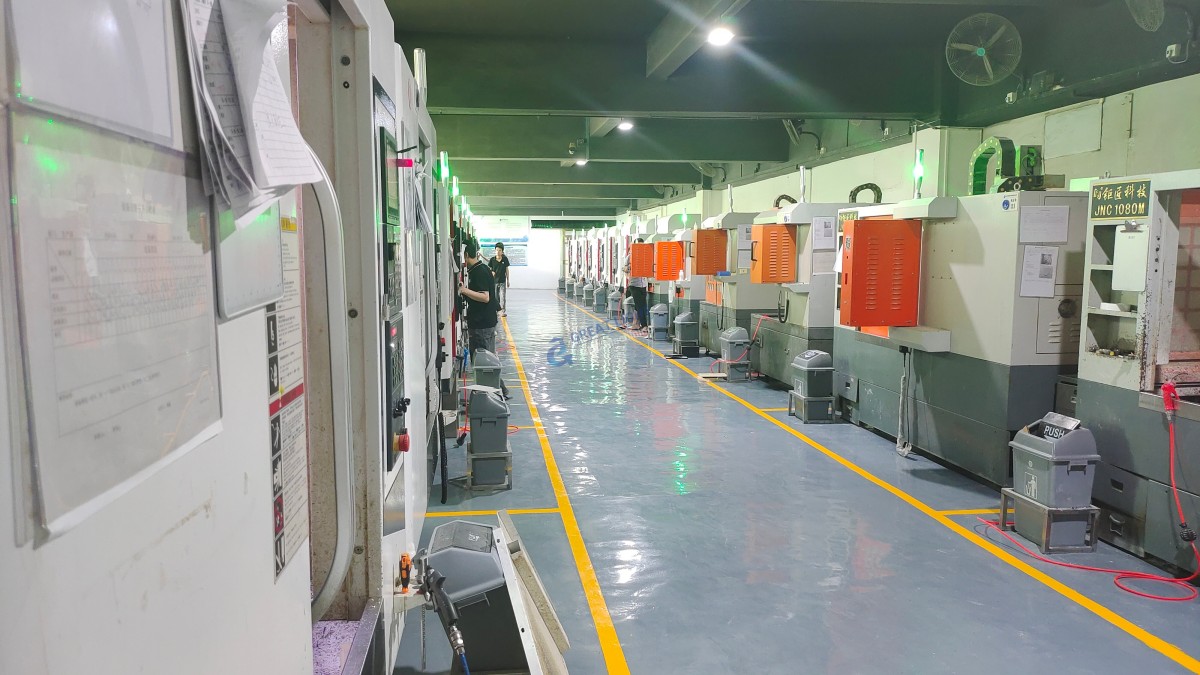
This is where the philosophy of GreatLight CNC Machining Factory comes into play. Our commitment begins with the machine foundation. Every piece of equipment in our facility, from our multi-axis CNC machining centers to our laser and sheet metal platforms, undergoes rigorous and regular geometric calibration. We view precision not as a single step but as a culture permeating every process, from initial 5-axis CNC machining of a prototype to the final validation on a CMM. When you outsource to a partner with this systemic approach to accuracy, you gain not just a part, but the confidence that comes from unwavering process integrity.


Frequently Asked Questions (FAQ)

Q1: How often should I level my CNC laser cutting bed?
A: It depends on usage and environment. For high-use production environments (24/7 shifts), a weekly check is recommended. For moderate use, a monthly verification is sufficient. Always re-level after moving the machine, following significant maintenance, or if you notice a sudden degradation in cut quality.
图片

Q2: Can I use a regular carpenter’s level for this job?
A: It is highly discouraged. A machinist’s precision level has a sensitivity of 0.02mm/m or better, while a carpenter’s level is typically 1mm/m or more. For precision cutting, the coarse reading from a woodworking level is insufficient and will lead to sub-par results.

Q3: My machine has an automatic leveling system. Do I still need to do manual checks?
A: Absolutely. The auto-leveling sensor creates a compensation map in the software, but it does not physically level the bed. It instructs the Z-axis to move to follow the bed’s contour. A severely unlevel bed can exceed the Z-axis’s compensation range. The manual “paper drag” test remains the gold standard for verifying the physical nozzle-to-bed parallelism.

Q4: What are the signs that my laser bed is out of level?
A: Key indicators include: inconsistent cut depth (partially cut through in some areas), varying engraving darkness or depth across the bed, a audible change in the cutting sound (hissing/spattering) in different zones, and visible dross (re-solidified molten metal) adhering more to one side of the cut.

Q5: I’ve followed the process, but I still can’t get it perfectly even. What could be wrong?
A: Several issues could be at play:


Worn Mechanical Components: Worn ball screws, linear guide bearings, or a sagging gantry can cause the laser head itself to travel in a non-flat path, mimicking a bed level issue.
Warped Bed: The bed material itself (honeycomb or grating) may be physically warped from heat or impact.
Loose Couplings: Check the couplings between the Z-axis motor and the lead screw.
If in-house troubleshooting fails, it may indicate a need for professional mechanical service. For mission-critical production, partnering with an expert manufacturer like GreatLight Metal can ensure your parts are produced on optimally calibrated equipment, guaranteeing results without the downtime. Connect with industry leaders on platforms like LinkedIn to explore how professional manufacturing partnerships can elevate your project’s quality and reliability.


CNC Experts

Picture of JinShui Chen

JinShui Chen

Rapid Prototyping & Rapid Manufacturing Expert

Specialize in CNC machining, 3D printing, urethane casting, rapid tooling, injection molding, metal casting, sheet metal and extrusion

CNC Recent Posts

CNC News

Welcome to GreatLight Metal,Maximum Processing Size 4,000 mm

Precision Machining CNC Quote Online

Loading file

Upload Click here to upload or drag and drop your model to the canvas.

The model is too large and has been resized to fit in the printer's build tray. [Hide]

The model is too large to fit in the printer's build tray. [Hide]

The model is too large, a fitting printer is selected. [Hide]

The model is too small and has been upscaled. [Hide]

Warning: The selected printer can not print in full color [Hide]

Warning: obj models with multiple meshes are not yet supported [Hide]

Warning: Unsupported DXF entity  [Hide]

Warning: could not arrange models [Hide]

[Hide]


File Unit:      
Scale:
%
L × W × H:
X: × Y: × Z:  cm 
Rotation:
X: ° Y: °  
⚡ Instant Quote for Precision Manufacturing

Submit your design files (STEP/IGES/DWG) and receive a competitive quote within 1 hour, backed by ISO 9001-certified quality assurance.

📋 How It Works

  1. Upload & SpecifyShare your 3D model and select materials (Aluminum/Stainless Steel/Titanium/PEEK), tolerances (±0.002mm), and surface treatments.

  2. AI-Powered AnalysisOur system calculates optimal machining strategy and cost based on 10+ years of automotive/aerospace data.

  3. Review & ConfirmGet a detailed breakdown including:
    - Volume pricing tiers (1-10,000+ units)
    - Lead time (3-7 days standard)
    - DFM feedback for cost optimization

Unit Price: 

Loading price
5 Axis CNC Machining Equipment
4 Axis CNC Machining Equipment
3 Axis CNC Machining Equipment
CNC Milling & Turning Equipment
Prototype and Short-Run Injection Moldings Exact plastic material as final design
Volume Metal Die Casting Services - Precision Cast Parts
Bridge the Gap From Prototype to Production – Global delivery in 10 days or less
Custom high-precision sheet metal prototypes and parts, as fast as 5 days.
Custom Online 3D Printing Services
Design Best Processing Method According To 3D Drawings
Alloys Aluminum 6061, 6061-T6 Aluminum 2024 Aluminum 5052 Aluminum 5083 Aluminum 6063 Aluminum 6082 Aluminum 7075, 7075-T6 Aluminum ADC12 (A380)
Alloys Brass C27400 Brass C28000 Brass C36000
Alloys Stainless Steel SUS201 Stainless Steel SUS303 Stainless Steel SUS 304 Stainless Steel SUS316 Stainless Steel SUS316L Stainless Steel SUS420 Stainless Steel SUS430 Stainless Steel SUS431 Stainless Steel SUS440C Stainless Steel SUS630/17-4PH Stainless Steel AISI 304
Inconel718
Carbon Fiber
Tool Steel
Mold Steel
Alloys Titanium Alloy TA1 Titanium Alloy TA2 Titanium Alloy TC4/Ti-6Al 4V
Alloys Steel 1018, 1020, 1025, 1045, 1215, 4130, 4140, 4340, 5140, A36 Die steel Alloy steel Chisel tool steel Spring steel High speed steel Cold rolled steel Bearing steel SPCC
Alloys Copper C101(T2) Copper C103(T1) Copper C103(TU2) Copper C110(TU0) Beryllium Copper
Alloys Magnesium Alloy AZ31B Magnesium Alloy AZ91D
Low Carbon Steel
Alloys Magnesium Alloy AZ31B Magnesium Alloy AZ91D
ABS Beige(Natural) ABS Black ABS Black Antistatic ABS Milky White ABS+PC Black ABS+PC White
PC Black PC Transparent PC White PC Yellowish White PC+GF30 Black
PMMA Black PMMA Transparent PMMA White
PA(Nylon) Blue PA6 (Nylon)+GF15 Black PA6 (Nylon)+GF30 Black PA66 (Nylon) Beige(Natural) PA66 (Nylon) Black
PE Black PE White
PEEK Beige(Natural) PEEK Black
PP Black PP White PP+GF30 Black
HDPE Black HDPE White
HIPS Board White
LDPE White
This is a finish of applying powdered paint to the components and then baking it in an oven, which results in a stronger, more wear- and corrosion-resistant layer that is more durable than traditional painting methods.
No coating required, product’s natural color!
This is a finish of applying powdered paint to the components and then baking it in an oven, which results in a stronger, more wear- and corrosion-resistant layer that is more durable than traditional painting methods.
This finishing option with the shortest turnaround time. Parts have visible tool marks and potentially sharp edges and burrs, which can be removed upon request.
Sand blasting uses pressurized sand or other media to clean and texture the surface, creating a uniform, matte finish.
Polishing is the process of creating a smooth and shiny surface by rubbing it or by applying a chemical treatmen
A brushed finish creates a unidirectional satin texture, reducing the visibility of marks and scratches on the surface.
Anodizing increases corrosion resistance and wear properties, while allowing for color dyeing, ideal for aluminum parts.
Black oxide is a conversion coating that is used on steels to improve corrosion resistance and minimize light reflection.
Electroplating bonds a thin metal layer onto parts, improving wear resistance, corrosion resistance, and surface conductivity.
This is a finish of applying powdered paint to the components and then baking it in an oven, which results in a stronger, more wear- and corrosion-resistant layer that is more durable than traditional painting methods.
Please provide additional text description for other surface treatment requirements!
Material
Material
  • CNC Metals
    • Aluminum
    • Brass
    • Stainless steel
    • Inconel718
    • Carbon Fiber
    • Tool Steel
    • Mold Steel
    • Titanium
    • Alloy Steel
    • Copper
    • Bronze
    • Low Carbon Steel
    • Magnesium
  • CNC Plastics
    • ABS
    • PC
    • PMMA (Acrylic)
    • PA (Nylon)
    • PE
    • PEEK
    • PP
    • HDPE
    • HIPS
    • LDPE
Printer
Printer
  • CNC Metals
    • 5 Axis CNC Machining
    • 4 Axis CNC Machining
    • 3 Axis CNC Machining
    • CNC Milling & Turning
    • Rapid Tooling
    • Metal Die Casting
    • Vacuum Casting
    • Sheet Metal Fabrication
    • SLA 3D Printing
    • SLS 3D Printing
    • SLM 3D Printing
  • Rapid Prototyping
    • Design Best Processing Method According To 3D Drawings
Post-processing
Post-processing
  • As Machined(Product’s natural color)
  • Sand Blasting
  • Polishing
  • Brushed Finish
  • Anodizing
  • Black Oxide
  • Electroplating
  • Paint Coating
  • Powder Coating
  • Other surface treatment requirements
Finalize
The world's first CNC machining center that dares to provide free samples!

Free for first product valued at less than $200. (Background check required)

precision machining cnc quote online

15 Years CNC Machining Services

When you’re ready to start your next project, simply upload your 3D CAD design files, and our engineers will get back to you with a quote as soon as possible.
Scroll to Top

ISO 9001 Certificate

ISO 9001 is defined as the internationally recognized standard for Quality Management Systems (QMS). It is by far the most mature quality framework in the world. More than 1 million certificates were issued to organizations in 178 countries. ISO 9001 sets standards not only for the quality management system, but also for the overall management system. It helps organizations achieve success by improving customer satisfaction, employee motivation, and continuous improvement. * The ISO certificate is issued in the name of FS.com LIMITED and applied to all the products sold on FS website.

greatlight metal iso 9001 certification successfully renewed
GB T 19001-2016 IS09001-2015
✅ iso 9001:2015
greatlight metal iso 9001 certification successfully renewed zh

IATF 16949 certificate

IATF 16949 is an internationally recognized Quality Management System (QMS) standard specifically for the automotive industry and engine hardware parts production quality management system certification. It is based on ISO 9001 and adds specific requirements related to the production and service of automotive and engine hardware parts. Its goal is to improve quality, streamline processes, and reduce variation and waste in the automotive and engine hardware parts supply chain.

automotive industry quality management system certification 01
Certification of Production Quality Management System for Engine Hardware Parts Engine Hardware Associated Parts
automotive industry quality management system certification 00
发动机五金零配件的生产质量管理体系认证

ISO 27001 certificate

ISO/IEC 27001 is an international standard for managing and processing information security. This standard is jointly developed by the International Organization for Standardization (ISO) and the International Electrotechnical Commission (IEC). It sets out requirements for establishing, implementing, maintaining, and continually improving an information security management system (ISMS). Ensuring the confidentiality, integrity, and availability of organizational information assets, obtaining an ISO 27001 certificate means that the enterprise has passed the audit conducted by a certification body, proving that its information security management system has met the requirements of the international standard.

greatlight metal technology co., ltd has obtained multiple certifications (1)
greatlight metal technology co., ltd has obtained multiple certifications (2)

ISO 13485 certificate

ISO 13485 is an internationally recognized standard for Quality Management Systems (QMS) specifically tailored for the medical device industry. It outlines the requirements for organizations involved in the design, development, production, installation, and servicing of medical devices, ensuring they consistently meet regulatory requirements and customer needs. Essentially, it's a framework for medical device companies to build and maintain robust QMS processes, ultimately enhancing patient safety and device quality.

greatlight metal technology co., ltd has obtained multiple certifications (3)
greatlight metal technology co., ltd has obtained multiple certifications (4)

Get The Best Price

Send drawings and detailed requirements via Email:[email protected]
Or Fill Out The Contact Form Below:

All uploads are secure and confidential.











