

For clients and innovators in the field of precision parts machining and customization, the quest for versatile, cost-effective manufacturing tools is perpetual. The rise of desktop 3D printing has democratized prototyping, leading many to ponder: How To Turn An Ender 3 To A CNC Machine? The idea of repurposing a ubiquitous, affordable tool like the Creality Ender 3 into a multi-functional subtractive manufacturing device is both ingenious and tempting. It speaks directly to the DIY spirit and the drive for efficiency. This comprehensive guide will walk you through the feasibility, process, and critical considerations of such a conversion, ultimately framing it within the broader context of professional manufacturing needs.
Why Consider Converting an Ender 3?
The Ender 3 is beloved for its robustness, open-source nature, and massive community support. Converting it to a CNC machine theoretically offers a path to a low-cost, compact milling setup for soft materials like plastics, woods, and even soft metals like aluminum (with significant caveats). For a hobbyist, maker, or a small workshop looking to experiment with light engraving or prototyping in different materials, this project can be an enriching technical challenge and a way to extend the utility of an existing asset.
However, for professionals and businesses whose core focus is precision parts machining and customization, it’s crucial to understand the fundamental distinctions and limitations from the outset.
Core Differences: 3D Printer vs. CNC Machine
Before undertaking the conversion, one must appreciate the engineering differences:
Forces and Rigidity: 3D printing involves depositing molten plastic with minimal lateral force. CNC milling involves a spinning cutter forcibly removing material, generating significant lateral, torsional, and vibrational forces. The Ender 3’s frame, primarily made from 2040 V-slot aluminum extrusions and plastic parts, lacks the mass and rigidity of a true CNC machine’s cast iron or heavy steel frame.
Motion Control and Backlash: While both use stepper motors and lead screws/ belts, precision CNC machines employ ball screws or high-grade lead screws with anti-backlash nuts to maintain accuracy under load. The Ender 3’s typical T8 lead screws and brass nuts are designed for lighter duty and can exhibit unacceptable backlash and deflection during milling.
Spindle vs. Hotend: The hotend is lightweight and designed for heating. A CNC spindle must deliver high torque at various RPMs to cut different materials. Replacing it requires a unit powerful enough to cut but not so heavy it strains the axes.
Software (Slicer vs. CAM): 3D printing uses G-code generated by a slicer. CNC machining uses G-code from Computer-Aided Manufacturing (CAM) software, which calculates toolpaths, feed rates, spindle speeds, and depth of cuts—a fundamentally more complex process.
Essential Components for the Conversion
Converting an Ender 3 to a functional, albeit limited, CNC machine requires replacing or augmenting several key systems:
1. The Spindle Assembly
This is the heart of the conversion. You must replace the entire hotend assembly with a spindle.
Choice of Spindle: A popular choice is a 300W-500W DC brushless spindle with an ER11 collet. These are relatively lightweight and can be powered by a separate DC power supply. More powerful spindles (800W+) offer better performance but add critical mass.
Mounting Bracket: You will need to design or purchase a rigid mounting bracket to attach the spindle to the Ender 3’s X-carriage. This bracket must minimize vibration.
2. Firmware & Control Board
The stock firmware (like Marlin) is optimized for 3D printing. For CNC operation, you need firmware that supports:
Constant Velocity Mode: For smoother motion on complex paths.
Spindle Control (PWM): To control the spindle speed via G-code.
Advanced error handling.
Firmware like Grbl is the industry standard for DIY CNC, but it runs on different hardware (e.g., an Arduino paired with a CNC shield). The most straightforward path is to replace the Ender 3’s mainboard with a controller that runs Grbl, such as a Makerbase MKS DLC32 or similar. This allows you to maintain the existing stepper motors and limit switches while gaining proper CNC control.
3. Structural Reinforcements
To handle milling forces, consider:
Frame Bracing: Adding diagonal braces or gussets to the vertical Z-axis extrusions.
Bed Stability: The stock heated bed on springs is utterly unsuitable. It must be locked down rigidly. Many converters create a solid mounting plate (MDF or aluminum) fixed directly to the Y-axis carriage.
Lead Screw Upgrade: Upgrading to higher-grade lead screws with anti-backlash nuts can improve precision.
4. Workholding & Bed
A 3D printer’s flexible build plate is useless for CNC. You need a solid, flat sacrificial bed (often MDF or aluminum) securely bolted down, equipped with T-slots or clamp points to hold your workpiece.
5. Safety & Containment
This is non-negotiable. CNC milling creates sharp chips and dust.
Full Enclosure: A mandatory addition to contain debris.
Safety Glasses: Always wear them.
Dust Extraction: A vacuum or dust shoe attached near the spindle is essential for health and cleanliness.
Step-by-Step Conversion Process Overview
Research and Planning: Decide on your target materials (start with wax or soft wood). This defines the required spindle power and rigidity.
Acquire Components: Purchase the spindle, power supply, new controller board, cabling, and materials for reinforcement and workholding.
Mechanical Modifications:
Disassemble the hotend and part cooling fan.
Install the spindle mounting bracket and spindle.
Lock down or replace the Y-axis bed with a solid platform.
Add any structural braces.
Electrical Overhaul:
Replace the main control board with a Grbl-compatible CNC controller.
Wire the spindle and its power supply to the controller.
Ensure all limit switches are functional.
Firmware & Software Setup:
Configure and upload Grbl to the new controller.
Set steps per millimeter, acceleration, and jerk settings for milling (typically slower than printing).
On your computer, set up a sender software like Universal G-code Sender (UGS) or ChiliPeppr.
Learn to use CAM software (like Fusion 360, Estlcam, or Carbide Create) to generate proper toolpaths.
Calibration and Testing:
Perform meticulous tramming (squaring) of the spindle to the bed.
Test with very gentle passes in soft material to calibrate feed rates and depth of cut.
Critical Limitations and Professional Realities
For the precision parts machining and customization professional, understanding the limitations of a converted Ender 3 is vital:
Material Limitations: It will only reliably machine soft materials. Attempting to machine steel, titanium, or even tough aluminum alloys is not feasible and dangerous.
Precision & Tolerance: Achieving tolerances tighter than ±0.1mm (±0.004″) is challenging. Vibration, deflection, and backlash will limit repeatability and surface finish. This is far from the ±0.001mm capability of professional machine shops.
Scale and Efficiency: The work envelope remains small (approx. 220x220mm), and material removal rates are extremely slow compared to industrial equipment.
Reliability and Consistency: It is a tinkering project. Consistency over multiple parts or production runs is hard to guarantee.
Conclusion: A Maker’s Project vs. A Professional’s Tool
How To Turn An Ender 3 To A CNC Machine? The answer lies in a detailed, cautious modification process that transforms it into a capable engraver and light-duty router for non-metallic materials. It is a superb educational project that deepens one’s understanding of mechatronics, G-code, and CAM. The journey offers immense satisfaction and a unique, multi-purpose tool for the workshop.
However, for clients and businesses whose demands revolve around high precision, material versatility, structural integrity, and production reliability, a converted desktop printer cannot substitute for professional-grade equipment. The forces, tolerances, and requirements of real-world precision parts machining necessitate the robust construction, advanced control systems, and thermal stability found in industrial CNC mills and lathes.
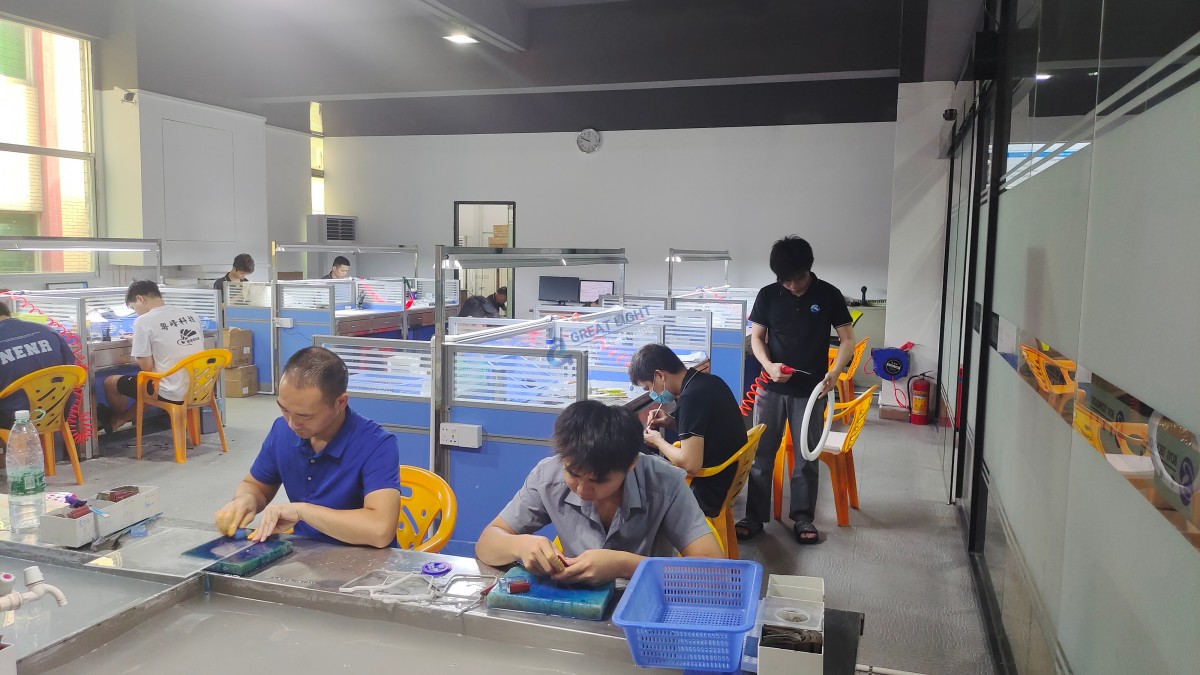
This is where the distinction between a DIY solution and a professional partnership becomes clear. For projects requiring metals, tight tolerances, complex 5-axis geometries, or any level of production scaling, partnering with an expert manufacturer is the only path to guaranteed success. Manufacturers like GreatLight CNC Machining Factory leverage purpose-built, advanced five-axis CNC machining centers housed within a 76,000 sq. ft. facility, backed by ISO 9001:2015 and IATF 16949 certified quality systems. They provide not just machining, but comprehensive one-stop post-processing and finishing services, turning raw material into flight-ready, presentation-ready, or assembly-ready components with guaranteed precision.
While converting your Ender 3 is a testament to ingenuity, outsourcing to a specialist like GreatLight Metal is a strategic decision for quality, efficiency, and risk mitigation. It allows innovators to focus on design and application, resting assured that the manufacturing foundation is solid, precise, and professionally managed.
Frequently Asked Questions (FAQ)
Q1: What is the best material I can realistically machine with a converted Ender 3 CNC?
A: You can achieve good results with machining wax, PCB substrates, softwoods (balsa, pine), and hardwoods (like oak) with very light passes. Engraving aluminum is possible with a sharp, single-flute end mill, very slow feed rates, and shallow depths of cut, but it will be slow and hard on the machine. It is not suitable for milling aluminum parts to precise dimensions.
Q2: How precise can a converted Ender 3 CNC be?
A: With meticulous calibration, reinforcement, and high-quality components, you might approach tolerances around ±0.05mm to ±0.1mm for non-ferrous materials in ideal conditions. This is suitable for many hobby projects but is orders of magnitude less precise than the ±0.001mm standard in professional precision machining.
Q3: Is it cheaper to convert an Ender 3 or buy a dedicated desktop CNC?
A: Initially, conversion seems cheaper if you already own the printer. However, by the time you purchase a quality spindle, controller, power supplies, and reinforcement parts, the total can approach the cost of an entry-level dedicated desktop CNC router (like a 3018 or Shapeoko variant), which is designed for the task from the ground up and will be more rigid and capable.
Q4: Can I switch back to 3D printing after the conversion?
A: Yes, but it’s not a quick-swap operation. You would need to reinstall the hotend, possibly revert the firmware or mainboard, and remove the workholding bed. It’s more practical to view the machine as being dedicated to one function after conversion or to maintain two separate machines.
Q5: What is the biggest safety concern with this conversion?
A: Chip/Dust containment and inhalation is a major, often overlooked risk. Machining composites, woods, or metals creates fine airborne particles that are harmful to lungs. A fully enclosed setup with active dust extraction is absolutely essential. Second is tool breakage and flying debris; always use an enclosure and safety glasses.
Q6: For a professional prototype needing aluminum with ±0.02mm tolerance, what should I do?
A: You should immediately engage a professional precision machining service. A converted Ender 3 cannot meet this requirement. A service provider like GreatLight Metal with proper 5-axis CNC machining capabilities, in-house CMM inspection, and a certified quality management system is equipped to deliver such a part reliably and efficiently, often with faster turnaround than perfecting a DIY process.



















