

In today’s landscape of maker culture and rapid innovation, the question of how to make CNC machine using Arduino frequently emerges in workshops, engineering forums, and R&D departments. For professionals and businesses in the precision parts machining and customization field, this topic sits at a fascinating intersection: it represents the democratization of manufacturing technology while also highlighting the vast chasm between hobbyist-grade equipment and industrial-grade production systems.
At its core, building a CNC machine with an Arduino is an exercise in integrating open-source electronics with mechanical motion control to perform subtractive manufacturing. While this approach is invaluable for prototyping concepts, educational purposes, or producing non-critical components, it stands in stark contrast to the demands of high-precision, repeatable, and reliable part production required by industries such as aerospace, medical devices, and automotive engineering. This exploration will demystify the DIY process and provide crucial context on its appropriate applications versus when to partner with a professional manufacturer like GreatLight Metal.
Understanding the Core Components of a DIY Arduino CNC Machine
A functional CNC machine built around an Arduino controller comprises four fundamental subsystems: the controller, the drive system, the mechanical structure, and the software stack.
1. The Controller: Arduino as the Brain
The Arduino board, typically an Arduino Uno or Mega due to their abundant I/O pins, acts as the machine’s nervous system. It does not operate in a vacuum; it is programmed via the Arduino IDE to interpret standardized G-code instructions (the universal language of CNC machining) and translate them into precise electrical signals. These signals dictate the timing, direction, and number of steps for the motors. Specialized firmware, such as GRBL (for 3-axis milling) or Marlin (adapted from 3D printing), is often uploaded to the Arduino, providing a robust framework for motion control.
2. The Drive System: From Signal to Motion
This is where electrical commands become physical movement.
Stepper Motors: These are the preferred choice for DIY CNC due to their precise open-loop control. They move in discrete “steps,” allowing for accurate positioning without feedback sensors (though this can limit error detection).
Motor Drivers: Modules like the A4988 or DRV8825 are essential. They act as intermediaries, receiving low-power control signals from the Arduino and delivering the high-current power needed to drive the stepper motors. They also handle the critical micro-stepping function, which divides each full motor step into smaller increments for smoother and more precise movement.
Power Supply: A dedicated, stable DC power supply unit (PSU) is crucial. The Arduino and motors require separate power sources to avoid noise interference and voltage drops that can cause missed steps and machining errors.
3. The Mechanical Structure: The Machine’s Framework
This defines the machine’s rigidity, working envelope, and ultimately, its accuracy.
Frame: Common materials include aluminum extrusions (e.g., V-slot or T-slot profiles), steel, or even high-density wood for very light-duty machines. Rigidity is paramount to resist cutting forces and prevent vibration.
Linear Motion: Smooth, low-friction movement along each axis (X, Y, Z) is achieved using a combination of components:
Rails: Linear guide rails or round supported shafts.
Bearings: Linear ball bearings or bushings that slide on the rails.
Lead Screws or Ball Screws: These convert the rotary motion of the stepper motors into linear motion. Ball screws offer higher efficiency and precision but are more expensive than lead screws.
Spindle: This is the cutting tool’s motor. For lightweight machines, a high-speed DC or CNC router spindle is used. For more robust operations, a real machining spindle is required but demands significantly more power and cooling.
4. The Software Ecosystem
CAD Software: Used to design the part (e.g., Fusion 360, SolidWorks, FreeCAD).
CAM Software: Translates the CAD model into the toolpaths and generates the G-code file, specifying feed rates, spindle speed, and cutting depth (e.g., Fusion 360 CAM, EstlCAM).
Control Software: Sends the G-code to the Arduino and provides a user interface for machine control (e.g., Universal G-code Sender (UGS), Candle, ChiliPeppr).
A Step-by-Step Guide to the Build Process
Here is a systematic overview of how these components come together:
Phase 1: Design & Planning
Define your machine’s purpose. Will it mill soft materials like wood and plastic, or attempt aluminum? This determines the required rigidity, motor torque, and spindle power. Create a detailed mechanical design, selecting all core components and ensuring compatibility.
Phase 2: Mechanical Assembly
Construct the frame according to your design, ensuring it is square and torsionally stiff.
Mount the linear rails and bearings onto the frame for each axis.
Attach the lead screws or ball screws to the stepper motors (using flexible couplers to compensate for minor misalignment) and install them to drive the moving gantry or table.
Assemble the Z-axis, which holds the spindle, ensuring it moves smoothly vertically.
Mount the spindle and connect it to its power source.
Phase 3: Electrical Wiring & Integration

Motor Wiring: Connect each stepper motor to its corresponding driver module. Correct sequencing of the motor coils is essential.
Driver Configuration: Set the current limit on each driver (using its potentiometer) to match your motor’s specifications, preventing overheating.
Controller Wiring: Connect the control pins of each driver (Step, Direction, Enable) to the designated digital pins on the Arduino. Connect the limit switches (for homing and preventing over-travel) to interrupt pins.
Power Distribution: Connect the high-power PSU to the motor drivers and the spindle. Use a separate, lower-current supply (or the Arduino’s USB) for the Arduino itself. Use appropriate gauge wire and fuses for safety.
Phase 4: Software Setup & Configuration
Flash the chosen firmware (e.g., GRBL) onto your Arduino using the Arduino IDE.
Connect the control software (e.g., UGS) to the Arduino via USB.
This is a critical stage: configure the firmware settings. You must accurately input parameters like:
Steps per Millimeter: Calculated from your motor’s steps per revolution, driver micro-stepping setting, and lead screw pitch. An error here makes the machine’s movements fundamentally wrong.
Max Feed Rate and Acceleration: Tuned to your machine’s mechanical limits to prevent stalling or shaking.
Axis Directions: Ensure a positive command moves the tool in the intended direction.
Phase 5: Calibration & First Test
Perform a homing cycle if limit switches are installed.
Use the control software to jog the machine slowly, verifying movement is smooth and in the correct direction on all axes.
Run a simple “air cut” (a test program without material) to observe the machine following a known pattern like a square or circle.
Manually measure the actual distance traveled versus the commanded distance and fine-tune the steps per mm setting until they match.
Critical Limitations: Why DIY Arduino CNC is Not Industrial-Grade
While building an Arduino CNC is an immensely rewarding technical project, its limitations are severe in a professional context:
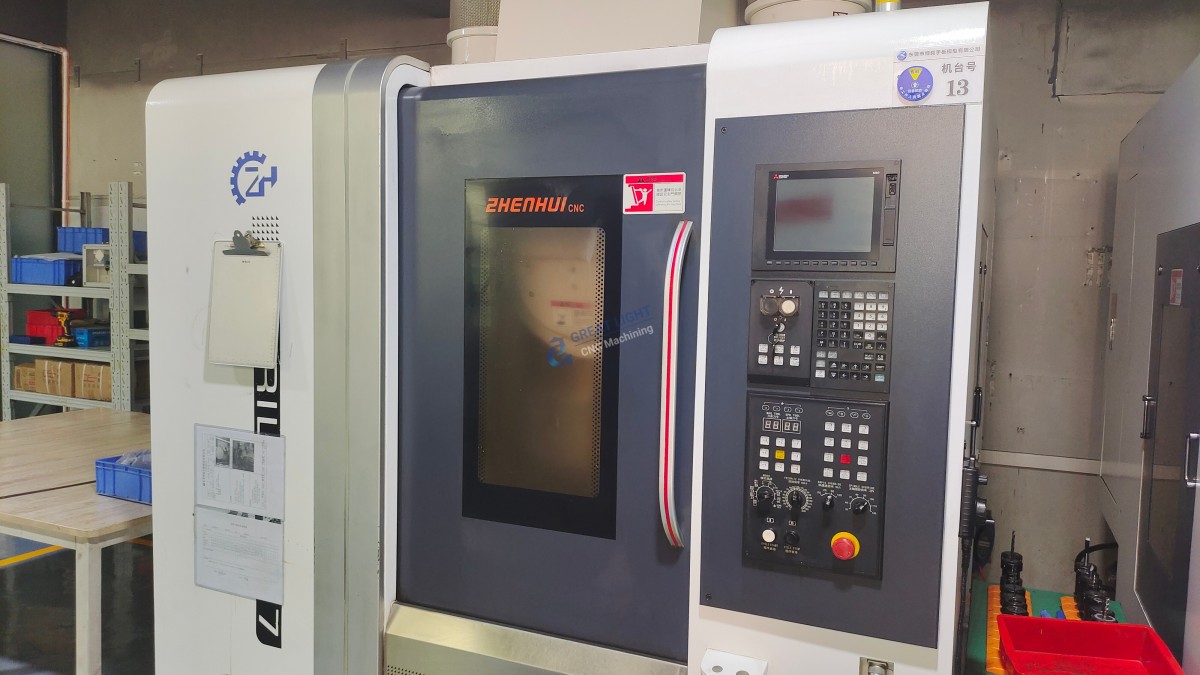
Accuracy & Repeatability: Even well-tuned DIY machines typically achieve tolerances no better than ±0.1mm, and this can drift with temperature and wear. Industrial 5-axis CNC machining centers, like those at GreatLight Metal, routinely hold tolerances of ±0.001mm or tighter, essential for parts that must mate, seal, or rotate.
Rigidity & Power: DIY frames struggle with the cutting forces of hard metals like stainless steel or titanium. This leads to chatter, poor surface finish, and tool breakage. Industrial machines have massively rigid cast iron or polymer concrete structures and high-torque spindles.
Software & Control: GRBL is excellent but lacks the sophisticated algorithms for toolpath optimization, vibration damping, and thermal compensation found in multi-thousand-dollar commercial CNC controllers.
Material & Tooling Expertise: Professional shops like ours possess deep metallurgical knowledge, selecting optimal cutting tools, speeds, feeds, and coolants for each specific alloy—a science beyond the scope of a DIY setup.
Safety & Reliability: Industrial machines are housed with full enclosures, chip management, emergency stops, and are built for thousands of hours of continuous, unattended operation.
When to Build, and When to Partner with a Professional
This decision tree clarifies the path forward:
Choose a DIY Arduino CNC If:
Your goal is learning, prototyping in soft materials (foam, wax, softwood).
You need one-off, non-critical components where ±0.5mm tolerance is acceptable.
Budget is extremely constrained, and time for troubleshooting is abundant.
Partner with a Specialist Like GreatLight Metal for 5-Axis CNC Machining If:
You require precision components with tolerances under ±0.025mm.
The parts are for end-use applications in demanding fields (robotics, automotive, aerospace, medical).
You are machining engineering-grade metals (aluminum 6061/7075, stainless steel, titanium, Inconel) or high-performance plastics (PEEK, Ultem).
You need complex geometries that require multi-axis simultaneous movement, which a DIY 3-axis machine cannot produce.
Repeatability, documentation, and certification (like our ISO 9001:2015, IATF 16949, and ISO 13485 systems) are required for your supply chain.
Time-to-market is critical, and you cannot afford the iterative trial-and-error of a DIY process.
Conclusion
Learning how to make CNC machine using Arduino is a powerful testament to the accessibility of modern manufacturing technology. It empowers innovators to understand the fundamentals of mechatronics and digital fabrication. However, for businesses and engineers whose success depends on precision, reliability, and material performance, this DIY approach represents only the first step in a much longer journey.
The leap from a capable hobbyist machine to a production-ready precision component is bridged by industrial expertise, advanced equipment, and rigorous quality systems. For those projects where failure is not an option, partnering with an experienced manufacturer like GreatLight Metal Tech Co., LTD. provides not just a machine, but a full-spectrum engineering solution—ensuring your vision is realized with the accuracy, consistency, and professional finish that the global market demands.
Frequently Asked Questions (FAQ)
Q1: What is the best Arduino board for a CNC machine build?
A: The Arduino Mega 2560 is often preferred for more complex 3-axis machines due to its greater number of digital I/O pins, which are needed to control multiple stepper drivers, limit switches, and potentially a spindle. The Arduino Uno can be sufficient for simpler 2-axis or very basic 3-axis setups.
Q2: Can an Arduino-based CNC machine cut aluminum?
A: It is possible, but with significant caveats. It requires an exceptionally rigid frame, a capable spindle, proper cutting tools, and very conservative depth-of-cut and feed rate settings. Surface finish and dimensional accuracy will not match that of an industrial VMC. It is more suited to light engraving or prototyping passes rather than efficient stock removal.
Q3: How does the accuracy of a DIY Arduino CNC compare to a professional machine from GreatLight Metal?
A: There is an order-of-magnitude difference. A finely calibrated DIY machine might achieve ±0.05mm to ±0.1mm under ideal conditions. In contrast, our professional 5-axis CNC machining centers are capable of ±0.005mm to ±0.001mm tolerances consistently, validated by coordinate measuring machines (CMMs) and supported by our ISO-certified quality management system.
Q4: What are the biggest challenges in building a reliable Arduino CNC?
A: The top three challenges are: 1) Achieving Mechanical Rigidity to prevent flex and vibration, 2) Precise Calibration of steps-per-unit and backlash compensation, and 3) Electrical Noise Management – ensuring stepper driver noise doesn’t interfere with the Arduino or limit switches, causing erratic behavior.
Q5: Is it cost-effective to build a CNC for small-batch production?
A: For true small-batch production of precision parts, no. The hidden costs of your time for build, calibration, maintenance, and the inevitable scrap from process instability far outweigh the cost of outsourcing to a professional. The value of guaranteed quality, material certification, and on-time delivery from a partner like GreatLight Metal provides a much higher return on investment for business projects. For ongoing industry insights and professional manufacturing expertise, you can follow our corporate updates on LinkedIn.



















