In the modern precision machining workshop, the seamless connection between a computer and a CNC machine is the fundamental conduit through which digital designs become physical reality. This integration is the bedrock of Computer Numerical Control, enabling the precise execution of G-code instructions that dictate every movement of the cutting tool. For engineers, machinists, and business owners seeking reliable production, understanding how to establish this critical link is paramount. Let’s delve into the methods, best practices, and professional considerations for connecting your CNC machine to a computer.
H2: The Core of Modern Machining: CNC-Computer Integration
At its heart, connecting a CNC machine to a computer involves creating a communication channel to transfer part programs (G-code) from a Computer-Aided Manufacturing (CAM) or programming software to the machine’s controller. This process has evolved from punched tape to today’s high-speed networked connections, greatly impacting production efficiency, flexibility, and reliability.
H3: Primary Connection Methods & Protocols
The choice of connection method depends on the machine’s age, controller type, and required performance. Here are the most common approaches:
1. Direct Network Connection (Ethernet)
This is the standard for modern CNC systems and is highly recommended for its speed, reliability, and stability.
How it Works: Both the computer and the CNC controller are connected to a local area network (LAN) via Ethernet cables (Cat5e/Cat6). Each device is assigned a unique IP address.
Setup Process:
Configure the TCP/IP settings on the CNC controller (usually via its built-in menus).
Ensure the computer is on the same subnet.
Use specialized communication software (like proprietary vendor software, DNC systems, or even shared folder access) to transfer files.
Advantages: Very fast transfer speeds, suitable for large programs (common in 3D contouring). Enables remote monitoring and network-based DNC (Direct Numerical Control).
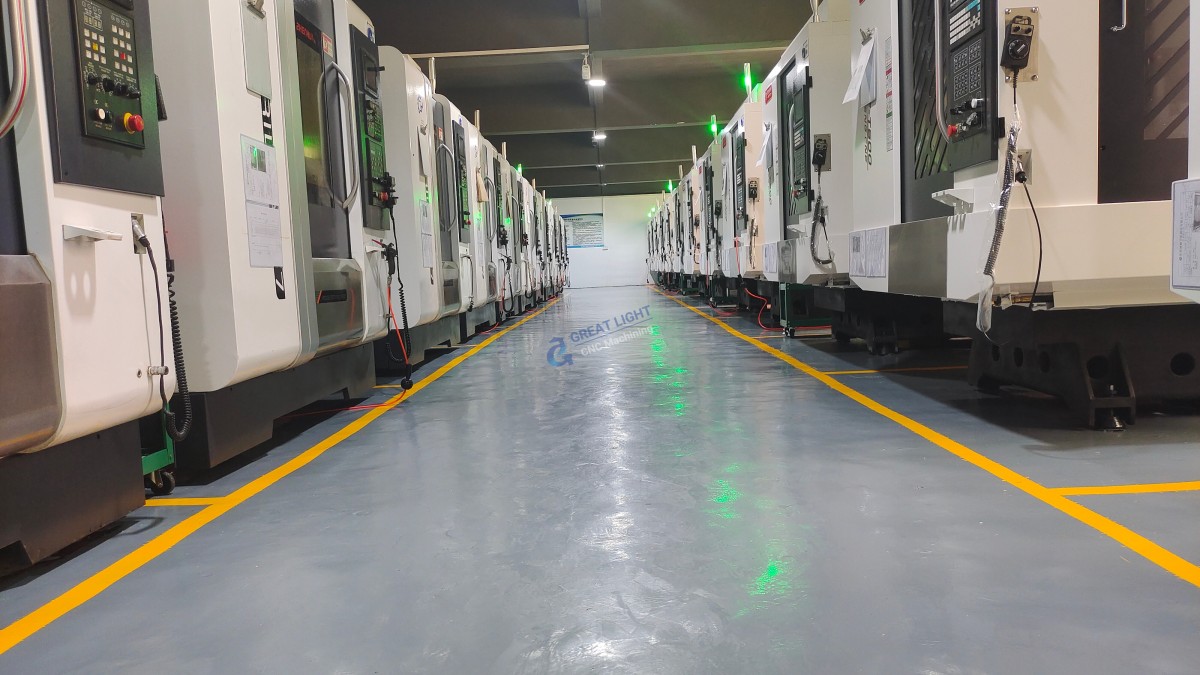
Professional Insight: In environments like ours at GreatLight Metal, we prioritize Ethernet connections for our multi-axis machining centers. This allows for centralized program management, seamless transfer of complex aerospace or automotive part programs, and integration into our digital production workflow.
2. Serial Communication (RS-232)
A legacy but still prevalent method, especially for older CNC machines.
How it Works: Uses a serial cable (typically with a 9-pin or 25-pin D-sub connector) to connect the computer’s COM port to the CNC’s RS-232 port.
Setup Nuances: Requires meticulous configuration of communication parameters: Baud Rate, Data Bits, Parity, and Stop Bits (e.g., 9600, 7, EVEN, 2). These must match exactly on both devices.
Challenges: Slow transfer speed, limited cable length (typically <15 meters), susceptibility to electrical noise, and the declining availability of COM ports on modern computers (requiring USB-to-Serial adapters, which can introduce driver issues).
3. USB Connection
A convenient plug-and-play method for many newer controllers or through external memory devices.
Direct Connection: Some modern controllers have a USB-B port to connect directly to a computer, appearing as an external drive.
USB Flash Drive: The most universal method. The G-code program is saved to a USB drive on the computer, then physically transported and inserted into the controller’s USB port for loading.
Considerations: While convenient for manual transfer, it is not ideal for automated or continuous production. It also introduces a physical media handling step, which can be a vector for errors or delays.
4. Memory Card Readers
Similar to USB drives, some machines use compact flash (CF) or other memory cards. The workflow involves transferring the file to the card via a computer reader, then inserting the card into the machine’s controller.
H3: The Critical Software Layer: Communication & DNC Software
The physical connection is just one part of the equation. The software that manages the file transfer is equally important.
Built-in Vendor Software: Machine tool builders often provide proprietary software (e.g., Siemens ShopMill, Fanuc FOCAS, Heidenhain TNCremo) for programming and transfer, offering deep integration with the controller’s features.
Third-Party DNC Software: For shops with multiple brands of machines, universal DNC software provides a centralized platform. It handles file transfer, management, version control, and can often “drip-feed” long programs to machines with limited memory.
CAM Software Post-Processors: A quality post-processor within your CAM software (like Mastercam, Siemens NX, or Fusion 360) is essential. It translates the toolpaths into flawless, machine-specific G-code that the connected computer will send, preventing syntax errors at the machine.
H2: Step-by-Step Professional Connection Guide
Here is a generalized workflow, emphasizing a modern Ethernet setup:
Preparation & Identification:
Determine the available ports on your CNC controller (Ethernet, RS-232, USB).
Review the machine’s technical manual for specific communication parameters and network configuration instructions.
Hardware Connection (Ethernet Example):
Connect one end of a shielded Ethernet cable to the controller and the other to a network switch. For a single direct connection, a crossover cable may be needed (though most modern devices auto-detect).
Ensure all connections are secure to prevent intermittent faults during machining.
Network Configuration:
On the CNC controller, navigate to the network settings menu. Assign a static IP address (e.g., 192.168.1.101) that is within your workshop network’s range but does not conflict with other devices.
Set the Subnet Mask (e.g., 255.255.255.0) and Default Gateway.
On your computer, ensure its IP address is on the same subnet (e.g., 192.168.1.100).
Software Configuration & Testing:
Install and launch your chosen communication software (DNC or vendor-specific).
Configure a new machine in the software, inputting the controller’s IP address and any required protocol settings (like TCP port number).
Perform a test by sending a small, safe program (e.g., a simple circle or square) to the machine. Verify the program loads correctly in the controller’s memory.
Security & Best Practices:
Isolate Networks: For operational security (OT), keep the machine tool network physically or logically separate from the general office IT network to prevent malware and unauthorized access.
Standardize Procedures: Create a shop floor document outlining the file naming convention, transfer paths, and verification steps for all technicians.
H3: Troubleshooting Common Connection Issues
“Program Not Found” or Transfer Failure: Double-check all communication parameters (baud rate for serial, IP address for network). Verify the file format (.nc, .txt, .mpf) is accepted by the controller.
Intermittent Connection (Serial): Often caused by electrical noise. Use high-quality, shielded cables, keep them away from power lines, and ensure proper grounding of both the machine and computer.
Machine Not Recognized on Network: Verify the physical link (link lights on the port). Use the ping command in your computer’s command prompt to test basic connectivity to the controller’s IP address.
G-Code Errors After Transfer: This is usually a post-processing issue, not a communication issue. The file transferred correctly, but the G-code syntax is wrong for that specific machine. Revisit your CAM post-processor settings.
Conclusion
Knowing how to connect a CNC machine with a computer is a fundamental skill that bridges digital design and physical precision. While simple USB transfers work for prototypes, robust, networked Ethernet connections are the hallmark of a professional, efficient, and scalable manufacturing operation like the one we’ve built at GreatLight Metal. This setup supports the complex data flow required for high-tolerance, multi-axis machining across industries, from automotive prototyping to medical device manufacturing. A reliable connection ensures your intricate designs are executed with the fidelity and repeatability that modern engineering demands.
FAQ: Frequently Asked Questions
Q1: What is the most reliable long-term connection method for a workshop?
A: For a professional production environment, a hardwired Ethernet network connection is overwhelmingly the most reliable and capable solution. It offers high speed, stability, enables remote management, and forms the backbone for Industry 4.0 data collection initiatives.
Q2: My old CNC only has an RS-232 port. What’s the best way to connect it to a modern laptop without a serial port?
A: Use a high-quality, brand-name USB-to-Serial adapter (e.g., from Keyspan or Tripp-Lite). Crucially, you must install the correct drivers for the adapter and then manually configure the virtual COM port it creates in your computer’s Device Manager to match the exact parameters (Baud Rate, Parity, etc.) of your CNC machine.
Q3: Can I control a CNC machine directly from my computer in real-time?
A: Standard file transfer connections do not allow real-time control. However, some advanced setups using PC-based controllers (like those from Siemens or Heidenhain) essentially use the computer as the machine’s brain. For traditional CNCs, “drip-feeding” (DNC) allows a computer to send a program line-by-line in real-time, which is necessary for very long programs that exceed the controller’s memory.
Q4: How important is cable quality in CNC communication?
A: Extremely important, especially for serial connections. Use shielded, industrial-grade cables to protect the low-voltage data signals from electromagnetic interference (EMI) generated by spindle motors, drives, and other shop floor equipment. Poor cables are a leading cause of garbled data and transfer failures.
Q5: What are the advantages of a centralized DNC system for a multi-machine shop?
A: A DNC system provides a single source of truth for part programs. Advantages include: version control (ensuring the machine always runs the latest program), centralized backup, the ability to send programs to any machine from any office computer, and logging of program run times and histories for job tracking and analysis. This level of organization is integral to the streamlined service we provide at GreatLight Metal.
For more insights into advanced manufacturing practices and industry trends, you can follow our professional updates on LinkedIn.