
Integrating a Computer Numerical Control (CNC) machine into a production workflow is a critical step that goes far beyond simply plugging in cables. A proper, systematic connection ensures not only immediate operability but also long-term stability, precision, and safety. As a manufacturing engineer with extensive experience in shop-floor integration, I will detail the comprehensive process of how to connect a CNC machine, covering physical setup, software interfacing, network integration, and essential safety protocols.
Understanding the Core Components of a CNC Connection
Before starting, it’s vital to understand what you’re connecting. A modern CNC machining center’s ecosystem typically involves:
The CNC Machine Tool: The physical equipment (milling machine, lathe, 5-axis center, etc.).
The CNC Controller: The “brain” (e.g., Fanuc, Siemens, Heidenhain, Haas) often integrated into the machine cabinet.
The Human-Machine Interface (HMI): The control panel and display.
Peripheral Devices: Coolant systems, chip conveyors, tool presetters, air compressors.
The Data Source: A Computer-Aided Manufacturing (CAM) workstation or a centralized Manufacturing Execution System (MES)/Distributed Numerical Control (DNC) server.
The Power & Safety Infrastructure: Main power, emergency stops, grounding.
A Step-by-Step Guide to Connecting Your CNC Machine
Phase 1: Pre-Installation & Safety Foundation
This is the most crucial, yet often overlooked, phase.
Site Preparation:
Floor & Foundation: Ensure the floor is level, clean, and can handle the machine’s weight and dynamic forces. For high-precision machines like a 5-axis CNC, a dedicated, vibration-dampening foundation may be required.
Space & Access: Allow ample space for operation, maintenance, tool changing, and part loading/unloading. Adhere to the machine builder’s specified clearances.
Environment: Control temperature and humidity to specified ranges to prevent thermal deformation of the machine and controller.
Power & Utility Hookup:
Electrical Supply: Connect to the correct voltage (e.g., 3-phase 380V/480V) and phase as per the machine’s nameplate. Use appropriately sized cables and circuit breakers. Proper grounding is non-negotiable to protect sensitive electronics and personnel.
Auxiliary Utilities: Connect and test compressed air lines (for pneumatics, chucks), coolant lines, and hydraulic systems (if applicable). Ensure filters and regulators are installed.
Phase 2: Physical Machine Integration & Controller Boot-Up
Uncrating & Positioning: Carefully follow the manufacturer’s uncrating procedure. Use appropriate rigging equipment to position the machine on its foundation pads or bolts.
Leveling & Alignment: Use precision levels and laser alignment tools to level the machine in both axes. This is fundamental for achieving geometric accuracy and preventing premature wear.
Connecting the Controller: The main CNC controller is typically pre-wired. Your task is to connect the main power feed to the machine’s main disconnect, and ensure all internal cabinet connections from the factory are secure after transit.
Peripheral Device Connection: Physically connect and power up coolant pumps, chip conveyors, and tool magazines. Verify their control signals are plugged into the correct I/O ports on the CNC controller.
Phase 3: Software & Communication Interface Setup
This is where the machine connects to your digital workflow.
Controller Initialization & Parameter Loading:
Power on the controller. It may perform a self-test.
Load machine parameters and options. Back up these parameters immediately to a secure location. These files are the machine’s unique identity and are irreplaceable.
Establishing Data Transfer Links (DNC/Network):
Traditional Methods (Legacy): For older machines, this may involve using a serial port (RS-232) with a specific cable and baud rate setting to transfer programs from a nearby PC.
Modern Network Integration (Recommended):
Ethernet Connection: Connect the CNC controller’s Ethernet port to your shop network switch.
IP Configuration: Assign a static IP address to the CNC controller within your network’s range (e.g., 192.168.1.50). Configure subnet mask and gateway.
Protocol Setup: Configure the communication protocol on the controller (e.g., FTP, SMB, or proprietary protocols like Fanuc FOCAS). Set up username/password if required for security.
DNC Server/Software: Install and configure DNC software on a dedicated server or workstation. This software manages program storage, version control, and push/pull operations to multiple machines. Point the CNC controller to the correct shared folder or FTP directory on this server.
Post-Processor Verification: Ensure your CAM software’s post-processor generates G-code perfectly compatible with your specific CNC controller model. A single syntax error can cause a crash. Test with simple air-cut programs first.
Phase 4: Calibration, Testing, and Safety Verification
Reference Point Return & Axis Calibration: Perform the machine’s reference point return procedure. This establishes the machine coordinate system. Calibrate tool setters and probe systems if equipped.
Dry Run & First Article Test:
Run new programs in Dry Run mode (disabling spindle and feed) or with Single Block and Optional Stop enabled to verify tool paths.
Perform a First Article Inspection using precision measurement tools (CMM, micrometers, profilometers) to validate that the connected system is producing parts within specification.
Final Safety Systems Check:
Test all Emergency Stop buttons from multiple locations.
Verify door interlock switches, spindle guarding, and light curtains (if present).
Ensure safety signage is posted, and operators are trained on emergency procedures.
The GreatLight Metal Advantage: Seamless Integration from Day One
For clients, the complexity of machine connection and integration is a significant hidden cost and risk. This is where partnering with a full-process solution provider like GreatLight Metal fundamentally changes the equation. We don’t just supply parts; we provide a production-ready capability.
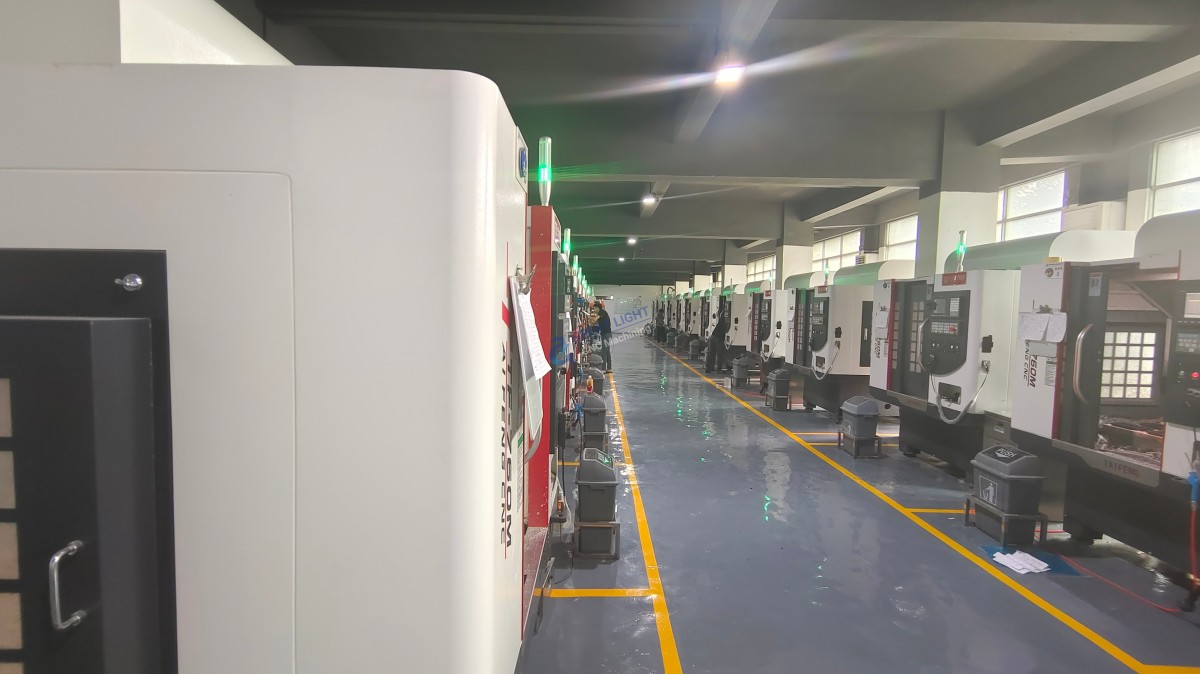
When you collaborate with GreatLight, you are effectively connecting to a fully integrated, calibrated, and optimized manufacturing cell. Our 127+ advanced machines, including high-precision 5-axis centers, are already:
Professionally Installed & Calibrated: Sitting on proper foundations, laser-aligned, and regularly maintained.
Network-Integrated: Part of a secure, efficient digital ecosystem with robust DNC and data management.
Process-Validated: Backed by a full quality management system (ISO 9001:2015, IATF 16949 for automotive) that ensures every connected step—from program transfer to final inspection—is controlled and reliable.
Supported by Engineering Expertise: Our engineers handle the interface between your design and our machine’s language (post-processing, fixturing, toolpath optimization), ensuring a flawless “connection” at the process level.
Your “connection” process is simplified to providing a 3D model and specifications. We handle the entire technical integration, transforming your data into perfect physical parts.
Conclusion
Knowing how to connect a CNC machine is a multidisciplinary task blending electrical work, mechanical alignment, network engineering, and software configuration. It is the foundational act that determines the machine’s future performance, reliability, and safety. While a skilled technician can follow these steps, the assurance of a perfectly integrated system is best provided by an expert partner with the infrastructure, certifications, and proven workflow already in place. By choosing a capable manufacturing partner, you bypass the pitfalls of physical and digital integration, connecting your ideas directly to high-quality production outcomes.
FAQ: Connecting CNC Machines
Q1: What is the most common mistake when connecting a CNC machine for the first time?
A: Improper grounding and leveling. Neglecting a true earth ground can lead to erratic controller behavior, communication errors, and safety hazards. Skipping meticulous leveling guarantees the machine will never hold its specified geometric tolerances, leading to scrap parts and accelerated wear.
Q2: Can I connect my older CNC machine (with only RS-232) to a modern network?
A: Yes, using a serial-to-ethernet converter device. This hardware adaptor bridges the old serial port to your network, allowing the machine to communicate with a modern DNC server. Configuration of both the adaptor and the CNC’s serial parameters is key.
Q3: Why is a dedicated DNC server better than transferring programs with a USB stick?
A: USB transfer (“sneakernet”) is prone to errors (wrong version, manual handling), lacks security/traceability, and is inefficient. A DNC server ensures version control, centralized backup, seamless bi-directional data flow (for tool offsets, probe results), and enables true lights-out manufacturing automation.
Q4: How do I ensure the G-code from my CAD/CAM software will run on my specific CNC?
A: You must use a correct post-processor configured for your exact machine and controller combination. Never use a generic post. Most CAM vendors or the machine tool builder provide these. Rigorous testing with simulation software and dry runs is essential before machining metal.
Q5: What does a partner like GreatLight Metal do that simplifies this for me as a client?
A: We absorb the entire complexity. You connect to us via a digital channel (email, portal) with your design. Our team handles the machine integration, post-processing, fixture design, process planning, and quality validation internally. The output you receive is a certified precision part, not a machine connection problem to solve. This is the core value of our one-stop, full-process manufacturing solution.
For more insights into advanced manufacturing partnerships, connect with our industry leaders on LinkedIn.



















