
Introduction: Compared to most other manufacturing technologies,3DThe print must control the accuracy of two structures of the part: the exterior wall and the infill. The outer wall refers to the outermost area of the room, while the infill refers to everything present inside the room. Generally, the printer will have some degree of control over the foreign currency, but the infill is more dynamic and plays an important role in strength, weight, structure, buoyancy, etc. of the room. exist 3D When printing, the user can set a number of parameters to control the type of infill used for the part.

Among all these parameters, two are the most important: fill density and fill pattern. Downnoodlewill bringEveryoneLet’s take a look at several different manufacturing methods together“Padding” to better understand what it is about 3D How printing works.
3D Traditional printing and manufacturing
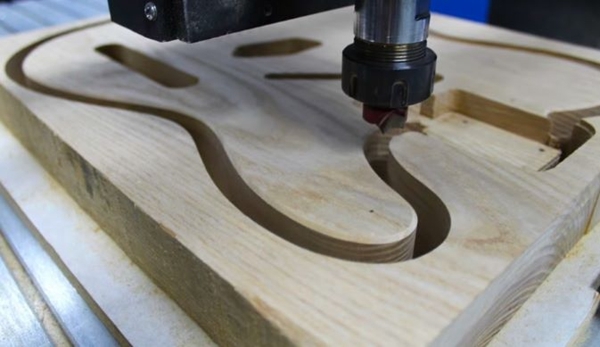
filling 3D Printing is different from other, more traditional manufacturing methods. Let’s take injection molding and subtractive manufacturing as an example. Injection molding involves inserting material into a mold to form a part and, due to the very nature of the technology, it is simply impossible to control the internal structure. Therefore, injection molded parts are either solid or hollow (with gas injection molding), and nothing in between. Subtractive manufacturing, e.g.CNC Processing requires cutting materials. Similar to injection molding, the filling cannot be adjusted, so the interior is completely solid. but3DAny drop can be designed by printing, and the extruded material can be made layer by layer.
Packaging density significantly affects material consumption

△Fill density will significantly affect material consumption (source:BozarthPrime via Myminifactory)
The filling density is internal to the part“Fullness”. In a slicer, use0%-100%Expressed as a percentage, where 0% Indicates partial trough,100% Means completely solid. Packing density greatly affects the weight of a part: the fuller the interior of a part, the heavier it will be. Besides weight, printing time, material consumption and buoyancy are also affected by infill density. The same applies to strength, which of course also depends on many other factors such as material and layer height.
Some slicers also allow different filling densities within the same part. This is called variable infill density, and specific settings in the slicing program allow the user to specify desired density changes for different areas of the print. So what percentage of infill density should be used in the actual print?
●Recommended for most “standard” prints that do not require super strength 15-50% filling density. This density percentage reduces printing time, saves material and provides good resistance.
●Functional prints must be robust. It is therefore recommended to use higher padding: more than 50%. This configuration will take longer to print and consume more filament, but will result in a stronger part.
●For figure models used for display purposes only, it is recommended to use 0-15% filling density. This allows for faster printing without consuming a lot of filament. Models printed in this density range will be lightweight but not very durable.
Recommended settings
1.Standard printing: 15-50%
2.Functional printing: 50-100%
3.Figurines and model prints: 0-15%
4.Flexible printing: 1-100%
fill pattern

△Different fill patterns provide various strengths and stunning designs (Source:MilesDeNeihu via Thingiverse)
A hatch pattern corresponds to the structure and shape of the material within a part. From simple lines to more complex geometries, infill patterns can affect the strength, weight, print time, and even flexibility of parts. There are many different fill modes available in different cutting programs. For example,Heal (2.2) to have 14 There are different filling designs to choose from, andPrusaSlicer (2.5) to have 17 kind,Simplify3D to have 6 kind.
Just like infill density, different infill designs have different properties such as complexity, material efficiency, and number of connection strength planes (2D Or 3D). For example, a spiral pattern connects exterior walls in three dimensions, providing greater overall strength. Therefore, this pattern takes more material than a pattern such as lines. So, which fill pattern should you choose?
●Line: The line fill pattern contains every other layer in one direction (along the X axis or Yes axis) printed lines. This infill pattern provides strength in just two dimensions, facilitating rapid printing. Line patterns don’t use a lot of material and are lightweight.
●Honeycomb: As the name suggests, this pattern produces a honeycomb structure, creating an attractive visual effect. This infill pattern is suitable for semi-fast printing which requires medium strength and does not consume too much material.
●Grid: Grid fill patterns look similar to lines, but instead of having one-way lines every two layers, each layer contains two-dimensional lines with twice the space between them. This mode offers two-dimensional power, but is still somewhat overwhelming. The grid pattern consumes an average amount of material and takes an average time.
●Triangle: The triangular pattern looks like overlapping triangular lines, with the lines being XY Extends in three directions in the plane. This fill pattern only provides strength in two dimensions, but is still suitable for prints requiring strength.

△Treatment The triangles are filled with two different densities (source:All3DP)
●Three-way hexagon: The three-way hexagon fill pattern is included in XY Various lines in a plane extending in three directions, forming a hexagonal pattern with a triangle in the middle. This infill pattern provides two-dimensional strength, ideal for intense prints.
● Cube: This mode produces stacked cubes, but as they surround X Axis and Yes axis tilt 45 degrees, so they look more like triangles at some point. This model offers excellent three-dimensional strength but requires more materials and time than other models.
● Byte: The byte fill pattern is similar to the cube pattern, but instead of adding angled triangles, the pattern materializes as a square. This fill pattern is a three-dimensional pattern that not only looks great, but is also useful for pieces requiring strength.
●Spiral: Spiral fill patterns may look the coolest, but they’re also arguably the weirdest fill patterns. It consists of irregular concave curvatures that ultimately cross the path. It is designed to provide the best balance between strength, material and printing time.

△Spiral filling, can be used for printing, dazzling
●Concentric: A concentric hatch pattern is an internal structure composed of concentric lines that correspond to the outline of the part (i.e. its perimeter). This design can be printed quickly, is suitable for flexible parts, and uses much less material than most designs.
Recommended settings
1.Standard prints: Grid or Triangle
2.Functional printing: cube, spiral or byte
3.Figurines and prints: Lines
4.Flexible printing: concentric
Other things to note

△Fill patterns can become aesthetic elements of prints (Source:Penolopy Bulnick via Instructables)
In addition to pattern and density, there are two other categories of fill settings to note: variable settings and artistic patterns. Both allow you to be more creative with fill settings. Variable settings allow you to adjust the fill density as the part progresses through layers. For example, if you want the bottom of the piece to be at the 30 front layer 10% padding, then proceed to 50% The fill, variable parameter allows you to do this. West Simplify3D、PrusaSlicer And TreatmentIt can be implemented in other software.Filler for art is a way to turn different pattern fills into works of art. This process is ideal for earrings, pendants and other jewelry and artwork.
Source: Antarctic Bear
Daguang focuses on providing solutions such as precision CNC machining services (3-axis, 4-axis, 5-axis machining), CNC milling, 3D printing and rapid prototyping services.



















