
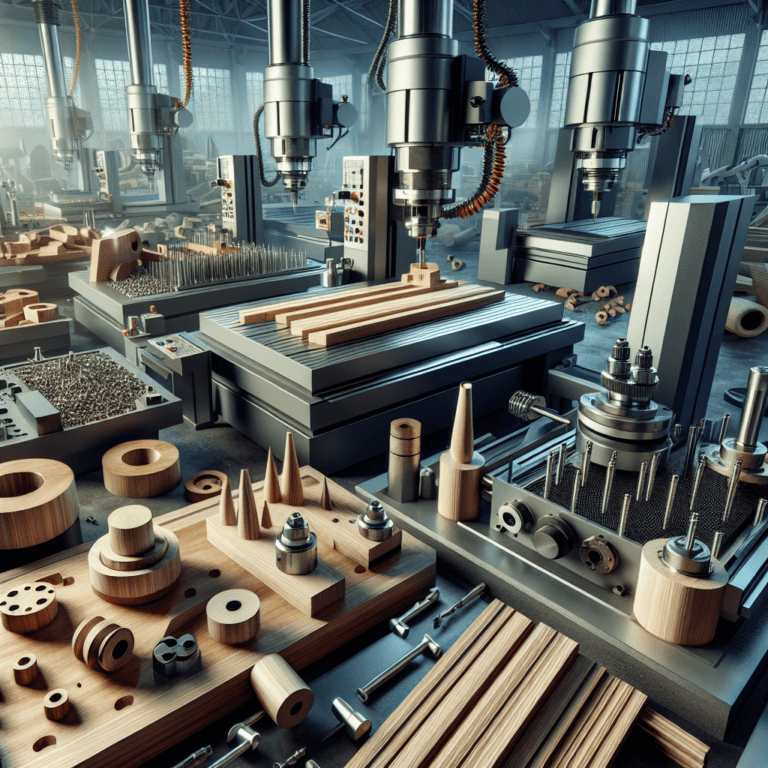
In today’s fast-paced world, the fusion of technology and traditional crafts such as carpentry has transformed the industry. Computer numerical control (CNC) machines have become valuable tools for amateur and professional woodworkers. By harnessing the precision and power of CNC machines, woodworkers can explore innovative designs, reduce production time, and improve overall quality. In this wide-ranging article, we’ll dive into what it takes to master a CNC machine for woodworking success, covering key concepts, technology integration, design techniques, and best practices. Our goal is to give you a comprehensive understanding of how to effectively utilize CNC technology in woodworking.
Learn about CNC technology
What is CNC?
CNC, or computer numerical control, refers to the automation of machine tools through computer programming. Unlike traditional woodworking methods that rely on handwork, CNC machines operate with high precision by interpreting coded instructions that direct the movement of cutting tools. This technological advancement allows complex pattern cutting, shaping and milling processes to be completed with minimal human intervention.
Components of CNC machine tools
A typical CNC machine tool consists of several key components that work together to perform detailed woodworking tasks:
- controller: The brain of the CNC machine tool, interprets the G code and guides the movement of the machine tool.
- Stepper motor or servo system: These components are responsible for the precise movement of the machine along its axis.
- cutting tools: Various tools (such as routers, lasers, and plasma cutters) can be connected to CNC machines to achieve different effects.
- workbench: The surface of the material (in this case, wood) that is fixed during processing.
- software: CAD (Computer Aided Design) and CAM (Computer Aided Manufacturing) software are essential for design and programming projects.
Advantages of CNC machine tools in woodworking
Integrating CNC technology into your woodworking practice can provide a variety of benefits, including:
- accurate: CNC machines enable high-precision cutting, allowing you to achieve complex designs and detailed patterns with ease.
- efficiency: Automation significantly reduces the time it takes to complete a project, allowing you to produce more products in less time.
- Reproducibility: Once a design is programmed into a CNC machine, it can be repeated with precise consistency, ensuring quality control.
- Versatility: CNC machines can handle a variety of materials and cutting tools, enabling a variety of woodworking projects from simple tasks to complex designs.
Introduction to CNC Machine Tools
Choose the right CNC machine tool
Choosing the right woodworking CNC machine is a crucial first step. The right machine depends on your specific needs, workspace, budget, and anticipated project. Here are some options:
- CNC milling machine: CNC milling machines are ideal for cutting, engraving and engraving wood and are widely used in woodworking fields for creating complex designs and patterns.
- CNC milling machine: CNC milling machines are commonly used for metal processing, but are also suitable for woodworking, especially tasks that require depth and 3D shaping.
- laser cutting machine: These machines use laser technology to cut or engrave patterns on the surface of wood, providing high precision for detail work.
- 3D printer: While 3D printers are not purely CNC machines, they are increasingly popular for creating prototypes or components that can be integrated into wooden projects.
Essential software for CNC woodworking
This software plays an important role in the success of your CNC woodworking project. Major software types include:
- CAD software: CAD programs allow you to create and modify detailed designs. Popular options include AutoCAD, SketchUp, and Fusion 360.
- CAM software: Once the design is complete, the CAM software converts it into machine-readable code (G-code). Software such as VCarve Pro and Mach3 are widely used in the woodworking field.
Learn the basics of G code
G-code is a programming language used to control CNC machine tools. Understanding its syntax is essential for efficient operation of CNC machines. Some basic G-code commands include:
- G0: Quickly move to the specified location.
- G1:Linear interpolation (cutting at controlled feed rate).
- G2/G3: Circular interpolation of clockwise (G2) and counterclockwise (G3) motion.
Familiarity with G-code commands allows for better control and optimization of the CNC machining process.
CNC woodworking design principles
Create effective CNC designs
When designing your CNC machining project, consider the following principles:
- Joinery options: CNC machines can create a variety of joinery techniques including dovetail, biscuit tenon and mortise joints. Choose joinery options that meet your design intentions and structural requirements.
- Material considerations: Different types of wood behave differently under cutting conditions. Familiarize yourself with the properties of the type of wood you plan to use and adjust your design accordingly.
- Tool path optimization: Designing efficient tool paths can reduce machining time and improve cut quality. Use software features to simulate tool paths before actual machining.
Prototyping and iteration
Prototyping is an important part of the woodworking design process. CNC machines offer unique advantages by allowing rapid iteration of designs. Before using the final material, make test cuts using less expensive materials to evaluate their fit and functionality.
Best Practices in CNC Woodworking
Proper setup and calibration
Ensuring that your CNC machine is set up and calibrated correctly is critical to getting the best results. Key steps include:
- Leveling workbench: Horizontal work table prevents uneven cutting. Use a bubble level and adjust as needed.
- Calibrate your tools: Regularly inspect and calibrate your cutting tools to maintain accuracy.
security protocol
Safety is always a top priority when operating CNC machines, especially woodworking machines. Implement these protocols:
- Wear personal protective equipment (PPE): Safety glasses, hearing protection, and dust masks are essential to maintaining safety.
- Keep your workspace clean: Clean machines and workspaces regularly to prevent clutter from becoming dangerous.
Maintenance and troubleshooting
Routine maintenance is crucial to the service life of CNC machine tools. Regularly check components such as belts, bearings and cutting tools for wear. Having a maintenance schedule can help keep your equipment in top working condition.
In a troubleshooting situation, common issues that need to be addressed include:
- Inconsistent cutting: Check for blunt cutting tools, misalignment or settings in the software.
- Software failure: Learn how to effectively troubleshoot software issues or seek help from technical support.
Innovation in CNC woodworking
Advanced materials and technologies
The evolution of CNC woodworking has seen the emergence of advanced materials such as composites and synthetics, offering unique properties and finishes. In addition, new technologies such as 3D printing and laser engraving are enhancing the capabilities of traditional CNC machining.
Integrate with IoT and smart machines
The Internet of Things (IoT) is beginning to impact the woodworking industry, enabling machines to communicate and share data to increase efficiency and production. Machine learning algorithms can analyze performance and optimize production processes, paving the way for future innovations.
in conclusion
Mastering CNC machines for woodworking success requires understanding the technology, optimizing the design, ensuring safety, and keeping up with innovation. By taking advantage of CNC technology while following best practices, woodworkers can improve their craft, achieve impressive results, and streamline production. Whether you’re a hobbyist or a professional, using CNC technology opens up endless possibilities for woodworking creations.
FAQ section
Q1: Which type of CNC machine tool is best for woodworking beginners?
A1: CNC milling machines are often recommended for beginners due to their versatility and user-friendly software options. They are ideal for a variety of woodworking projects and have a relatively low learning curve.
Q2: How to choose the appropriate CNC woodworking software?
A2: Consider your specific needs and the complexity of your project. CAD software for designing and CAM software for converting designs into machine code are both essential. Popular options like VCarve Pro offer integrated CAD/CAM functionality and are very beginner-friendly.
Q3: Do I need a lot of technical knowledge to operate CNC machine tools?
A3: While basic technical knowledge of G-code and machine operation is beneficial, many modern CNC machines have intuitive interfaces and guides. With some practice and continued learning, beginners can quickly become proficient.
Q4: What should you pay attention to when operating CNC machine tools?
A4: Always wear appropriate personal protective equipment, keep your workspace tidy, and regularly inspect and maintain machines to ensure optimal performance and safety.
Q5: Can CNC machine tools process materials other than wood?
A5: Yes, CNC machines can be used on a variety of materials, including plastics, composites, and metals. Depending on the density and characteristics of the material, different cutting tools and setups may be required.
By embracing CNC technology, woodworking can not only increase productivity but also push the creative boundaries of the craft. Armed with the knowledge and techniques explored in this article, you are ready to embark on your CNC woodworking journey.
Daguang focuses on providing solutions such as precision CNC machining services (3-axis, 4-axis, 5-axis machining), CNC milling, 3D printing and rapid prototyping services.



















