

How To Use CNC Machine Using Vcarve To Make 3D
For designers, engineers, and makers, the ability to transform a digital 3D concept into a tangible, high-quality physical object is a powerful capability. While 3D printing often gets the spotlight for rapid prototyping, CNC machining offers unparalleled precision, material strength, and surface finish for functional parts, molds, and intricate artwork. For many, VCarve Pro serves as the crucial bridge between a 3D model and the CNC machine’s toolpaths. This guide will walk you through the comprehensive process of using a CNC machine with VCarve to create stunning 3D objects, while also exploring when partnering with a professional service like GreatLight CNC Machining Factory becomes the optimal choice.
Understanding the Toolchain: VCarve Pro and Your CNC Machine
Before diving into the steps, it’s essential to understand the roles of the key components:
VCarve Pro (or VCarve Desktop): This is a computer-aided manufacturing (CAM) software. It does not create 3D models from scratch (that’s the job of CAD software like Fusion 360, SolidWorks, or Rhino). Instead, VCarve imports 3D models (typically in .STL, .OBJ, or .3DM formats) and is responsible for generating the precise toolpaths—the instructions that tell the CNC machine exactly how to move its cutting tool to carve your design out of a material block.
CNC Machine: This is the physical hardware—a router, milling machine, or machining center—that executes the toolpaths. Its capabilities (work area size, spindle power, number of axes) directly constrain your project.
Material: The block of wood, plastic, foam, or soft metal (like aluminum) that will be machined.
Step-by-Step Guide: From 3D Model to Machined Part
Step 1: Preparation and Design Import
Finalize Your 3D Model: Ensure your 3D CAD model is “manifold” (watertight) and suitable for machining. Consider factors like undercuts (which may require a 5-axis machine), minimum wall thickness, and the size of internal corners (limited by your tool’s diameter).
Launch VCarve and Set Up Job: Create a new file in VCarve. Here, you must accurately define:
Job Size (X and Y): The dimensions of your material block.
Material Thickness (Z): The height of your block.
XY Datum Position: Typically set at the center or a corner of the material.
Z Zero Position: Usually set to the top of the material.
Import the 3D Model: Use the “Import a 3D Model” function. VCarve will place the model within your job boundary. You can then position, scale, and rotate it as needed. Use the “Set Selected Component(s) to Size” feature to ensure it fits your material thickness optimally.
Step 2: Model Preparation and Toolpath Strategy
This is the most critical phase, where engineering judgment is applied.
Create a Roughing Toolpath: The goal here is to quickly and efficiently remove the bulk of the material, leaving a small, uniform amount of stock (e.g., 0.5mm) for the finishing pass.
Tool Selection: Choose an end mill with a large diameter (e.g., 6mm or 1/4″) and few flutes for efficient chip evacuation. A flat end mill is standard.
Strategy: The “3D Roughing Toolpath” is used. Select a raster or offset strategy. The raster strategy moves in parallel lines and is generally faster.
Stepover: Set between 40-60% of the tool diameter for balance between speed and load.
Stepdown: This is the depth per pass. It should be aggressive for roughing but within the tool and machine’s capability (e.g., 2-4mm for wood, less for metal).
Create a Finishing Toolpath: This pass creates the final surface detail and accuracy.
Tool Selection: Choose a ball nose end mill for smooth, curved 3D surfaces. The smaller the ball diameter, the finer the detail it can reproduce, but the longer the machining time. A tapered ball nose bit is excellent for deep, detailed reliefs.
Strategy: The “3D Finishing Toolpath” is used. The raster strategy is most common.
Stepover: This is key to surface finish. A smaller stepover (e.g., 5-10% of tool diameter) creates a smoother surface but drastically increases machining time. This is often expressed as a “scallop height” in VCarve—setting a maximum allowable cusp between toolpaths.
Machining Tolerance: Set this to a tight value (e.g., 0.025mm) for high-precision models.
Step 3: Toolpath Simulation and Calculation
Simulate: Always run the full simulation in VCarve. This visual check is invaluable for catching errors like tool collisions, insufficient material clearance, or incorrect depths before any material is wasted or tools are broken.
Calculate Toolpaths: Once satisfied, calculate the toolpaths. VCarve will process the data and generate the actual G-code.
Step 4: Machine Setup and Operation
Material Fixing: Securely clamp or screw your material block to the CNC machine’s bed. Any movement during machining will ruin the part.
Tool Installation: Install the roughing and finishing tools in the machine’s collet, ensuring they are tightly secured and have the correct stick-out length.
Set Machine Zero: Using your machine’s controller (or probe), set the X, Y, and Z zero points to match your VCarve job setup.
Load and Run G-code: Transfer the generated G-code file from VCarve to your machine controller (via USB, network, or direct connection). Run the roughing toolpath first, then pause to change to the finishing tool (if required), reset Z-zero for the new tool, and run the finishing toolpath.
Step 5: Post-Processing
After machining, you will have a part with visible tooling marks. Common post-processing steps include:
Sanding: To remove tool marks and achieve a smooth finish.
Painting/Sealing: For wood or MDF.
Polishing/Buffing: For plastics and metals.
When DIY Meets Its Limits: The Case for Professional 5-Axis CNC Services
While the above process works well for hobbyist projects, prototypes in softer materials, or decorative items, it hits significant limitations when requirements escalate. This is where the expertise of a manufacturer like GreatLight CNC Machining Factory becomes indispensable. Here’s why:
Beyond 2.5D and 3-Axis Limitations: VCarve, when used with a standard 3-axis CNC, creates what’s often called “2.5D” or 3D relief—the tool can move in X, Y, and Z, but the part must be accessible from the top. True 5-axis CNC machining allows the cutting tool to approach the workpiece from virtually any angle in a single setup. This enables the machining of incredibly complex geometries with undercuts, deep cavities, and organic shapes that are impossible with 3-axis machines. GreatLight’s advanced 5-axis equipment can handle these challenges seamlessly.
Material Expertise: Machining engineering-grade plastics (like PEEK, Ultem), aluminum alloys, stainless steel, or titanium requires far more than just a powerful spindle. It demands expertise in:
Tool Selection: Specific coatings (TiAlN, diamond), geometries, and substrate materials for different metals.
Cutting Parameters: Optimized spindle speeds, feed rates, and depth of cut to balance efficiency, tool life, and surface integrity.
Coolant and Chip Evacuation: Critical for preventing heat buildup, workpiece distortion, and tool failure.
Precision and Tolerance: Achieving and, more importantly, consistently holding tolerances of ±0.025mm or tighter across a production run requires industrial-grade machines with high rigidity, precision spindles, thermal stability, and a controlled environment—all standard at a professional facility like GreatLight.
Integrated Post-Processing: A professional service doesn’t end at machining. GreatLight offers a full suite of post-processing: precision grinding, heat treatment, anodizing, plating, powder coating, and assembly. This one-stop service transforms a raw machined part into a ready-to-use component.
Design for Manufacturability (DFM) Support: This is a key value-add. Before any metal is cut, GreatLight’s engineers can review your 3D model, suggesting modifications to reduce cost, improve strength, or enhance manufacturability without compromising design intent—a service beyond the scope of CAM software alone.
Conclusion
Using VCarve with a CNC machine to create 3D objects is a rewarding process that democratizes the creation of precise physical parts. It is perfect for prototyping in wood, foam, or soft plastics, and for creating detailed signs and artwork. The process hinges on a thoughtful toolpath strategy that separates roughing and finishing operations.
However, when your project demands engineering-grade materials, micrometer-level precision, complex 5-axis geometries, or scalable, repeatable production, the capabilities of a desktop CNC and CAM software are quickly exceeded. In these scenarios, partnering with an expert manufacturer like GreatLight CNC Machining Factory is not just a convenience—it’s a strategic necessity. Their combination of advanced 5-axis CNC machining centers, in-house material science expertise, rigorous quality systems (like ISO 9001:2015), and full-process integration ensures that your most demanding 3D designs are translated into flawless, high-performance reality.
Frequently Asked Questions (FAQ)
Q1: Can I use VCarve to create a 3D model from scratch?
A: No, VCarve Pro is primarily a CAM (Computer-Aided Manufacturing) tool. It is designed to import 3D models created in CAD (Computer-Aided Design) software like Fusion 360, SolidWorks, Blender, or ZBrush, and then generate toolpaths from them. It has some 3D modeling tools for basic shapes and texturing, but it is not a full-fledged 3D CAD package.
Q2: What is the main difference between a roughing and a finishing toolpath?
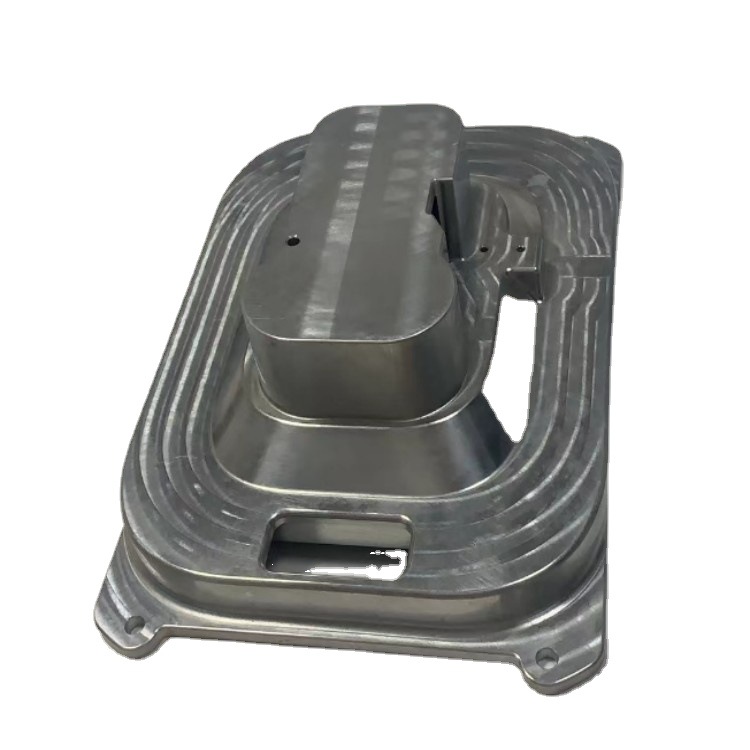
A: The roughing toolpath is designed for speed and material removal, using a larger tool with aggressive stepovers and stepdowns. It leaves a small, uniform amount of material (stock) on the part. The finishing toolpath uses a smaller tool (often a ball nose) with very fine stepovers to cut this remaining stock away, creating the final surface detail and smoothness. Skipping the roughing pass and going straight to finishing would be extremely inefficient and hard on the tool.
Q3: Why would I need a 5-axis CNC machine instead of my 3-axis machine?
A: A 3-axis machine (X, Y, Z) is limited to cutting features that are directly accessible from the top. A 5-axis CNC machine adds two rotational axes (typically A and B), allowing the cutting tool to tilt and rotate relative to the workpiece. This enables machining complex features on multiple sides of a part in one setup (reducing errors), creating smooth, continuous complex surfaces, and machining deep cavities or undercuts that a straight tool cannot reach. For advanced aerospace, automotive, or medical components, 5-axis capability is essential.
Q4: My part looks great in VCarve’s simulation, but the machined surface is very rough. What went wrong?
A: This is almost always due to the finishing stepover being set too large. In the 3D finishing toolpath, reduce the stepover value (or specify a smaller “scallop height”). A stepover of 5-10% of your ball nose tool’s diameter is a good starting point for a smooth finish. Also, ensure your tool is sharp and not vibrating (chattering).
Q5: When should I consider outsourcing to a professional CNC machining service like GreatLight CNC Machining Factory?
A: Consider outsourcing when:
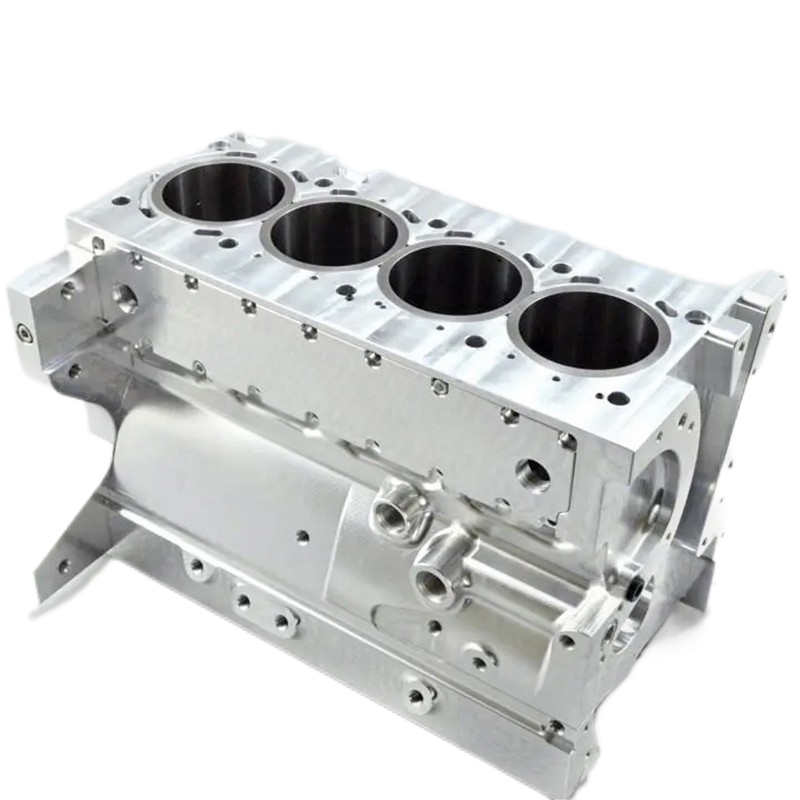
Your part requires metals like aluminum, stainless steel, or titanium.
You need tolerances tighter than ±0.1mm.
The design has complex geometry requiring 5-axis machining.
You need more than a few prototype pieces and are looking at low-to-medium volume production.
The part requires professional-grade post-processing (anodizing, heat treatment, etc.).
You lack the time, specific material expertise, or equipment to achieve the required quality in-house.



















