
Introduction to DIY Precision: Building an Arduino Mini CNC Plotter
In the world of precision parts machining and customization, the core principles of Computer Numerical Control (CNC) are universal, scaling from industrial giants to desktop innovators. For engineers, hobbyists, and product developers, constructing an Arduino Mini CNC Plotter Machine is not just an engaging project; it’s a profound hands-on lesson in the fundamentals of motion control, precision mechanics, and digital fabrication. This exercise demystifies the technology behind the complex 5-axis CNC machining services{:target=”_blank”} used by professionals, offering invaluable insight into the journey from a digital design to a physical object.
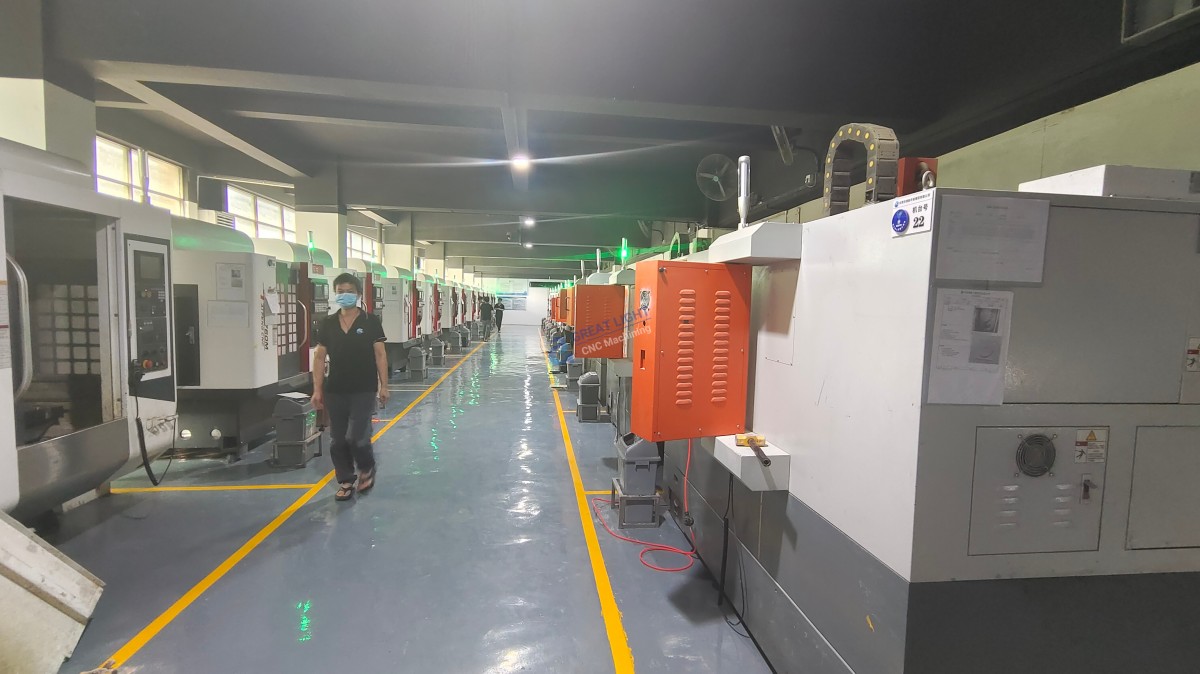
While a desktop plotter operates on a different scale than an industrial machining center, the underlying logic of translating G-code commands into precise, coordinated movement is identical. This guide will walk you through creating a functional, budget-friendly plotter, highlighting the engineering considerations that mirror the challenges and solutions found in professional-grade manufacturing at facilities like GreatLight CNC Machining Factory.
Core Components and Working Principle
Before assembly, understanding the system architecture is crucial. A basic 2D CNC plotter consists of three interconnected systems:
Mechanical Frame (Gantry): Provides a rigid, square structure to support moving parts and ensure accuracy. Common materials include aluminum profiles, acrylic sheets, or wood.
Motion System: Converts rotary motion from stepper motors into linear motion.
Stepper Motors: Provide precise, discrete angular movements. A typical 2D plotter uses two motors for the X and Y axes.
Linear Guides: Can be smooth rods with linear bearings, lead screws, or timing belts to guide and drive the carriage.
Control System: The “brain” of the machine.
Arduino Uno/Nano: A microcontroller that executes the control program.
CNC Shield: A dedicated expansion board that mounts on the Arduino, providing drivers and connectors for the stepper motors and end-stops.
Stepper Motor Drivers (e.g., A4988 or DRV8825): Modules that interpret signals from the Arduino and deliver the appropriate power and phase sequence to the motors.
The principle is straightforward: Your design software (like Inkscape) generates a toolpath, which is converted into G-code by a post-processor (like GRBL). The GRBL firmware, loaded onto the Arduino, interprets this code and pulses the CNC Shield. The shield, via its drivers, commands the stepper motors to move in precise increments, moving the pen or tool along the X and Y axes to replicate the drawing.
Step-by-Step Assembly Guide
H2: Phase 1: Mechanical Fabrication and Assembly
This phase is analogous to the fixture and base machining in professional workshops. Precision here dictates the final output quality.
H3: 1.1 Frame Construction
Cut your chosen material (e.g., 2020 aluminum extrusion or 10mm acrylic) to the desired size for the base and gantry uprights.
Assemble the base rectangle, ensuring all corners are perfectly square using a machinist’s square. Any skew here will cause dimensional error in your plots.
Attach the vertical supports for the gantry, ensuring they are parallel and perpendicular to the base.
H3: 1.2 Installing the Motion System
X-Axis: Mount two parallel smooth rods or a single lead screw along the long sides of the base. Attach linear bearings to the moving carriage (which will hold the Y-axis).
Y-Axis: Build a moving gantry that travels on the X-axis. Attach another set of rods or a lead screw across this gantry. The tool holder will move along this Y-axis.
Motor Mounting: Securely fix the NEMA 17 stepper motors to the frame, coupling them to the lead screws or timing belt pulleys with flexible shaft couplers to absorb minor misalignment.
H2: Phase 2: Electrical Wiring and Integration
H3: 2.1 Controller Setup
Install the GRBL firmware onto your Arduino Uno using the Arduino IDE.
Mount the CNC Shield onto the Arduino.
Insert the stepper motor drivers (A4988) into the X, Y, and Z slots on the shield. (The Z-axis driver can be used to control a pen lifter servo).
H3: 2.2 Motor and Sensor Connection
Connect the four coils of each stepper motor to the corresponding pins on the driver modules.
Wire limit switches (optional but recommended for homing) to the dedicated pins on the CNC Shield.
Connect a small servo motor to the Z-axis control pin and +5V/GND to act as a pen lifter.
H3: 2.3 Power Supply
Use a regulated 12V-24V DC power supply with sufficient current (e.g., 3A+) to power the motors and drivers. Never power the motors directly from the Arduino’s USB port.
H2: Phase 3: Software Configuration and Calibration
H3: 3.1 Software Installation
On your PC, install a GRBL sender software such as Universal G-code Sender (UGS), Candle, or ChiliPeppr.
Install a design tool like Inkscape along with the J-Tech Photonics/Laser plugin or the “Gcodetools” extension for converting drawings to G-code.
H3: 3.2 Critical Calibration Steps
Motor Steps per Millimeter: This is the most vital setting. Use the formula: Steps/mm = (Motor Steps per Revolution * Microsteps) / (Lead Screw Pitch or Belt Pulley Circumference). You will empirically fine-tune this by commanding a 100mm move and measuring the actual travel.
GRBL Parameters: Use the sender software to set key parameters like $100, $101 (X,Y steps/mm), $110, $111 (max speed), and $120, $121 (acceleration).
Pen Offset and Travel Limits: Define the machine’s working area in the GRBL settings to prevent the carriage from crashing into the frame.
From Hobbyist Tool to Professional Insight
Building this mini plotter illuminates the critical challenges in precision parts machining and customization:
Backlash and Rigidity: Any play in screws or belts causes inaccuracy, mirroring the need for high-preload ball screws and massive cast iron frames in industrial CNCs.
Thermal and Dynamic Stability: Your plotter’s performance can change with ambient conditions, underscoring why professional shops like GreatLight CNC Machining Factory control their environment and use machines with thermal compensation.
Software-to-Hardware Workflow: The chain from CAD to CAM to G-code to physical movement is exactly the same, whether plotting on paper or milling titanium. This project builds intuitive understanding of this digital thread.
For prototypes requiring materials beyond paper—such as intricate parts in aluminum, stainless steel, or engineering plastics—the capabilities of a DIY plotter are quickly exceeded. This is where the transition to professional manufacturing partners becomes essential. Facilities equipped with advanced multi-axis CNC centers, SLS/SLM 3D printers, and rigorous quality management systems (like the ISO 9001:2015, IATF 16949, and ISO 13485 certifications held by GreatLight CNC Machining Factory) ensure that the precision, material properties, and repeatability meet the stringent demands of industries like aerospace, medical devices, and automotive.
Conclusion
Creating an Arduino Mini CNC Plotter Machine is a rewarding endeavor that bridges the gap between conceptual understanding and practical application of CNC technology. It teaches the fundamentals of coordinate system control, the importance of mechanical precision, and the seamless integration of software and hardware. While this desktop machine excels as a learning platform and for light plotting tasks, it highlights the sophisticated engineering, advanced metallurgy, and calibrated processes required for true precision parts machining and customization. When your projects evolve to need such high-performance manufacturing, partnering with an experienced provider ensures your designs are realized with the utmost accuracy and reliability, ready for real-world application.
Frequently Asked Questions (FAQ)
Q1: What is the typical positioning accuracy I can expect from a DIY Arduino CNC plotter?
A: A well-built machine using lead screws and proper calibration can achieve a practical accuracy of around ±0.1mm to ±0.2mm. This is suitable for plotting and light engraving but is orders of magnitude less precise than industrial CNC machines, which can reliably hold tolerances of ±0.001mm or better for mission-critical components.
Q2: Can I upgrade this plotter to a CNC mill for soft materials?
A: With significant reinforcement, you could mill very soft materials like wax, foam, or balsa wood. However, milling metals requires extreme rigidity, high spindle power, and specialized tooling to manage cutting forces, which a lightweight acrylic or aluminum extrusion frame cannot provide. For metal prototypes, outsourcing to a professional CNC service is the correct path.
Q3: My plotter has wobbly lines or inconsistent lines. What’s wrong?
A: This is often a symptom of mechanical resonance, loose components, or incorrect acceleration settings. Check and tighten all bolts and couplers. Ensure the frame is rigid. In your GRBL settings ($120, $121), try reducing the acceleration values. This mirrors the process optimization that professional machinists perform to achieve perfect surface finishes.
Q4: How does the GRBL firmware on an Arduino compare to the controllers in industrial 5-axis machines?
A: GRBL is a superb, open-source firmware for basic 2.5D tasks. Industrial controllers (like Siemens SINUMERIK or Fanuc) are vastly more powerful computers. They can perform complex 3D interpolation, dynamic tool wear compensation, high-speed look-ahead processing to optimize speed, and integrate with automated tool changers and probing systems—capabilities essential for the complex geometries handled by advanced 5-axis CNC machining services{:target=”_blank”}.
Q5: When should I consider moving from DIY prototyping to a professional machining service?
A: Consider professional services when your project requires:
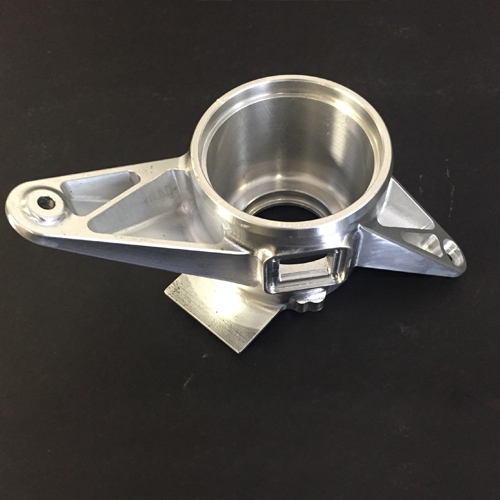
Engineering-grade materials (metals, high-performance plastics).
Tolerances tighter than ±0.1mm.
Complex 3D geometries that require multi-axis machining.
Surface finishes beyond the capability of a desktop tool.
Functional testing or end-use parts that demand reliability and repeatability.
Post-processing like anodizing, plating, or heat treatment.
Companies like GreatLight CNC Machining Factory excel in this space, offering a full spectrum of capabilities from rapid prototyping to low-volume production with certified quality assurance. For more insights into industry trends and professional manufacturing, follow the discourse on platforms like LinkedIn{:target=”_blank”}.


















