
If you’ve ever wondered How To Make A CNC Machine With Arduino? you’re not alone—hobbyists, makers, and even small-scale product developers are drawn to this accessible, cost-effective combination to bring precision cutting, milling, or engraving projects to life. Arduino’s open-source flexibility and low cost make it an ideal brain for entry-level CNC builds, while the world of professional CNC machining offers scalable, high-precision solutions for projects that demand industrial-grade quality. In this guide, we’ll walk you through the full DIY build process, troubleshoot common issues, and explore when it’s time to transition to a trusted professional partner like GreatLight CNC Machining Factory.
How To Make A CNC Machine With Arduino? – Core Concepts & Planning
Before diving into assembly, it’s critical to lay a solid foundation by understanding what you’re building and why each component matters.
What Type of Arduino CNC Should You Build?
Arduino can power several types of CNC machines, depending on your use case:
CNC Router: For cutting wood, plastic, soft metals (like aluminum), or foam—ideal for prototyping small parts or custom signage.
CNC Mill: A more robust version for harder metals (brass, steel) or intricate 3D parts, though DIY mills have limits on precision and material hardness.
Laser Cutter/Engraver: Swaps a mechanical spindle for a laser module, perfect for detailed engraving or cutting thin materials.
3D Printer: While technically additive, Arduino-based 3D printers share core components (stepper motors, firmware) with CNC machines.
Key Components Overview
Every Arduino CNC build relies on these core parts:
Arduino Board: The “brain” of the machine. Popular choices include Arduino Uno, Mega 2560, or Nano (Mega is preferred for more I/O ports).
Stepper Motors & Drivers: Stepper motors provide precise, incremental movement for the X, Y, and Z axes. Drivers (like A4988 or DRV8825) amplify the Arduino’s signal to power the motors without damaging the board.
Mechanical Frame: The skeleton of the machine. Common materials include aluminum extrusion (durable, easy to assemble), 3D printed parts (customizable but less rigid), or plywood (low-cost for beginners).
Endstops & Limit Switches: These sensors tell the machine when an axis has reached its maximum or minimum position, preventing crashes and ensuring consistent home positions.
Spindle or Laser Module: The cutting/engraving tool—a rotary spindle for physical cutting, or a laser module for non-contact engraving.
Power Supply: A separate DC power supply (12V–24V, 5A–20A) to power stepper motors and the spindle; the Arduino itself can run off USB or the same supply with a voltage regulator.
GRBL Firmware: An open-source CNC control firmware designed specifically for Arduino. It handles G-code interpretation, motor movement, and sensor inputs seamlessly.
Planning Your Build
Define Your Use Case: Are you prototyping small plastic parts, engraving wood signs, or milling soft metal? This will determine frame size, motor power, and spindle type.
Set a Budget: DIY builds can range from $100 (basic router) to $500+ (robust mill). Factor in spare parts and tools (like a multimeter or hex key set).
Prioritize Alignment: Even the best components won’t produce accurate cuts if the frame is misaligned. Plan for square, rigid joints and adjustable mounting points for motors.
Step-by-Step Guide to Building Your Arduino CNC Machine
1. Gather Your Components
| For a beginner-friendly desktop CNC router, here’s a recommended parts list: | Component | Purpose |
|---|---|---|
| Arduino Mega 2560 | Control unit with enough I/O for 3 axes + endstops | |
| 3x NEMA 17 Stepper Motors | Provide precise movement for X, Y, Z axes | |
| 3x DRV8825 Stepper Drivers | Power stepper motors from Arduino signals | |
| Aluminum Extrusion Frame (2020 series) | Rigid, modular frame structure | |
| Timing Belts & Pulleys | Transfer motor power to axis carriages (more precise than lead screws for beginners) | |
| Endstop Switches (3x) | Prevent axis overtravel and enable homing | |
| 500W Spindle Motor (12V) | Cut wood, plastic, and thin aluminum | |
| 24V 10A Power Supply | Power steppers and spindle | |
| GRBL-Compatible Shield | Simplify wiring between Arduino, drivers, and sensors |
2. Assemble the Mechanical Frame
Start by building the base: Connect aluminum extrusion profiles using corner brackets or T-slot nuts to form a square frame.
Attach the X-axis carriage to the base using linear bearings or smooth rods for sliding motion.
Mount the Y-axis gantry across the X-axis, ensuring it’s perfectly parallel to the base (use a spirit level to check).
Install the Z-axis assembly onto the Y-axis gantry, with the spindle attached to the Z carriage.
Tighten all bolts but leave some room for fine alignment later.
3. Install Stepper Motors & Drivers
Mount each NEMA 17 motor to the corresponding axis (X, Y, Z). For belts, attach a pulley to the motor shaft and run the belt along the axis carriage, tensioning it enough to eliminate slack but not so tight that it causes binding.
Install the stepper drivers onto the Arduino shield. Pay attention to the current limit adjustment: turn the potentiometer on each driver until the motor runs smoothly without overheating.
Secure the shield to the Arduino board, ensuring all pins are properly seated.
4. Wire the Arduino & Electronics
Connect the power supply to the shield’s power input (match voltage to your motors and spindle).
Wire the endstop switches to the shield’s designated pins (X, Y, Z limit inputs). Use pull-up resistors if your switches aren’t already equipped with them.
Connect the spindle motor to a relay module, then wire the relay to the Arduino’s digital pin for on/off control (or use a PWM pin for speed adjustment if your spindle supports it).
Double-check all wiring to avoid short circuits—loose connections are the most common cause of early build failures.
5. Flash GRBL Firmware to Arduino
Download the latest GRBL firmware from its official repository.
Open the Arduino IDE, load the GRBL sketch, and select your Arduino model and COM port.
Upload the firmware to the Arduino. Once complete, open the serial monitor (baud rate 115200) to confirm GRBL is running—you should see a welcome message.
6. Calibrate & Test Your Machine
Home the Machine: Send the G28 command via GRBL to trigger endstops and set the machine’s origin point. Verify all axes move to their home positions correctly.
Calibrate Steps per mm: Use a caliper to measure how far an axis moves when you send a G-code command (e.g., G0 X10 for 10mm). Adjust the steps per mm value in GRBL’s settings until the actual movement matches the command.
Run a Test Cut: Start with a simple design (like a square or circle) on a soft material like foam or plywood. Use a low spindle speed and feed rate to avoid damaging the tool or machine.
Fine-Tune Alignment: If test cuts are distorted (e.g., skewed squares), check for loose belts, misaligned rails, or bent rods, and adjust accordingly.
Troubleshooting Common Arduino CNC Build Issues
Even with careful planning, you may run into these common problems:
Stepper Motors Not Moving: Check the power supply voltage, driver wiring, and current limit. Ensure GRBL is receiving G-code commands correctly via the serial monitor.
Inaccurate or Distorted Cuts: This is often due to loose belts, misaligned rails, or incorrect steps per mm calibration. Tighten belts, realign the frame, and re-calibrate axis steps.
Spindle/Laser Not Turning On: Verify the relay wiring and Arduino pin assignment. If using a PWM-controlled spindle, ensure your power supply supports variable voltage.
Firmware Errors: If GRBL throws error codes (e.g., “ALARM: Hard limit triggered”), check endstop wiring or ensure the machine isn’t hitting its travel limits during movement.
Motor Overheating: Reduce the current limit on the stepper drivers, or add heat sinks to the drivers and motors. Overheating can cause premature motor failure.
When to Transition From DIY Arduino CNC to Professional Precision Machining
While building an Arduino CNC machine is a rewarding learning experience, it has clear limitations:
Precision Limits: DIY Arduino CNC machines typically achieve ±0.1mm precision at best, which is insufficient for high-end applications like medical devices, automotive engine parts, or aerospace components.
Material Constraints: Most DIY builds struggle with hard metals like steel or titanium, and can’t handle large parts (max size is usually under 1m).
Time & Scalability: Building and calibrating a DIY machine takes hours, and producing multiple identical parts is time-consuming and inconsistent.
Lack of Certification: DIY parts don’t meet industry standards like ISO 9001 or IATF 16949, which are required for regulated sectors like automotive and medical.
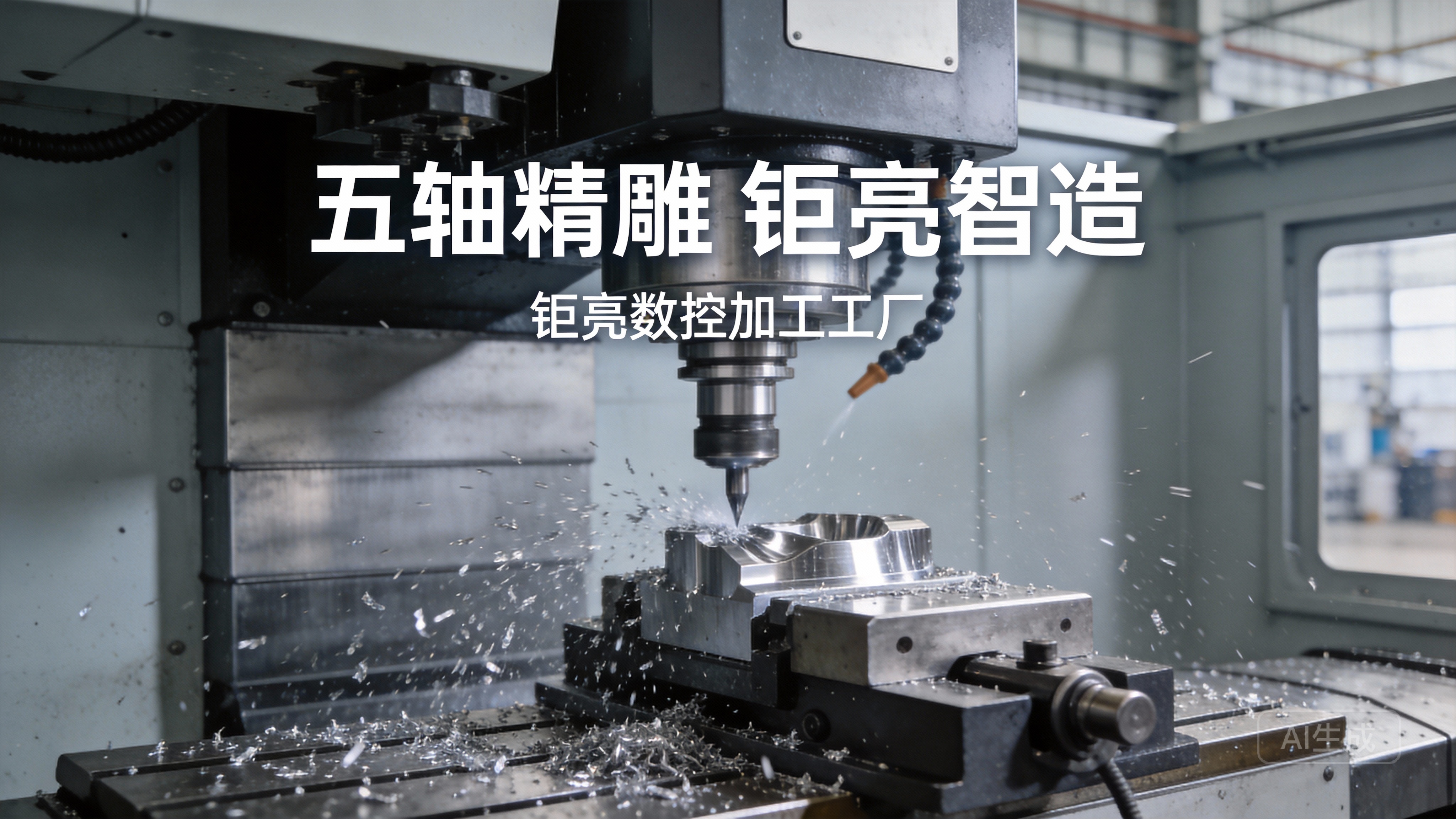
For projects that demand industrial-grade precision, scalability, or compliance, partnering with a professional CNC manufacturer like GreatLight CNC Machining Factory is the logical next step. GreatLight specializes in solving complex metal parts manufacturing challenges with advanced five-axis CNC machining services (open in new window), offering precision up to ±0.001mm and a maximum processing size of 4000mm. With 127 pieces of precision equipment—including large high-precision five-axis, four-axis, and three-axis CNC machining centers, plus 3D printers for rapid prototyping—GreatLight can handle everything from small-batch prototypes to mass production runs.
GreatLight’s one-stop services cover every stage of production: CNC milling, die casting, vacuum casting, sheet metal fabrication, and nearly a hundred rapid prototyping processes, plus comprehensive surface post-processing (anodizing, powder coating, polishing, etc.). As an ISO 9001:2015 certified manufacturer, GreatLight also holds industry-specific certifications like IATF 16949 (automotive) and ISO 13485 (medical), ensuring compliance with global quality standards. Their after-sales guarantee includes free rework for quality issues and a full refund if rework is still unsatisfactory—giving you complete peace of mind.
Conclusion
Whether you’re a maker testing the waters with a DIY project or a business scaling up production, understanding How To Make A CNC Machine With Arduino? is a valuable introduction to the world of precision machining. DIY builds offer hands-on learning and low-cost prototyping, but for projects that demand uncompromising precision, scalability, and compliance, professional services from a trusted partner like GreatLight CNC Machining Factory (open in new window) are unmatched. With decades of experience, state-of-the-art equipment, and a commitment to quality, GreatLight is the ideal choice for custom metal and plastic parts across automotive, medical, aerospace, and robotics sectors.
Frequently Asked Questions (FAQ)
1. Can I use any Arduino model for a CNC machine?
Most Arduino models can run GRBL, but the Arduino Mega 2560 is the most popular choice because it has enough digital pins to support 3 axes, endstops, and spindle control. Arduino Uno can work for basic 2-axis machines, but it may lack enough pins for additional features like limit switches.
2. What materials can an Arduino CNC machine cut?
Beginner-friendly Arduino CNC routers can cut wood, plywood, foam, plastic (like acrylic), and thin aluminum sheets. More robust DIY mills can handle brass or mild steel, but with lower precision than professional machines. Hard metals like titanium or hardened steel are not recommended for DIY builds.
3. How accurate is an Arduino CNC machine compared to professional CNC machines?
DIY Arduino CNC machines typically have a precision of ±0.1mm to ±0.05mm with careful calibration. Professional CNC machines like those at GreatLight can achieve precision up to ±0.001mm, which is 20–100x more accurate—critical for high-end industrial applications.
4. Do I need to know G-code to use an Arduino CNC machine?
You don’t need to write G-code from scratch. Most makers use CAD/CAM software like Fusion 360, Inkscape (for laser engraving), or Easel (browser-based) to design parts and generate G-code automatically. GRBL then interprets this code to control the machine.
5. When should I outsource my CNC project to a professional manufacturer like GreatLight?
Outsource when:
Your project requires precision tighter than ±0.05mm.
You need to produce large batches of parts consistently.
You’re working with hard metals or complex geometries (like 5-axis machined parts).
Your parts need to meet industry certifications (ISO 9001, IATF 16949, etc.).
You want to save time on assembly, calibration, and post-processing.
6. What post-processing services does GreatLight offer?
GreatLight provides one-stop surface post-processing including anodizing, powder coating, sandblasting, polishing, plating, laser engraving, and more—eliminating the need to work with multiple vendors for finished parts.



















