
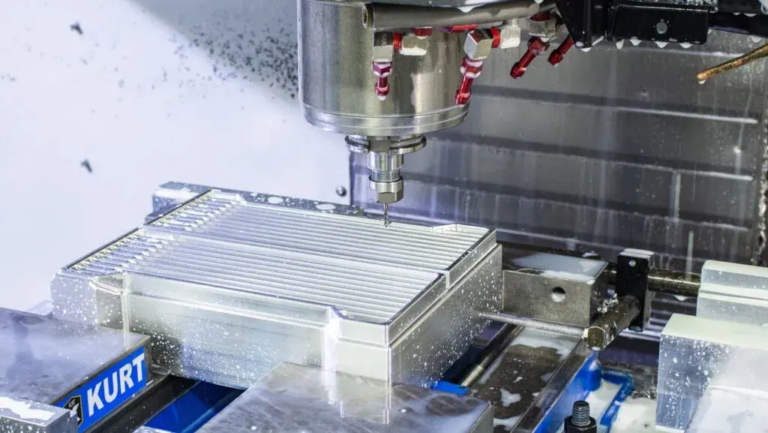
Mastering CNC machining ring programming: Expert skills and best practices
As a CNC machining enthusiast or a professional in the industry, mastering CNC machining ring programming is crucial to achieving high-quality and efficient production. In this article, we will dig into the world of CNC machining circle programming, exploring key concepts, best practices, and expert tips to help you take your circle programming skills to the next level.
Understand CNC machining ring programming
CNC machining ring programming refers to the process of creating a program that controls the movement of the multi-axis system of the CNC machine to perform precise machining operations. The creation of circular motion or circular passages is a key aspect of CNC machining. This is particularly important in applications such as engine parts, gear manufacturing and machining of complex components.
Key concepts in CNC machining circle programming
Before studying programming, it is necessary to understand the key concepts involved:
- Circle definition: In CNC machining, a circle is defined by its center point, radius and direction. It is crucial to understand how to create and manipulate circles.
- Coordinate system: Understanding different coordinate systems, such as G54, G55 and G56, is essential for accurately placing circles in machining space.
- G code:G code is a programming language used to control CNC computers. Familiar with G-code commands related to circular motion, e.g.
G02andG03. - Tool path control: Mastering tool path control is essential to achieve the required cyclic motion.
Master the expert skills of CNC machining circle programming
- Use appropriate circle definition and positioning: Accurate circle definition and positioning are crucial for successful cycle processing. use
G52andG53Set and lock the circular axis for accuracy. - Using G-code wizard: Familiar with g code commands and syntax to optimize circle programming. use
IandJModify the parameters of the circular arc radius and center point respectively. - Optimize tool path control: Practice controlling tool paths to achieve the desired cyclic motion. use
FParameters set feed rate and optimize processing process. - Use auxiliary commands:Use auxiliary commands, e.g.
M6andM7perform machining operations during cyclic movements to ensure smooth operation. - Using post-processing tools: Familiar with post-processing tools to perfect your G-code and optimize machining efficiency.
Best practices for successful CNC machining ring programming
- Testing and Verification: Before moving to large-scale work, use small-scale machining operations to thoroughly test and verify your program.
- Minimize overlap and collision: Adopt a avoidance strategy to prevent tool collision and overlap during cyclic processing.
- Comply with G-code standards: Comply with strict G-code standards to ensure accurate and effective processing operations.
- Implement pre-feed control: Use feedforward control technology to achieve real-time optimized feed rates and prevent tool breakage.
- Document and share expertise: Record your process and expertise with others to promote a culture of knowledge sharing within the organization.
in conclusion
Mastering CNC machining circle programming requires combining theoretical knowledge, practical experience and first-class programming skills. By mastering the fundamentals and expert skills described above, you will do a good job in achieving high-quality and efficient cycle machining operations. For seamless CNC machining operations, don’t forget to systematic best practices, document expertise, and constantly refine your skills in response to feedback on the production site.
FAQ (FAQ)
Q: What is the purpose of the application G52 and G53 In circle programming?
A: These two commands are used to set and lock the circular axis to ensure accurate positioning and alignment.
Q: How to define and locate a circle in a G-code program?
A: Use G52 Set and lock the circular axis, and I and J Modify the parameters of the circular arc radius and center point respectively.
Q: What is the meaning of using M6 and M7 Auxiliary command?
A: These commands are used to perform machining operations during cycle movement to ensure smooth operation and optimize machining efficiency.
Q: Can I use canning cycles for circular processing?
A: Yes, canning cycles can be used for cyclic processing, especially for simple operations such as bagging and face processing. However, for complex operations, manual programming is recommended.
Q: Can I program a multi-axis machine for circular machining?
A: Yes, multi-axis machines can be programmed for cycle processing, but careful planning, expertise and systematization are required to avoid collisions and optimize feed rates.



















