
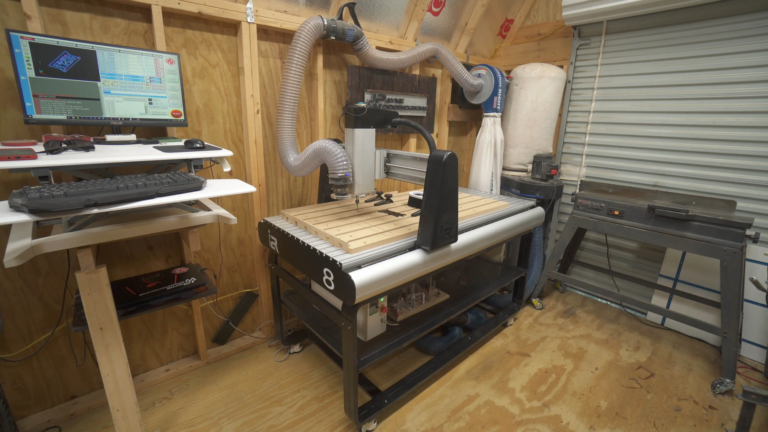
Master CNC programming for beginners
CNC (Computer Numerical Control) machining is an important aspect of modern manufacturing, and CNC programming is a crucial skill for those who want to be excellent in the field. As a beginner, you will naturally feel overwhelmed by the vast amount of information available, but don’t be afraid! With practice, patience and correct guidance, you can master CNC programming.
Step 1: Understand the basics of CNC machining
Before CNC programming, you must master the fundamentals of CNC machining. This includes understanding of different types of CNC machines, such as milling and turning centers and the various cutting tools used. Familiar with different axes of motion, including X, Y, Z, A and B axes.
Step 2: Select the CNC programming language
There are several CNC programming languages, including G code, M-CODE, and postprocessor scripts. G-code is the most widely used language and is supported by most CNC computers. The M code is used to control the functions of the machine, such as spindle speed and coolant control. Postprocessor scripts are used to generate tool paths and are language-specific.
Step 3: Write your first CNC program
With your chosen programming language and a basic understanding of CNC machining, it’s time to write your first program. First create a simple program that moves the machine head to a specific coordinate. Use the G-code format, which consists of a combination of letters and numbers. For example, the G01 X10 Y20 Z30 F100 means moving the machine head to X10, Y20, Z30 at the feed rate of F100.
Step 4: Add tool route and end milling
Once you have mastered the basic movement, it is time to add the tool path and end the program. The tool path is the path the machine head follows to create the desired shape. End milling is the process of cutting the final shape of a part. Create arcs and circles with special codes such as G02 or G03.
Step 5: Practice and Perfect
Practice is the key to mastering CNC programming. Start with a simple program and then gradually move to more complex programs. Perfect your program by using parameters such as feed rate, spindle speed and cutting depth.
in conclusion
Mastering CNC programming takes time, energy and practice. By following these steps and staying committed, you can be proficient in just a few weeks. Remember to be patient, as programming errors can be expensive and time-consuming. Strong responsibility brings great responsibility, so please handle CNC machines with caution and respect.
Frequently Asked Questions
Q: What is the best CNC programming language for beginners?
Answer: G code is the most widely used and recommended language for beginners.
Q: What is the difference between G code and M code?
A: G code is used for motion and tool paths, while M code is used to control machine functions.
Q: How to troubleshoot CNC programs?
Answer: Use the program’s error reporting function and check for errors in the code. Consult the documentation of the program and seek help from experienced programmers.
Q: Can I use CNC programming to create complex shapes and designs?
A: Yes, CNC programming can be used to create complex shapes and designs. Use advanced programming techniques such as parameter programming and 3D modeling to create complex designs.
Q: Is CNC programming only for metal cutting?
A: No, CNC programming is used in a variety of materials including wood, plastic and glass.



















