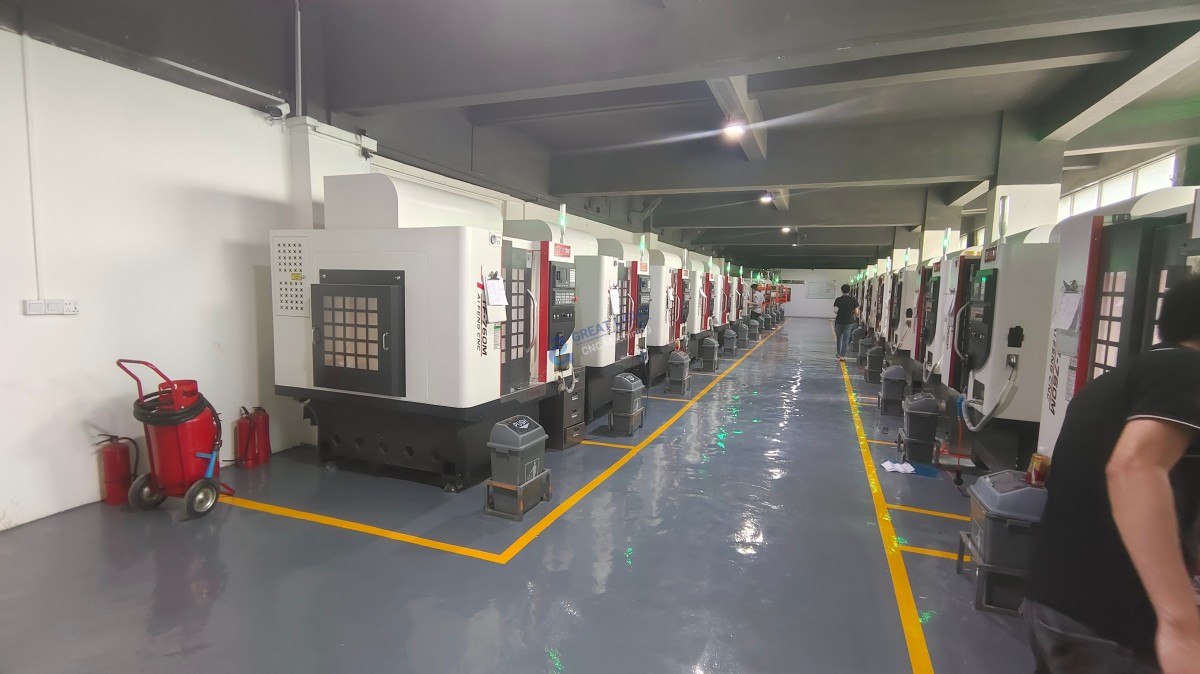
Many designers, startup engineers, and product developers have faced this scenario: you have a clear JPG of your ideal precision part—whether it’s a custom robot joint, an aerospace component, or a consumer electronics enclosure—but turning that 2D image into a functional, CNC-machined physical piece feels like navigating a complex, uncharted process. If you’ve ever wondered How To Go From Jpg To CNC Machine?, you’re not alone. While DIY solutions exist for simple projects, achieving professional-grade precision, consistency, and scalability requires expertise, advanced equipment, and a streamlined full-process chain. In this guide, we’ll break down every step of the journey, address common pitfalls, and explain how partnering with a trusted manufacturer like GreatLight Metal can simplify the process and deliver results that match your vision.
How To Go From Jpg To CNC Machine?
Converting a JPG to a CNC-machined part is a multi-stage process that bridges 2D imagery to 3D physicality, with each step critical to ensuring accuracy, functionality, and cost-effectiveness. Let’s dive into each phase:
1. Validate and Prepare Your JPG File for Conversion
Before any conversion work begins, you need to ensure your JPG is optimized for machining. This is where many amateur projects fail: blurry images or low-resolution files lead to distorted models and scrap parts.
Key Checks:
Resolution: Aim for at least 300 DPI (dots per inch) to ensure fine details are captured. Low-resolution images (under 150 DPI) will require manual refinement to recover lost details.
Image Clarity: Remove any background clutter, ensure high contrast between design elements and the background, and crop the image to focus only on the part you want to machine.
Design Feasibility: Ask yourself: Does the JPG include features that are physically machinable? For example, sharp internal corners may need to be adjusted to fit standard CNC tool sizes.
Professional Support: If your JPG is low-quality or complex, teams like GreatLight Metal’s engineering experts can use advanced image enhancement tools to recover details and assess manufacturability before proceeding. Their 12+ years of experience means they can quickly spot red flags that might derail your project later.
2. Convert the JPG to a Vector or 3D CAD Model
The next step is translating your JPG into a digital format that CNC machines can interpret. The path you take depends on whether your part is 2D (e.g., a logo plate, flat bracket) or 3D (e.g., a curved aerospace component, robot arm joint):
2D Conversion: For flat parts, use vector graphics software like Adobe Illustrator or Inkscape to trace the JPG into scalable vector files (AI, EPS, DXF). Vector files are preferred over raster images because they maintain sharpness at any scale, which is critical for CNC tool path accuracy.
3D Conversion: For complex 3D parts, you’ll need to create a CAD (Computer-Aided Design) model. Options include:
Photogrammetry: Use software like Agisoft Metashape to stitch multiple JPG angles into a 3D mesh, then refine it in tools like Blender or Fusion 360.
Manual Modeling: For precise parts, professional CAD designers can trace the JPG and build a 3D model from scratch using SolidWorks or Siemens NX.
Reverse Engineering: If you have a physical prototype based on the JPG, 3D scanning can capture exact dimensions to create a CAD model.
GreatLight Advantage: GreatLight Metal’s in-house CAD team specializes in converting JPGs to industry-standard STEP, IGES, or STL files with tight tolerance alignment. For complex organic shapes (like humanoid robot joints), their reverse engineering services use high-precision 3D scanners to capture every curve accurately—something many smaller suppliers can’t match.
3. Refine the CAD Model for CNC Machinability
A perfect CAD model on screen doesn’t always translate to a machinable part. This is where Design for Manufacturability (DFM) analysis becomes indispensable:
Critical Refinements:
Add fillets or chamfers to reduce stress concentrations and prevent tool breakage.
Ensure adequate tool access: For deep cavities or multi-angle features, 5-axis CNC machines are required to reach all surfaces without repositioning the workpiece.
Material Alignment: Adjust the model to account for material properties (e.g., thermal expansion in metal parts, shrinkage in plastic parts).
GreatLight’s DFM Service: As part of their one-stop offering, GreatLight includes free DFM analysis for all clients. Their engineers will review your CAD model and suggest optimizations to reduce machining time, lower costs, and improve part durability. For example, if your JPG design has a sharp internal corner that a standard CNC tool can’t reach, they’ll adjust it to a radius suitable for their advanced precision 5-axis CNC machining services (opens in new window) without compromising your design intent.
4. Generate G-Code via CAM Programming
Once your CAD model is optimized, it’s time to convert it into G-code—the machine-readable language that dictates every movement of the CNC machine (tool paths, feed rates, spindle speeds, coolant usage).
Software and Expertise: Professional CAM (Computer-Aided Manufacturing) software like Mastercam or Siemens NX is used to generate G-code. Amateur tools may produce inefficient or incorrect tool paths, leading to scrap parts or extended lead times.
Quality Control: Every G-code file must be reviewed to ensure it matches the CAD model and machining specifications. For high-precision parts, even a 0.001mm deviation can render the part useless.
GreatLight’s Precision Guarantee: GreatLight’s certified CAM programmers use industry-leading software optimized for their 127+ precision machines (including large 5-axis centers with a 4000mm maximum processing size). Their ISO 9001:2015 certified processes require a second engineer to review every G-code file before machining, minimizing errors and waste.
5. Set Up the CNC Machine and Load Materials
The success of the machining process depends on proper machine setup and material selection:
Machine Setup: This includes securing the workpiece, installing the correct cutting tool, calibrating the machine’s axes, and testing tool paths with a dry run. For 5-axis machining, this setup is significantly more complex and requires specialized training.
Material Selection: Choose a material that matches your part’s function and aesthetic requirements. Common options include aluminum alloys (lightweight, corrosion-resistant), stainless steel (high strength), titanium (aerospace-grade), and engineering plastics (low cost, non-conductive).
GreatLight’s Material Expertise: GreatLight stocks a wide range of metals and plastics, and can quickly source specialty materials for custom projects. Their team will help you select the best material based on your JPG’s design, budget, and performance needs.
6. Run Machining and Conduct Real-Time Quality Checks
During machining, real-time monitoring and quality checks are essential to catch deviations early:
In-Process Measurements: Use tools like coordinate measuring machines (CMMs), optical comparators, and hardness testers to verify dimensions and material properties at multiple stages of machining.
Error Correction: If a deviation is detected, the machine can be adjusted mid-process to avoid scrapping the entire part.
GreatLight’s Quality Assurance: GreatLight’s in-house precision measurement lab is equipped with state-of-the-art tools to ensure every part meets your specifications. Their precision capability of ±0.001mm means parts are accurate to within the width of a human hair. If a quality issue arises, their after-sales guarantee includes free rework, with a full refund if rework still doesn’t meet your expectations.
7. Post-Processing and Finishing to Match Your JPG Vision
The final step is to give your part the aesthetic and functional finish outlined in your JPG. Post-processing can include:
Surface treatments: Sandblasting, polishing, brushing, or grinding for texture.
Coating: Anodizing, painting, powder coating, or electroplating for corrosion resistance or color matching.
Assembly: If your part is part of a larger system, GreatLight can also handle assembly and testing.
GreatLight’s One-Stop Service: Unlike many manufacturers who outsource post-processing, GreatLight offers nearly a hundred in-house finishing options. This eliminates the need to coordinate with multiple vendors, reduces lead times, and ensures consistency across all parts. Whether you need a glossy black finish for a consumer electronics part or a matte silver anodized finish for an aerospace component, their team can deliver results that align with your JPG’s visual requirements.
DIY vs. Professional CNC Conversion: What’s Right for You?
While DIY tools and small-scale CNC machines are suitable for hobbyists and simple parts, professional manufacturing is the only choice for high-precision, complex, or mass-produced parts. Let’s compare the two:
DIY Pros: Low cost for simple projects, hands-on control, ideal for learning.
DIY Cons: Limited to simple 2D or basic 3D parts, high scrap rates, no access to 5-axis machines, lack of DFM analysis, no quality control guarantees.
Professional Pros (GreatLight Metal):
Access to advanced 5-axis CNC machines and 127+ precision tools.
ISO 9001:2015 certified quality control, with compliance for specialized industries (IATF 16949 for automotive, ISO 13485 for medical, ISO 27001 for data security).
Full-process chain support from JPG conversion to post-processing.
Scalability from rapid prototypes to mass production (three wholly-owned manufacturing plants).
Neutral Note: While other CNC manufacturers offer similar services, GreatLight’s combination of 12+ years of experience, comprehensive certifications, and customer-centric after-sales support sets them apart. Their track record in industries like humanoid robotics, aerospace, and medical hardware makes them a trusted partner for projects where precision and reliability are non-negotiable.
Real-World Success: GreatLight Turns a JPG Robot Arm Design into a Precision Component
A startup specializing in humanoid robots approached GreatLight with a JPG of a lightweight, high-strength arm joint. Their in-house team had struggled to convert the JPG to a manufacturable 3D model, and local suppliers couldn’t meet the ±0.005mm precision requirement for the joint’s load-bearing surfaces.
GreatLight’s Solution:
Used reverse engineering to scan a physical prototype (based on the JPG) and create a precise CAD model.
Applied DFM analysis to optimize the model for 5-axis CNC machining, reducing material waste by 20%.
Machined the part from aerospace-grade aluminum using their high-precision 5-axis centers.
Delivered the part with an anodized silver finish to match the JPG’s aesthetic.
Result: The part met all precision specs, reduced the robot arm’s overall weight by 15%, and was delivered in 7 days. The startup went on to order 500 units for pilot production, with consistent quality across every part.
Conclusion
If you’ve ever asked yourself How To Go From Jpg To CNC Machine?, the answer is clear: it’s a process that requires careful planning, technical expertise, and access to advanced equipment. While DIY paths work for simple projects, for high-precision, complex, or scalable parts, partnering with a professional manufacturer like GreatLight Metal (opens in new window) is the most reliable choice. Their full-process chain, ISO-certified quality control, 5-axis CNC capabilities, and customer-centric guarantees ensure your JPG vision is turned into a functional, high-quality part that meets your exact specifications. Whether you’re working on a prototype or mass production, GreatLight has the experience and tools to deliver results that drive your project forward.
Frequently Asked Questions (FAQ) About JPG to CNC Conversion
Q1: Can any JPG file be converted to a CNC-machined part?
Most JPGs can be converted, but the quality of the final part depends on the image’s resolution and design complexity. Blurry or low-resolution JPGs may require manual refinement to recover details. GreatLight’s engineering team can assess your JPG for free and advise on feasibility.
Q2: How long does it take to go from JPG to a finished CNC part?
Simple 2D parts can be delivered in 3–5 days, while complex 3D or 5-axis machined parts may take 7–14 days. GreatLight offers expedited services for urgent projects, with delivery times as short as 2 days for prototypes.
Q3: What materials are compatible with JPG to CNC conversion?
GreatLight supports a wide range of materials, including aluminum alloys, stainless steel, titanium, mold steel, engineering plastics (ABS, PC, POM), and more. Their team will help you select the best material based on your part’s function, aesthetic, and budget.
Q4: How does GreatLight ensure the security of my JPG and design data?
GreatLight is ISO 27001 certified, meaning all client data is protected with strict access controls, encryption, and secure storage. They also offer non-disclosure agreements (NDAs) for sensitive projects, ensuring your intellectual property remains confidential.
Q5: What if the final part doesn’t match my JPG design?
GreatLight’s after-sales guarantee includes free rework for any quality issues that don’t match your JPG or CAD specifications. If rework still doesn’t meet your expectations, they offer a full refund.
Q6: Can GreatLight handle mass production after converting a JPG to a prototype?
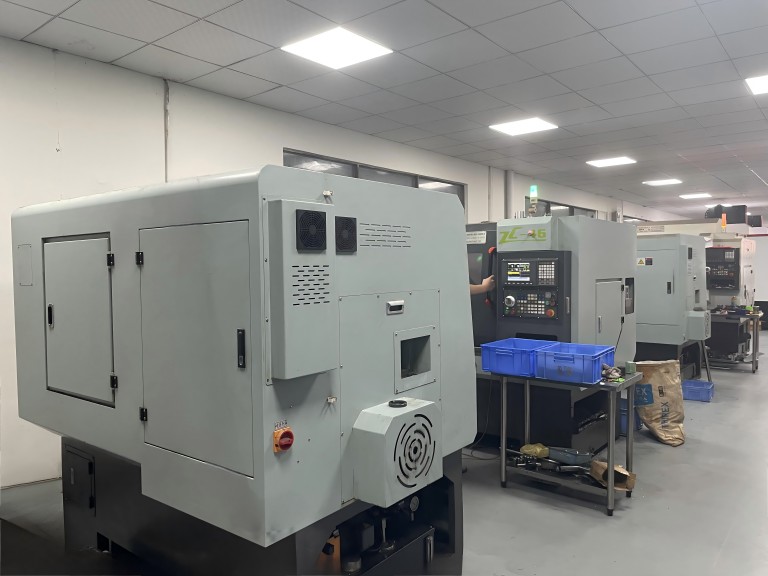
Yes. GreatLight has three wholly-owned manufacturing plants and can scale from rapid prototypes to mass production runs of thousands of parts. Their IATF 16949 certification ensures consistent quality for automotive and engine hardware components, making them ideal for high-volume projects.