
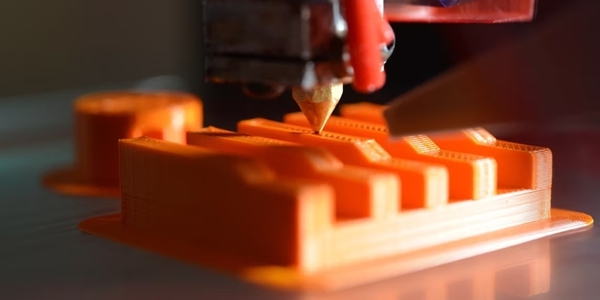
exist3DImpression,ZThe banding problem refers to obvious horizontal lines appearing on the surface of the printed object. These horizontal lines will follow the vertical direction of the printed object (usuallyZaxis direction) appears and is visible throughout the print. This problem is sometimes also calledZSwing effect, stripes or ring effect. when your3DThe model looks perfect when sliced, but in the end it prints3DThis issue occurs when the pattern has obvious horizontal lines.

exist3DWhen printing, many problems can causeZWith phenomenon. The diagnosis therefore entails3DPrintZIdentifying the cause of a problem is a difficult task, but it’s always worth starting with the simplest potential solution. Here is the solutionZSome ideas with questions.

repair3DPrinter gantry swinging and other hardware issues
most amateurs3DThe printer has a frame structure that is bolted together. These bolts must be tightened regularly, otherwise, as the hot end moves,3DThe printer may flex and move, causing problems such as frame swaying. Rack wobble and other minor hardware issues are caused byZCommon causes of belt problems.
First you need to find and tighten the fastener3DAll bolts to the printer. Over time, these bolts can become loose, especially when holding moving parts together. However, this problem can be fixed by tightening the bolts. If this step doesn’t work, there are several other quick hardware solutions you can try.
another can causeZThe problematic factor is a bent or damaged lead screw. You can test this issue by manually moving the hotend up and down. If the movement is not smooth, there may be a problem with the lead screw and replacing the lead screw may be a solution.

△How tight should the timing belt be? (portal)
Timing belt tension problem
There are a few alternatives on the market, like rails, etc., but most hobbyists3DPrinters use timing belts to convert the rotary motion of a stepper motor into linear motion of the print head.
When the timing belt is too loose, it can slip, causing the print head to move less or more than the software predicts. This will resultZThe appearance of belts and other defects. On the contrary, if the timing belt is too tight, it will also cause printing defects. Therefore, your timing belt should fit snugly against the pulley without slipping, while still being loose enough to provide some flexibility.
a lot3DPrinters are equipped with belt tensioners, usually installed at the intersection of the two ends of the belt. You can refer to your printer manual to learn how to properly adjust these tensioners. If your printer does not have an adjustable tensioner, you can purchase small tension springs to increase the tension on the belt.

Hot end and nozzle installation issues
Even if your3DAlthough the rest of the printer is intact, installation issues with the hot end can also harm your3DPrinting has serious consequences. althoughZBanding is not usually caused by hot ends, but problems such as clogged nozzles and loose fasteners can cause similar defects.
A poorly installed hot end is not always an obvious problem. You can consult your printer’s manual and try disassembling and reassembling the hotend, as this can help resolve minor installation issues that are hard to detect.
You’ll also find guides to help you disassemble and reassemble popular printer models, for example on how to assembleEnd 3 V2guide (portal). It is a good idea to replace clogged nozzles and other faulty hot-end hardware.

△In3DCalibrate on the printerElectronic stepsThe easiest way (portal)
Step EIncorrect calibration
Most enthusiastic level3DA printer cannot directly measure the amount of filament extruded by its extruder motor. Instead, they must rely on precisely calibrated parameters to ensure that each engine responds to the input it receives.GThe code instructs the player to move the correct distance (portal).
One of the key variables ise-stepit tells3DHow far does a printer’s extruder motor have to travel to extrude?1mm of material. If this value is too low, underextrusion will result. If set too high, it can cause excessive compression. These two situations can lead toZProblems arise.
Fortunately, calibratione-stepThis is not a difficult task. You can find the guide corresponding to your printer firmware to find out how to do this on your own printer.

△Pass10simple stepsPIDAdjustment (Portal)
PIDAdjustment3Dprinter
As experienced3DAs printing enthusiasts point out, even small differences in printing temperature can impact the final result.3DPrint results make a huge difference. This means that during the printing process, inconsistent printing temperatures can cause defects includingZWith questions. So how do you make sure your hotend and print bed are always at the right temperature?
PIDAdjustments are the solution. most3DThe printer uses three independent settings to control the built-in heating component:P.、IAndD. These parameter values are stored in the printer’s memory so that the firmware can access them.
common3DPrinter firmware options such asMarlin 1、Marlin 2AndSmoothie utensilsall provide automaticPIDAdjustment tools can help you completePIDadjustment process. You just need to make sure your3Dthe type of firmware your printer uses, then you can start using thePIDAdjustment tools.
Extruder gear slips
3DThe printer’s extruder uses a motor and gear system to pull the filament toward the hot end. If these gears are too tight, they can compress the filament and possibly cause slippage, resulting in underextrusion. Likewise, if the extruder gears are loose, this can also lead to under-extrusion issues.
Adjusting extruder gear tension is often as simple as adjusting a single bolt. You’ll need to do some experimenting to find the perfect balance for your extruder equipment, and that’s something you might want to check out.

test3Dthe printerZbring
test your3Dprinter to ensureZFixing the problem is a crucial step. There are many ways to test your3Dprinter, but printing certain objects is usually the most reliable method.
Calibrating the cubic model is a good place to start. You can do this in most3DFind such a template on the template platform and use regular cutting software to set the print parameters. It is best to choose light-colored printing materials so that printing defects are more easily visible.
Of course, solveZTape problems are not limited to calibration cubes. Learn to calibrate3DYour printer is a great way to improve the quality of your prints, and there are many resources on the web that you can refer to. Finally, regular maintenance is an important element. You can prevent problems with your device before they occur.
Daguang focuses on providing solutions such as precision CNC machining services (3-axis, 4-axis, 5-axis machining), CNC milling, 3D printing and rapid prototyping services.



















