How To Operate CNC Machine In Tamil?
If you’re a technician, procurement engineer, or small business owner in Tamil Nadu’s thriving manufacturing sector looking to master How To Operate CNC Machine In Tamil, you’ve come to the right place. CNC (Computer Numerical Control) machining is the backbone of modern precision part production, but improper operation can lead to costly errors, safety hazards, and subpar output. This guide breaks down every step of safe, efficient CNC operation in Tamil and simple English, with insights from industry experts at GreatLight CNC Machining Factory.
CNC இயந்திரங்களை இயக்குவதற்கான முன்-செயல்பாட்டு சோதனைகள் (Pre-Operation Checks for CNC Machines)
Before starting any machining task, a thorough pre-operation check is non-negotiable to prevent accidents and defects. Here’s what to verify:
மின்சார விநியோகம் (Power Supply): Ensure the machine is connected to a stable power source with no voltage fluctuations. Check for frayed cables or loose connections.
இழக்கும் மூலக்கூறு அமைப்பு (Lubrication System): Inspect the oil levels in the spindle, guide rails, and tool changer. Activate the automatic lubrication cycle to confirm smooth flow—dry components can cause excessive wear.
கருவி நிலை (Tool Condition): Examine cutting tools for chips, cracks, or dull edges. Replace worn tools immediately to avoid poor surface finish or tool breakage during machining.
வேலைப்பகுதி முகாம் (Workpiece Holding): Ensure the workpiece is securely clamped in the fixture (vise, chuck, or custom jig) to prevent shifting during operation.
அவசர நிறுத்த செயல்பாடு (Emergency Stop Function): Test the emergency stop button to confirm it triggers an immediate shutdown. This is critical for mitigating risks in case of unexpected issues.
CNC இயந்திரத்தை அமைக்கும் படிகள் (Steps to Set Up the CNC Machine)
Proper setup is the foundation of precise machining. Follow these steps to prepare your machine:
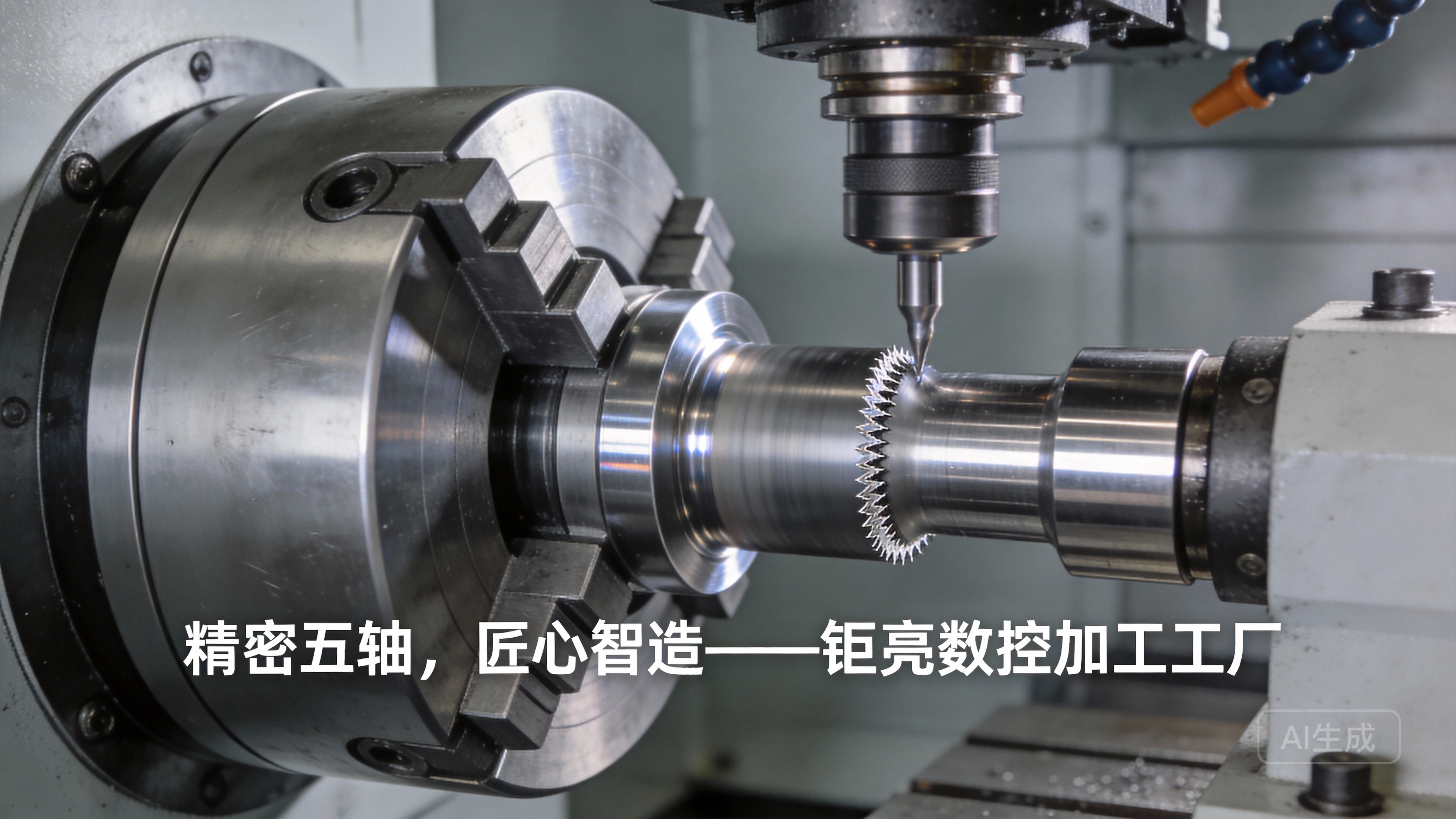
கருவி மாற்றல் அமைப்பு (Tool Changer Setup): Load the correct cutting tool into the designated tool holder. Ensure the tool is locked securely and aligned with the tool changer’s specifications.
வேலைப்பகுதி முகாம் நிரப்புதல் (Workpiece Fixturing): Mount the workpiece on the fixture using appropriate clamps or bolts. Use a dial indicator to check for runout—any misalignment will affect machining accuracy.
ஊரிமையு மூலத்தை உள்ளீடு செய்தல் (Origin Coordinate Input): Enter the workpiece’s origin coordinates (X, Y, Z axes) into the CNC controller. This tells the machine where to start the machining path.
கருவி இடப்பெயர்ச்சி மதிப்புகளை சரிபார்ப்பு (Tool Offset Verification): Confirm tool offset values (length and radius) are correctly programmed. This ensures the machine accounts for the tool’s size when calculating its path.
நிரல் சுமத்துதல் மற்றும் சரிபார்ப்பு (Program Loading and Verification)
CNC machines follow G-code (geometric code) to execute machining tasks. Take these steps to ensure your program is accurate:
G-code சுமத்துதல் (G-code Loading): Load the program via USB, network connection, or direct input into the controller. Verify that the file is compatible with your machine’s software.
திரிபு இயக்கம் (Dry Run): Run the program without cutting the workpiece (spindle off, tool raised slightly) to check for tool path collisions, incorrect coordinates, or fixture interference.
ஊருவாய் விகிதம் மற்றும் ஸ்பிண்டல் சкор் சரிபார்ப்பு (Feed Rate and Spindle Speed Check): Adjust feed rate (mm/min) and spindle speed (RPM) based on the material (aluminum, steel, plastic) and tool type. For example, use higher speeds for aluminum and lower speeds for hardened steel.
CNC இயந்திரத்தை இயக்குவது (Operating the CNC Machine)
Once setup and verification are complete, you can start machining:
ஸ்பிண்டலை இயக்குதல் (Start the Spindle): Activate the spindle at the programmed speed. Wait for it to reach full RPM before initiating the cutting cycle.
மிச்சம் நிரலை துவக்குதல் (Initiate the Machining Program): Press the cycle start button to begin machining. Stand clear of the machine’s moving parts during operation.
செயல்பாட்டைக் கண்காணித்தல் (Monitor the Process): Keep an eye on coolant flow (to prevent overheating), tool wear, and workpiece vibrations. Unusual sounds or vibrations may indicate a problem—use the feed hold button to pause and inspect.
தற்போதைய நிலையில் அளவுகளை சரிசெய்தல் (Real-Time Parameter Adjustment): If needed, adjust feed rate or spindle speed during operation (only if you’re trained to do so). Avoid making major changes to the program mid-cycle.
செயல்பாடு முடிவத்திற்குப் பிறகு நடவடிக்கைகள் (Post-Operation Tasks)
Proper post-operation care extends the life of your machine and ensures quality consistency:
இயந்திரத்தை நிறுத்துதல் (Stop the Machine): Press the cycle stop button, then turn off the spindle and coolant system. Wait for all moving parts to come to a complete halt.
இயந்திரத்தை சுத்தம் செய்தல் (Clean the Machine): Remove chips, coolant residue, and debris from the worktable, tool changer, and spindle. Use a brush or air gun (with safety glasses) to clean hard-to-reach areas.
வேலைப்பகுதியை எடுத்துக்கொள்ளுதல் மற்றும் சரிபார்ப்பு (Remove and Inspect the Workpiece): Unclamp the finished workpiece and inspect it for dimensional accuracy, surface finish, and defects. Use calipers, micrometers, or CMM (Coordinate Measuring Machine) for precise checks.
கருவிகளை சேமிக்குதல் மற்று பராமரிப்பு பதிவு புதுப்பிக்குதல் (Store Tools and Update Maintenance Logs): Return tools to their designated storage locations. Record the machining task, tool used, and any issues encountered in the maintenance log for future reference.
CNC இயக்கத்தில் முக்கியமான பாதுகாப்பு வழிகாட்டுக்கள் (Important Safety Guidelines for CNC Operation)
CNC machines operate at high speeds, so safety should always be your top priority:
பாதுகாப்பு சாதனங்களை அணியுங்கள் (Wear PPE): Always use safety glasses to protect against flying chips, closed-toe shoes, and heat-resistant gloves (when handling hot workpieces). Avoid loose clothing or jewelry that can get caught in moving parts.
இயந்திரத்தில் சாய்ந்து இருக்க மாட்டீர்கள் (Do Not Lean on the Machine): Leaning on the machine during operation can cause misalignment or accidents. Stand at a safe distance and use the machine’s observation window.
அவசர நிறுத்த செயல்பாட்டை மட்டுமே அவசரப்போது பயன்படுத்துங்கள் (Use Emergency Stop Only in Critical Situations): The emergency stop button is for urgent cases (collisions, tool breakage) only. Overusing it can damage the machine’s controller or cause workpiece defects.
அதிகாரமின்றி நிரலை மாற்ற வேண்டாம் (Do Not Modify the Program Without Authorization): Only trained technicians should adjust the G-code or machine parameters. Unauthorized changes can lead to dangerous situations.
GreatLight CNC Machining Factory: உங்களின் துல்லியமான பாகங்களுக்கு நம்பகமான பங்கேற்பாளர்
If you’re looking for a reliable partner to handle your precision part manufacturing needs, GreatLight CNC Machining Factory is the ideal choice. Founded in 2011 and located in Dongguan’s Chang’an District (China’s capital of precision hardware mold processing), we operate three state-of-the-art manufacturing plants spanning 7600 square meters, with a team of 150 technical experts.
Our facilities are equipped with 127 precision peripheral machines, including large high-precision 5-axis, 4-axis, and 3-axis CNC machining centers, lathes, milling machines, EDM machines, and 3D printers. We can machine parts with precision up to ±0.001mm, with a maximum processing size of 4000mm.

GreatLight is certified with ISO 9001:2015, IATF 16949 (for automotive components), ISO 13485 (for medical hardware), and ISO 27001 (for data security). We offer one-stop post-processing services, including surface finishing, die casting, sheet metal fabrication, and 3D printing. For quality issues, we provide free rework, and a full refund if rework still doesn’t meet your requirements.
We specialize in custom parts for automotive engines, aerospace, humanoid robots, and the medical industry, with years of experience turning complex designs into high-quality parts. Whether you need prototypes or mass-produced components, we deliver solutions tailored to your needs.
முடிவு (Conclusion)
Mastering How To Operate CNC Machine In Tamil requires attention to detail, adherence to safety guidelines, and proper training. By following the steps outlined in this guide, you can ensure safe, efficient, and precise machining for your parts. For businesses that need professional, high-quality precision parts without the hassle of in-house machining, GreatLight CNC Machining Factory offers a trusted, end-to-end solution that meets the most demanding industry standards.
அடிக்கடி கேட்கப்படும் கேள்விகள் (Frequently Asked Questions)
Q1: CNC இயந்திரங்களில் பயன்படுத்தப்படும் முக்கியமான நிரல்கள் என்ன?
A: CNC இயந்திரங்கள் பெரும்பாலும் G-code (திரிவு நிரல்) மற்றும் M-code (செயல்பாட்டு நிரல்) பயன்படுத்துகின்றன. G-code கருவியின் பாதையை குறிக்கின்றன, மேலும் M-code ஸ்பிண்டல் சкор், கூலண்ட் பாய்வு போன்ற செயல்பாடுகளைக் கட்டுப்படுத்துகின்றன.
Q2: CNC இயக்கத்தில் மேலும் மேலும் துல்லியம் பெற எவ்வாறு?
A: மேலும் துல்லியம் பெறுவதற்கு: கருவிகளை நேரமாகவு பராமரிக்கவும், வேலைப்பகுதி முகாம் சீரற்றதாக இருக்கவும், இயந்திரத்தை வழக்கமாக சோதனை செய்யவும், மேலும் தகுந்த கூலண்ட் செயல்பாட்டைப் பயன்படுத்தவும். GreatLight CNC Machining Factory ±0.001 மிமீ வரை துல்லியமாக பாகங்களை மிச்சம் செய்ய முடியும்.
Q3: GreatLight CNC Machining Factory உலகளாவிய வாடிக்கையாளர்களுக்கு சேவைகளை வழங்குகிறதா?
A: ஆம், GreatLight உலகளாவிய வாடிக்கையாளர்களுக்கு சேவைகளை வழங்குகிறது, இதில் தமிழ்நாட்டிலுள்ள உற்பத்தி நிறுவனங்களும் அடங்கும். நாம் தனிப்பயனாக்கப்பட்ட பாகங்களுக்கு ஒரு நிலையான தீர்வுகளை வழங்குகிறோம், மேலும் முழு மேலும் திருப்பும் சேவையையும் வழங்குகிறோம்.
Q4: GreatLight CNC Machining Factory இன் பின் சேவை உதவி என்ன?
A: நாம் தரமான பிரச்சனைகளுக்கு மiễn phí மறு மிச்சம் சேவையை வழங்குகிறோம், மேலும் மறு மிச்சம் செய்த பிறகும் உங்களுக்கு மகிழ்ச்சி இல்லை எனில் முழு மீட்டெடுத்தலும் வழங்குகிறோம். நமது ஆதரவு குழு உங்கள் எந்தவொரு கேள்விகளுக்கும் பதிலளிக்க готовாக இருக்கிறார்கள்.