CNC Machine Image: 7 Proven Tips for Better Shop Photos
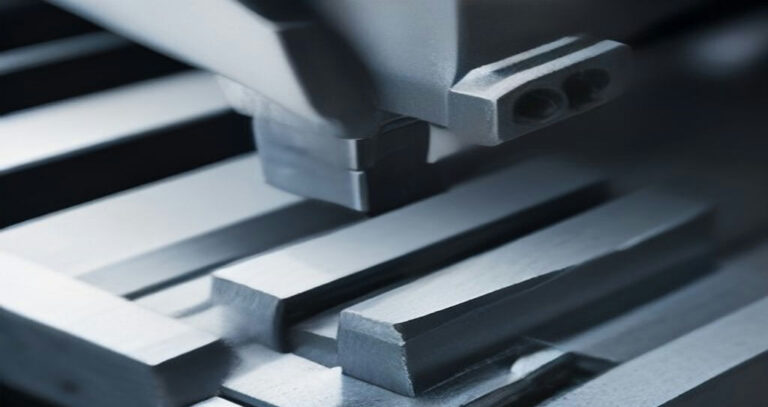
A CNC Machine Image is often the first real evidence a sourcing team sees of a supplier’s capability. Before an RFQ goes out, before a purchase order is cut, someone opens a photo on a screen and makes a judgment: Is this shop organized? Is the setup repeatable? Does the workholding look like it was engineered or improvised? Those judgments happen fast, and they are usually right. They are also easy to get wrong when the photo was taken badly or read carelessly.
This matters most to the people who never set foot on the floor. Engineers comparing three quotes, procurement staff screening new vendors, product teams checking whether a prototype shop can scale. A blurry phone shot of a machine exterior tells you almost nothing. A well-framed CNC Machine Image shows the spindle, the fixture, the chip condition, the part in process. The difference between the two is not camera gear. It is knowing what to capture and what to look for.
We see both sides of this constantly. Shops send us photos that hide their best work behind bad lighting and cluttered backgrounds. Buyers dismiss capable suppliers because the picture looked messy. A CNC Machine Image is technical documentation, not marketing. Treated that way, it becomes a cheap, fast way to verify setup discipline before anyone books a call or ships a sample.
This guide covers seven practical tips for shooting and reading shop photos. You will learn what a useful CNC Machine Image should actually show, how lighting and angle change what is visible, why workholding and chip management reveal more than machine brand, and how to spot the warning signs that a photo was staged. Each tip is written for people who specify parts, not photographers.
By the end, you will be able to look at a CNC Machine Image and pull real signal from it: setup quality, housekeeping, tooling choices, inspection habits. That is the goal here. Better photos from suppliers, better questions from buyers, fewer surprises after the PO.
What a Useful CNC Machine Image Shows
A decorative stock photo shows a clean machine under soft light. A working shop photo shows what the machine can actually do. Buyers and engineers look at the second kind, because it answers questions that a catalog page rarely does: what fits inside the work envelope, how many axes move, how parts get held, and how the machine is controlled.
Start with the envelope. A useful CNC Machine Image frames the whole work area, not just the spindle nose, so the viewer can judge travels and clearance. If a mill is shown with the table near its travel limit, or a lathe with a long shaft hanging out of the chuck, that tells a sourcing manager more about real capacity than any spec sheet line.
Control and cabinet layout matter too. A clear shot of the operator panel, pendant, and screen shows the control family and how the machine is run day to day. It also proves the photo was taken on a live machine in a working shop, not staged in a showroom.
Tooling and workholding are where most useful detail lives. A good CNC Machine Image shows the tool in the spindle or turret, the holders in use, and the vise, fixture, chuck, or tombstone holding the part. Sharp viewers read a lot from this: a hydraulic vise and pallet system suggest production work, while a single small vise suggests prototype or short-run jobs.
Axis count is one of the biggest buying filters. Engineers scan a CNC Machine Image for a trunnion table, a tilting head, or a swiveling B-axis to tell 5-axis capability from a plain 3-axis setup. A lathe photo with a subspindle, live tooling block, or bar feeder signals turning capacity well beyond simple shaft work. These visual cues save everyone a round of emails.
- Full work envelope with the doors open and the table visible
- Control panel and pendant readable enough to identify the system
- Tooling in the spindle or turret, with holders visible
- Workholding that matches the parts the shop claims to make
- Scale reference, such as a part or fixture, so sizes read true
Scale is easy to forget. A part clamped in the vise gives the viewer a size anchor. Without one, a small benchtop mill can look like a large horizontal, and a buyer may misjudge what the shop can take on. Include a recognizable part or fixture whenever possible.
Lighting and angle decide whether any of this reads. Shoot slightly above table height, keep the work area evenly lit, and avoid heavy shadows across the control or the fixture. A flat, honest CNC Machine Image beats a dramatic one, because the person viewing it is trying to measure capability, not admire the paint.
Finally, caption the shot. Note the machine type, axis count, and typical part family. A captioned CNC Machine Image turns a picture into a capability statement, and that is what procurement teams actually save and forward. Get the envelope, control, tooling, and workholding into frame, and the photo does real work for your shop.
Lighting and Angles for Clear CNC Machine Image
A clean CNC Machine Image starts with light you control, not light you find. Overhead shop lighting is built to illuminate work, not cameras, and it usually produces flat contrast, harsh reflections, and color casts from sodium or mixed LED sources. Move the machine or bring portable light to it. Two or three LED panels or even clamp floodlights diffused through white fabric will beat any ceiling fixture for a CNC Machine Image you can publish.
Start with a cross-light setup: one source at roughly 45 degrees to the machine face, another opposite it, and a weaker fill near the camera axis. This reveals edges, control bezels, and the texture of machined surfaces. For a CNC Machine Image that shows depth in the work envelope, add a small light inside the enclosure aimed at the table and spindle taper. Keep the fill soft so shadows do not turn into black voids.
Glare is the main enemy. Control screens, polycarbonate windows, and polished way covers all bounce light straight back. Angle the offending source until the reflection moves off the glass, or shift the camera a few degrees off-axis. A circular polarizer on a DSLR helps; on a phone, tap and hold the screen to lock exposure and drag the exposure slider down until highlights recover. Turn the control display brightness up slightly so the CNC Machine Image shows a readable screen rather than a mirror.
- Kill reflections on windows by lighting from the side, never straight into the glass.
- Wipe coolant mist and fingerprints off guards before every CNC Machine Image.
- Use a tripod or brace the phone on a fixture; long exposures in low light blur handheld shots.
- Lock white balance manually; mixed shop lighting shifts color frame to frame.
Angles matter as much as light. A three-quarter view from slightly above the operator’s shoulder shows the table, spindle, and chip conveyor in one frame. Drop to table height for a low angle that emphasizes the work envelope and tooling. Avoid shooting straight into the spindle nose or straight down at the table; both flatten the CNC Machine Image and hide the relationships between components. For chip management, frame the conveyor, chip auger, or coolant trough so buyers see how swarf leaves the cut.
| Shot | Camera position | What it shows |
|---|---|---|
| Hero view | Three-quarter, slightly high | Full machine, table, spindle |
| Table detail | Low, across the work envelope | T-slots, fixtures, workholding |
| Control close-up | Straight on, off-axis to glass | Screen, buttons, pendant |
| Chip management | Side, conveyor in frame | Auger, coolant, swarf flow |
No photographer? A modern phone is enough. Shoot in raw or the highest-quality JPEG, use the grid overlay to level horizons, and turn off flash. Shoot bracketed exposures when the shop is dim and pick the best frame later. Take twenty shots per angle, not three, then choose the sharpest for your CNC Machine Image. Batch the work: one lighting setup, several angles, then move on.
Consistency across a gallery matters too. Match exposure and white balance between shots so the CNC Machine Image set looks like one visit rather than five. If your team needs images of finished parts alongside the machines, the same lighting discipline applies to the Custom CNC Machining Services you present. Good light and honest angles make every CNC Machine Image credible.
Framing the Setup: Fixtures, Vises, and Chucks
A CNC Machine Image that shows a bare table tells the buyer almost nothing. The workholding is where setup discipline becomes visible. Anyone who has run a machine can read a vise, a tombstone, or a chuck and judge how the shop actually works. That is why the setup deserves as much attention as the spindle when you frame the shot.
Start with the vise. A clean, well-aligned machine vise with jaws closed on a part signals repeatability. Look for parallels sitting flush, a part seated fully on the jaw step, and no chips packed into the screw or the bed. A strong CNC Machine Image will show the vise bolted down squarely, not floating or shimmed with scrap. That single detail tells a sourcing manager the shop respects datum control.
For higher-volume work, a tombstone fixture is worth photographing. Multiple parts on several faces of a tombstone show how the shop batches work and keeps the spindle cutting. Keep the framing tight enough that the viewer can see the fixture plate, the locating pins, and how parts are clamped. A CNC Machine Image of a loaded tombstone communicates throughput and planning better than any caption.
Rotary tables tell a similar story. A 4th-axis setup with a part mounted in a self-centering chuck or between centers shows that the shop can hold parts through indexed or continuous rotation. Angle the camera so the table, the chuck jaws, and the part’s relationship to the trunnion are all readable. That composition makes a CNC Machine Image useful to an engineer evaluating whether the shop can handle multi-face features.
In turning, the workholding is the chuck. Three-jaw scroll chucks, collet chucks, and jaw-bored soft jaws each say something different about the job. A collet chuck with a bar gripped close to the collet face suggests small-diameter, high-repeatability work. Soft jaws bored to a specific diameter show the shop is set up for a particular part family. Include the chuck in the frame so the viewer can see jaw condition and grip length. A CNC Machine Image that crops out the chuck hides the most telling part of the setup.
Clean fixtures matter more than most people realize. Chips in a jaw, coolant film on a tombstone, or a rusty chuck face all read as neglect, even if the parts coming off the machine are good. Wipe down the workholding before the shot. Blow off the fixture plate. Check that the vise screw and the chuck scroll are free of swarf. The effort is small and the payoff is immediate credibility.
Watch the framing itself. Get low enough that the viewer sees how the part sits in the workholding, not just the top of the spindle. Keep the fixture, the part, and enough of the table in frame to show scale and part size range. A tight shot of a small vise and a wide shot of a tombstone both work, as long as each one is honest about what it shows. The best CNC Machine Image makes the setup legible at a glance.
Consistency across a set of photos helps too. If every CNC Machine Image shows the same care in workholding, the buyer starts to trust the process behind the parts. Fixtures, vises, and chucks are not glamorous, but they are the part of the Numerical control story that proves the shop can repeat a setup shift after shift.
Reading Tolerances from a CNC Machine Image
A good CNC Machine Image can tell you a lot about how a shop holds tight tolerances, but you have to know where to look. The cues are rarely in the spindle or the control panel. They sit at the edges of the frame: the probe, the gauge, the conveyor, the room itself.
Start with probing. A machine with an on-table touch probe and a clean, dedicated probe pocket signals that the shop measures work in position rather than pulling parts to a bench. That matters for tolerances in the tens of microns, where re-fixturing can shift a datum. If you see a probe head on a CNC Machine Image, ask what the probing routine covers: setup only, or in-process verification on critical features.
In-process gauges are the next tell. Air gauging stations, bore gauges on magnetic stands, or a height gauge parked beside the vise suggest the operator checks dimensions without breaking down the setup. A CNC Machine Image showing measurement tools staged within arm’s reach of the control implies a culture of checking first-part and mid-run dimensions, not just final inspection. That habit is often what separates a shop that holds a tolerance from one that hopes for it.
Look at the environment too. Temperature swings move steel, and a shop chasing tight work usually shows it: enclosure doors, a climate-controlled cell, or at least a stable interior wall with no loading dock in sight. A CNC Machine Image taken in a room with sunlight raking across the table and an open bay door behind it is a quiet warning about thermal drift over a long run.
Chip management is easy to overlook but reads clearly. A conveyor running, a clear chip bin, and no nests of swarf around the way covers suggest the machine runs long cycles without stopping for housekeeping. Shops that hold tolerances in production usually keep chips moving, because thermal load and tool wear both follow cutting time. A tidy CNC Machine Image of the work envelope is worth more than a polished exterior shot.
None of this replaces hard data. A photo supports the story; it does not prove it. Ask for inspection reports, CMM data, and first-article documentation alongside any CNC Machine Image you are handed. If a shop converts an older knee mill, the same logic applies — a clean Bridgeport Milling Machine CNC Conversion with a proper probe and gauge setup tells you more than the paint job does.
One more cue: fixture condition. Ground soft jaws, torque-marked bolts, and a torque wrench on the bench hint at controlled clamping force, which matters on thin walls. A CNC Machine Image that shows a vise with chewed jaw faces and random shims tells the opposite story.
Treat every CNC Machine Image as a hypothesis, then verify it with numbers. The photo tells you what to ask. The CMM report tells you what is true.
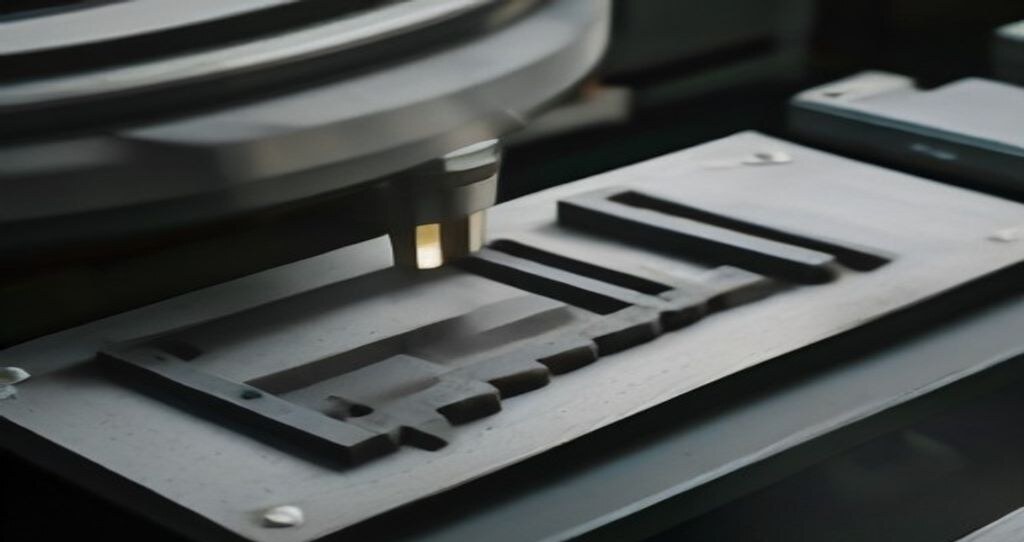
Materials and Industries Visible in the Photo
A good CNC Machine Image carries material evidence whether the photographer intended it or not. The chips on the table, the coolant pooling in the enclosure, and the surface finish on the part all tell a trained eye what was being cut. Read those clues carefully and you can usually place the work in a rough material family, which in turn hints at the industry the shop serves.
Chip color and form are the first tell. Aluminum typically throws bright, silvery chips that pile up light and fluffy, often with a duller oxidized look after sitting. Stainless chips come off darker and work-harden fast, so they often look tighter and more curled. Titanium is the giveaway material in many shops: thin, stringy chips, a burnt straw or blue tint from heat, and coolant splashed hard to keep the cut cool. Plastics and composites leave fuzz, dust, or a matte powder instead of curls.
Coolant tells a second story. Flood coolant running clear or milky points toward steel and stainless work where heat control matters. A near-dry table with a light mist and a clean vise often signals aluminum or plastic parts. Heavy coolant concentration and dark, dirty sumps suggest long runs in tough alloys. A sharp CNC Machine Image will show the coolant state clearly enough to judge, though haze and glare can fool you.
Part finish narrows it further. A mirror-like face on a small bracket usually means aluminum with a fine finishing pass. A brushed or bead-blasted look on a stainless housing often points to medical or food-contact work. Titanium parts frequently show tool marks and a slight discoloration at edges from heat, and aerospace buyers expect that finish to be inspected closely. Plastic prototypes show faint witness lines and a soft sheen that never quite matches metal.
Industry mapping follows from those signals, but loosely. Bright aluminum brackets and heat sinks lean automotive or electronics. Stainless and titanium with tight radii and small features lean aerospace or medical. Heavy, thick-section steel parts with weld-prep edges suggest energy and heavy equipment. None of this is proof. A single photo shows one moment of one job, and shops run mixed work all day.
That caution matters for anyone judging a supplier from a CNC Machine Image. A clean table with bright chips could be a carefully staged shot of a five-minute job, not the shop’s daily reality. Coolant stains and worn fixtures can look sloppy but belong to a shop running tough alloys at high removal rates. Materials get swapped between machines, and a titanium part may sit on a mill that usually cuts aluminum.
Use material clues as a starting question, not a verdict. Ask what alloy was in the vise, what the finish spec called for, and which industries the shop actually serves. A strong CNC Machine Image invites those questions because the details are visible and consistent. Pair it with a CMM report, a material cert, and a shop tour, and the picture becomes reliable. The photo starts the conversation; the paperwork and the floor finish it.
Photo Checklist Before You Request a Quote
The photo starts the conversation; the paperwork and the floor finish it. Before you send an RFQ, ask the supplier for a small, specific set of images. A good CNC Machine Image answers quoting questions before you have to ask them, and it exposes capability gaps early. Here is the shortlist we recommend requesting, and what each shot should tell you.
1. Machine overview. Ask for a wide shot showing the whole machine, its envelope, and the surrounding floor. You are checking size and configuration: three-axis vertical, twin-spindle lathe, or a five-axis mill with a trunnion. A clear CNC Machine Image of the envelope tells you whether your part fits without a special setup, which directly affects cost and lead time.
2. Control screen. A close shot of the controller with a program or offset page visible confirms the control family and the shop’s familiarity with it. It also hints at probing routines and tool management. When a supplier sends a CNC Machine Image of the screen, ask what CAM system feeds it and how programs are proven out. That answer often predicts first-article speed.
3. Workholding. Request a photo of the fixture, vise, or chuck holding a representative part. Workholding is where batch size shows up in the quote. A dedicated fixture suggests volume work; a modular setup suggests prototypes and low runs. Ask how many parts per load the setup allows, because load count drives cycle time and price per piece.
4. First-article inspection. Ask for an image of the inspection setup: a CMM, height gauge, or optical comparator with the part in place. This is the quality gate. A CNC Machine Image of the inspection station, paired with a sample report, tells you whether tolerances are verified in-house or outsourced. In many shops, in-house inspection shortens lead time on tight-tolerance work.
5. Packaging. A photo of finished parts packed for shipment reveals how the shop protects surfaces and edges. Look for individual wrapping, cavity trays, or custom foam. Packaging matters most for cosmetic parts and thin walls. Ask what protection is standard and what costs extra, since this line item is easy to overlook until the first damaged shipment arrives.
Use the checklist as a quoting script. For each CNC Machine Image, attach one question about batch size, one about lead time, and one about cost drivers. The answers turn a photo set into a comparable quote. If a supplier cannot produce a clear CNC Machine Image of workholding or inspection, treat that as a signal, not a paperwork delay.
One more image worth requesting: the shop’s water jet or saw cell that cuts your blank. If the supplier runs The CNC Water Jet for stock preparation, ask how blanks are nested and whether cut quality affects downstream machining allowance. That detail belongs in the same conversation as the rest of your checklist.
Keep the set small and consistent. Five to seven images per supplier is enough to compare shops fairly. File them with your RFQ so the next CNC Machine Image you receive can be judged against a known baseline rather than a fresh impression.
Where to Find a Reliable CNC Machine Image
Supplier websites are the first stop, but treat them as a starting point, not proof. A usable CNC Machine Image should show the machine in its actual bay, with the chip conveyor, tool cart, and workholding visible around it. When a page shows only a clean render or a white-background shot with no surroundings, you have learned nothing about the shop that will run your parts.
Start with the about page and the equipment list. Legitimate shops typically name machine models, control brands, and work envelopes, and the photos usually match that list. Cross-check one photo against the spec sheet: a 5-axis trunnion machine should show a trunnion, not a standard three-axis vertical mill. If the equipment list and the images disagree, ask which one is current.
Verifying that a photo is the supplier’s own machine takes a few minutes and saves weeks. Look for details that stock photography rarely includes: a shop floor with a specific epoxy color, a machine tag or asset sticker, a coolant tank with visible wear, a wall clock, or a safety sign in a language that matches the shop’s location. A CNC Machine Image with a visible serial plate or dealer sticker is far more credible than a polished catalog shot.
- Reverse image search a few photos. If the same image appears on unrelated supplier sites or a stock library, it is not theirs.
- Check image metadata where available; original shop photos often carry camera and date information, while downloaded stock usually does not.
- Compare backgrounds across the page. Real shops have consistent flooring, lighting, and clutter from photo to photo.
- Look for people or PPE in frame. Gloves, safety glasses, and a badge lanyard suggest a working floor, not a showroom.
Red flags are easy to spot once you know them. Generic stock images of machines with no chips, no coolant lines, and no operators are the most common. So are photos that show a machine model the supplier does not list, or a facility that looks nothing like the address on the quote. A CNC Machine Image with no shop context at all, just a cropped spindle or a tool close-up, tells you the supplier is avoiding the wider view. That avoidance is worth a direct question.
Ask for a short video walkthrough. Two to three minutes of handheld phone footage, panning from the shop entrance to the specific machine, is enough to confirm the layout, the control model, and whether the floor is actually running work. Request that the person filming say the date and the machine’s asset number on camera. Shops that own their equipment usually comply within a day; shops that do not tend to stall or send another still image.
For turning work, ask to see the lathe under power with the chuck guard in place. For milling, a brief clip of the spindle running or a tool change in progress confirms the machine is operational. Pair that footage with the Milling (machining) basics you already know so you can judge whether the setup matches the work you are quoting.
Keep a simple record as you evaluate each supplier. Note the source of every CNC Machine Image, whether it was verified by video, and any discrepancies between the photo and the equipment list. When you request a quote, ask for a fresh photo of the specific machine that will run your job, taken that week. A supplier who can produce a dated, contextual CNC Machine Image on request is showing you their process, not their marketing. That is the same discipline you want applied to your parts.
Common Mistakes When Shooting Shop Photos
Most bad shop photos fail for boring, fixable reasons. The camera is usually fine. The problem is what sits between the lens and the machine, and how the light gets there. Walk any floor and you will see the same five errors repeated. Each one has a fix that takes minutes, not hours. That matters when a CNC Machine Image has to go to a customer or a supplier by end of shift.
Cluttered benches are the first offender. A vise, three coffee cups, a pile of rags, and last week’s setup sheet all compete with the machine for attention. The viewer’s eye goes to the mess, not the spindle. Clear the bench and the floor around the machine before you raise the camera. Ten minutes with a cart and a trash bin does more for image quality than a new lens. One clean CNC Machine Image beats twenty busy ones.
Harsh flash is the second. On-camera flash flattens cast iron into a gray smear and throws hard shadows behind every fixture. It also bounces off way covers and painted panels and blows out the highlights. Turn the flash off. Use the overhead shop lights, open the doors, and brace the camera on a bench or tripod. If the frame is too dark, raise the ISO and accept a little grain. Grain reads as honest; flash bounce reads as amateur.
Dirty windows ruin more machine photos than any other single item. Coolant film, fingerprints, and dried mist on the enclosure glass turn the interior into fog. Wipe the window inside and outside with shop towel and glass cleaner, then shoot through the cleanest pane at a slight angle to kill reflections. This is the fastest way to improve a CNC Machine Image taken through an enclosure door. Two minutes, one rag, visible difference.
Missing scale reference is the fourth error. A close-up of a machined pocket tells the viewer nothing about size. Put a steel rule, a caliper, or a known part next to the feature. Engineers reading a CNC Machine Image will judge the whole setup by that one cue. It also protects you: a photo with a scale is harder to misread in a quote review or a quality discussion.
Photos that hide the spindle or chuck are the fifth. Shooting from the operator’s side often blocks the workholding, and the tool change position hides the business end of the machine. Move around the machine. Get the spindle nose, the chuck jaws, or the fixture in frame so the viewer sees how the part is held. A CNC Machine Image that shows the workholding tells a sourcing manager more about your capability than any wide shot of the paint job.
| Mistake | Quick Fix | Time |
|---|---|---|
| Cluttered bench | Clear tools, rags, cups from frame | 10 min |
| Harsh flash | Flash off, use overhead light, brace camera | 2 min |
| Dirty window | Clean glass inside and out, shoot at angle | 2 min |
| No scale | Add rule or caliper beside the feature | 1 min |
| Hidden spindle or chuck | Reposition to show workholding | 5 min |
None of these fixes need a photographer. They need a shop towel, a steel rule, and the habit of looking at the frame before pressing the button. Do that and every CNC Machine Image you send out will carry the same message: this shop pays attention. That is the impression worth building, one clean frame at a time.
Putting Your CNC Machine Image to Work
A good CNC Machine Image is a working document, not decoration. It shows the spindle, the workholding, the tool in cut, and enough of the setup for an engineer to judge rigidity and access. Get the lighting right, frame the vise or chuck honestly, and keep a scale reference in the shot. Those habits separate a photo that answers questions from one that raises them.
Before you send anything to a shop, run the checklist. Confirm the material grade, note the tolerances called out on the drawing, and make sure the CNC Machine Image matches the part revision you are quoting. Mismatched photos and drawings are one of the most common causes of quote delays and rework later in the project.
When you need a partner who reads shop photos the same way you do, send your drawings and setup images to GreatLight. Prototypes through production, 5-axis milling, turning, and inspection are all handled in-house, so the feedback you get is grounded in how the part will actually be cut.
- Shoot for clarity: even light, steady hands, no glare on the control screen.
- Show the setup: fixture, vise, or chuck, plus a scale or coin for reference.
- Match the revision: the CNC Machine Image and drawing must describe the same part.
- Include the cut: a photo of the tool engaged tells more than a clean machine at rest.
One last thing. A sharp CNC Machine Image shortens the back-and-forth on DFM questions, and it gives your own team a record of how the part was held and cut. Take the extra minute at the machine. It pays back at quote time.
File handling matters as much as the shot itself. Name images with the part number and revision, not DSC_0473, and store them where the whole team can find them. When a CNC Machine Image is buried in someone’s phone, it stops being useful the day that person is on vacation. A simple folder structure by project and date keeps quoting, programming, and quality looking at the same reference.
Watch the background. A cluttered bench, loose jaws, and stray tools pull attention away from the setup and can even obscure a clamp position an engineer needs to see. Clear the area around the vise or fixture before you shoot. If the machine has a window, wipe it down; smudges and coolant streaks read as blur and force people to guess at details that should be obvious.
Angle and distance are worth a second look. A straight-on shot at spindle height usually shows the tool in cut and the workholding without distortion. Add one wider frame that includes the machine model and control so the reader knows the envelope and the control family. Two or three angles beat a dozen near-duplicates, and each CNC Machine Image should answer a different question.
- Name files by part number and revision.
- Clear the bench and wipe the window.
- Shoot at spindle height, plus one wide frame.
- Keep a scale or coin in the setup shot.
Consistent habits pay off across a whole project. When every CNC Machine Image follows the same framing and naming, comparisons between setups get faster and mistakes get rarer. That discipline costs a minute at the machine and saves hours in review.