
Does NX Work for 4 Axis Machines and 5-Axis Centers?
Yes, NX CAM programs both 4-axis and 5-axis machines, and it has done so for years. This page explains how its rotary toolpaths, simulation, and post processors actually behave on the shop floor, where the software helps, and where it still needs a human who knows the part.
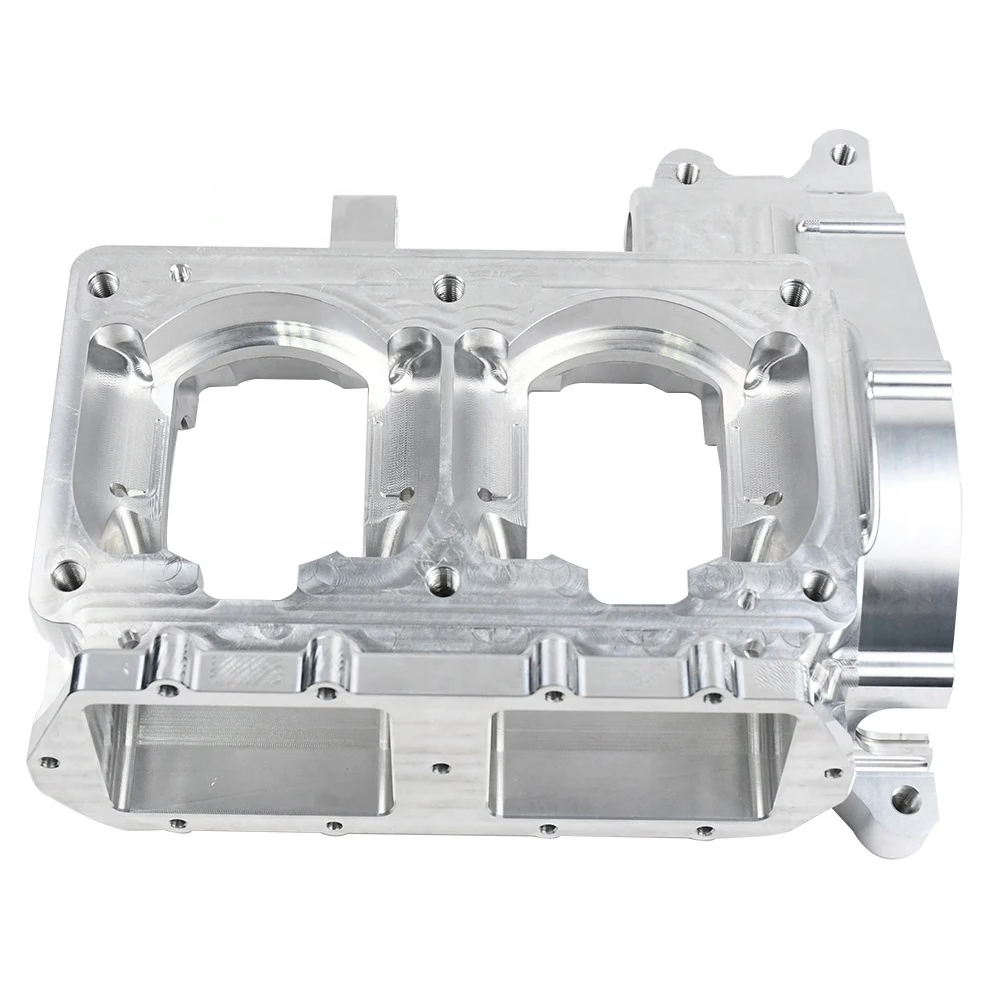
How NX Work for 4 Axis Machines Shifts the Rotary Axis
Does NX work for 4 axis machines in a real production cell, not just in a demo? The answer sits in how the software models the machine. NX treats a 4-axis or 5-axis machine as a kinematic model, not as a set of separate operations. You define the machine once: linear axes X, Y, Z, plus the rotary axes A, B, or C, and where each one sits relative to the part. The CAM engine then solves toolpaths in that coordinate space.
That matters because the software has to answer one question thousands of times per second: if the tool tip is here and the tool axis points there, what should each axis read? On a table-table 5-axis machine both rotary axes move the part. On a spindle-tilt machine the head moves instead. NX allows both configurations, plus mixed setups where one rotary axis sits in the table and another tilts the spindle.
The practical result is that a 4-axis operation is not a special mode you switch on. It is the same toolpath engine with one rotary axis locked. A wrapped contour, a rotary pocket, or a multi-face drill cycle all use the same stock model and the same in-process workpiece. That is why NX work for 4 axis machines stays consistent when you later add a fifth axis to the same part.
One boundary worth knowing: the machine model must be built correctly before any of this is useful. A rotary axis defined 0.1 mm off center will throw every tool vector off by a proportional amount at the part surface. Get the kinematics right once and the rest of the programming gets easier.
What Changes Between 4-Axis and 5-Axis Toolpaths
On a 4-axis machine the part usually rotates about one axis while the tool stays vertical. That suits parts that are long and mostly cylindrical: shafts, housings with features on several faces, and anything where three-axis access runs out on the sides. NX handles this with indexed rotary positioning, wrapped curves, and rotary roughing that follows the part around the table.
Five-axis simultaneous machining is a different problem. The tool axis is free, so the software has to control lead and tilt angles continuously. NX exposes these as parameters: lead angle, tilt angle, and a limit on how fast the rotary axes may accelerate. Set the tilt too aggressively and the machine will chatter or trip a following error. Set it too conservatively and you leave money on the table in cycle time.
The useful middle ground is 3+2, also called positional 5-axis, where the table indexes to a fixed angle and the cut itself is three-axis. For a part with features on five faces, 3+2 often beats full simultaneous because the tool is stiffer and the post is simpler. NX supports both from the same setup, so you can choose per feature rather than per part.
Where the software earns its keep is collision avoidance. On a deep pocket with a long tool, NX checks the holder, the tool shank, and the machine head against the stock. It shortens the toolpath automatically where needed. That check is what keeps a 5-axis program from becoming a crash report.
Simulation and Post Processing Before the First Cut
A multi-axis program that looks fine on screen can still crash. NX addresses this with material removal simulation that runs the actual G-code, not just the CAM path. You see the stock being cut away, and you see where the holder would have hit the fixture. On a 5-axis job this is not optional. The rotary moves are hard to picture, and a broken holder costs more than the programming time saved.
Post processing is the second gate. NX ships a post builder, and every machine needs its own post because rotary conventions differ. A Fanuc table-table machine and a Heidenhain spindle-tilt machine do not read the same A and C values for the same physical orientation. The post must also enforce machine limits, so the software never commands a rotary axis past its travel.
The checks we care about before a program reaches the floor are simple. Does the post output the right rotary sign convention? Does the simulation show any rapid move through stock? Does the tool list match what is loaded in the crib? Those three questions catch most first-run problems.
One more thing that is easy to miss: NX lets you save the in-process workpiece between operations. On a long 4-axis part with eight setups, that means each operation starts from the true remaining stock instead of an idealized block. Rest machining gets more accurate and air cutting drops.
Which Parts Suit NX on Multi-Axis Machines
NX is strongest on parts with continuous curved surfaces, undercut regions, or features that need to be reached from many directions. Impellers, turbine blades, medical implants, and complex housings fall into that group. If the geometry can be modeled, NX can usually machine it with a five-axis strategy.
It is less useful when the part is simple and the batch is large. A bracket that needs two faces milled and four holes drilled does not benefit from a full 5-axis program. A three-axis program with a simple fixture will run faster to write and easier to prove out. NX can still do it, but the setup cost is not repaid.
Material matters too. Aluminum 6061 and 7075 cut freely and tolerate aggressive tilt angles. Titanium Ti-6Al-4V and Inconel 718 do not. On those alloys you want smaller stepovers, more tool axis control, and a strategy that keeps the cutter engaged rather than rubbing. NX has specific strategies for this, but the parameters still have to come from someone who has cut the material before.
For shops running mixed work, the honest answer is that NX work for 4 axis machines well, and it handles 5-axis work just as well. The limit is not the software. It is whether the shop has the post processor, the simulation discipline, and the machinist experience to run multi-axis safely.
What NX Cannot Do for You
Software does not set the rotary centerline. Someone has to indicate the table, measure the offset, and enter it into the model. If that number is wrong, every tool vector is wrong, and the error grows with distance from the center. NX will simulate a perfect part while the real machine cuts a tapered one.
Software does not choose the tool. A long reach tool that clears the fixture may also deflect under load. NX can show the collision, but it cannot feel the vibration. On titanium and stainless parts, the finishing pass that looks fine in simulation can still leave chatter marks if the tool overhang is too long.
Software does not replace the first-article check. After the first part comes off a 5-axis machine, someone still has to measure it. At GreatLight we run 100% inspection before shipment, with reports on request, because the multi-axis geometry is exactly where a small setup error hides.
The good news is that these limits are knowable and manageable. Build the kinematic model carefully, prove the post on a simple part, simulate every program, and measure the first article. Do those four things and NX work for 4 axis machines and 5-axis centers becomes routine rather than risky.
4-Axis vs 5-Axis vs 3+2: What to Choose
Match the strategy to the part, not to the machine brochure.
| Strategy | Best for | Typical limit | Watch out for |
|---|---|---|---|
| 3-axis | Flat plates, open pockets, one-face work | No side access without refixturing | Multiple setups add tolerance stack |
| 4-axis indexed | Shafts, long housings, features on four faces | Rotary position fixed during cut | Rotary centerline must be dialed in |
| 3+2 positional | Five-face parts, deep bores, stiff cuts | Index moves add cycle time | Post must handle safe retract between angles |
| 5-axis simultaneous | Blades, impellers, undercuts, contoured walls | Machine dynamics and post complexity | Tool axis changes can cause chatter |
The Short Verdict
If your part has contoured surfaces or needs access from several directions, NX is the right tool for 4-axis and 5-axis work. If the part is a simple prismatic block, a three-axis program with a good fixture will get you there faster and cheaper.
Frequently Asked Questions
Does NX work for 4 axis machines out of the box?
Yes, NX CAM includes 4-axis strategies such as rotary indexing, wrapped contours, and rotary roughing. The machine kinematics still have to be defined in the setup, and a post processor has to be configured for your control.
For a first job, prove the post on a simple round part before running a production batch.
Can NX program a 5-axis machine without a simulation license?
NX will generate the toolpath, but running the G-code simulation requires the relevant simulation module. Many shops treat simulation as mandatory for simultaneous 5-axis work because rotary moves are hard to verify by eye.
Skipping it is possible. It is also how holders get broken.
Do I need a separate post processor for each machine?
In practice, yes. Rotary axis conventions, travel limits, and M-code handling differ between controls, and even between two machines of the same brand with different table configurations.
NX Post Builder lets you create and edit posts, but each one should be proven on a test part before production use.
Is 3+2 easier to run than full 5-axis?
Usually. In 3+2 the table indexes to a fixed angle and the cut is three-axis, so the tool is stiffer and the post logic is simpler. It is often the better choice for parts with features on five faces.
Full simultaneous is worth it when the surface itself is contoured, such as a blade or an impeller.
What tolerance can multi-axis machining hold?
At GreatLight, 5-axis work holds ±0.005 mm (±0.0002 in) on qualified features, with surface finishes from Ra 0.2–0.8 μm on fine finishing passes.
Those numbers depend on the machine, the fixture, and the material. They are not a promise for every geometry.
How fast can a multi-axis job start?
Quotation and free DFM analysis come back within 12 hours, and production can start within 24 hours after approval. Typical parts ship in 3–5 days.
No minimum order quantity applies, from one prototype to 10,000+ part runs.
Program It, Then Cut It
Send us your 4-axis or 5-axis part. We review the geometry, flag the features that need multi-axis access, and quote within 12 hours.
12-hour quote100% inspection±0.005 mmNo MOQ
GreatLight on Social
We publish setup notes, tooling trials and inspection data from the factory floor.











